About the Graph Visualization Toolbar and Visualization Modes
Learn about the graph visualization toolbar and supported graph visualization modes in your graph visualization.
The graph visualization toolbar is displayed on the left of the graph visualization panel as shown:
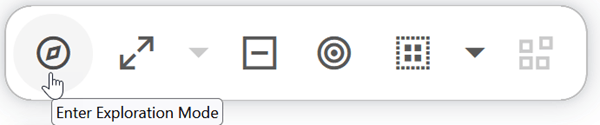
Description of the illustration graphviz_toolbar.png
You can interact with your graph relationships by entering Exploration Mode shown in the preceding toolbar. See Using Exploration Mode in Property Graph Visualization Developer’s Guide and Reference for more information.
Supported graph exploration actions are:
-
Expand: To expand on a selected vertex and fetch n-hop neighbors using the hop count slider. You can set the hop count between one and five (maximum hop count).
-
Drop: To remove selected vertices from the visualization.
-
Focus: To drop everything and fetch n-hop neighbors of a selected vertex.
-
Group: To group selected multiple vertices and collapse them into a single one.
-
Ungroup: To select a group of collapsed vertices and ungroup them.
-
Undo: To undo the last action.
-
Redo: To redo the last action.
-
Reset: To reset the visualization to the original state after the query.
See Graph Interaction Options in Property Graph Visualization Developer’s Guide and Reference for examples.
The supported graph visualization modes are:
-
Move/Zoom: This mode allows you to zoom in and out, as well as to move to another part of the visualization.
-
Fit to Screen: This mode fits the resulting graph in the graph visualization view.
-
Pin Vertices: This mode allows you to drag vertices and pin them in their new positions.
In addition,  Toggle fullscreen mode is available on the right of the graph visualization panel.