Graphs
Graphs Manager lists the graphs that you are authorized to view and provides the total memory usage for each graph.
This page comprises the following two tabs:
-
Graphs In Memory (default): Displays graphs that are loaded into memory.
-
Graphs In Progress: Displays graphs that are being loaded into memory.
If you have the PGX_SERVER_GET_INFO privilege, typically granted through the GRAPH_ADMINISTRATOR role, you can view graphs for all active users. You can terminate your own sessions. To terminate other users’ sessions, you must also have the PGX_SERVER_MANAGE privilege. For example:
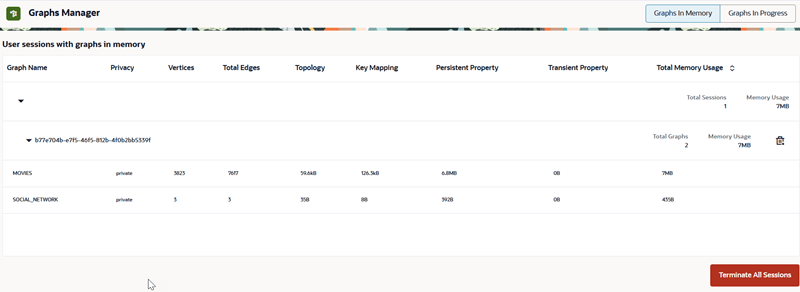
Description of the illustration graphs_manager.png
If you are an authenticated non-administrator having the GRAPH_DEVELOPER role, you can view and terminate only graphs referenced by your own sessions.
If the displayed graphs belong to only one user, the user name is not displayed.