Importing and Exporting Visualization Settings
You can export graph visualization settings to a JSON file and import them later.
Visualization settings include the graph layout, display size, edge markers, captions, and vertex and edge styles.
Importing Visualization Settings
To import visualization settings:
-
Run a graph query and display the results in the Query Visualization tab.
-
In the upper-right corner of the graph visualization panel, select the Visualization Settings Actions icon.
-
Select Import Visualization Settings.
The Import visualization settings dialog open as shown:
Figure: Importing Graph Visualization Settings
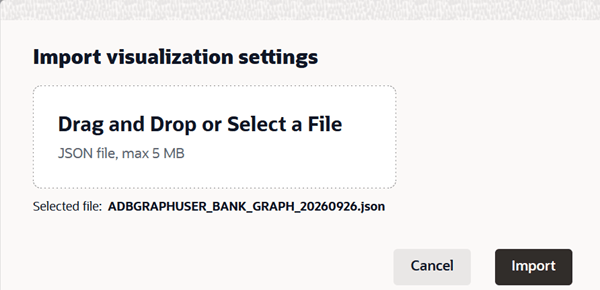
Description of the illustration import_graphviz_settings.png
-
Drag and drop a JSON file into the upload area, or select the upload area and select a file from your local system.
The file must be in JSON format and must not be larger than 5 MB. The settings in the JSON file must match the graph used in the visualization query.
-
Verify that the intended file is selected.
-
Select Import.
Exporting Visualization Settings
To export visualization settings:
-
Run a graph query and display the results in the Query Visualization tab.
-
In the upper-right corner of the graph visualization panel, select the Visualization Settings Actions icon.
-
Select Export Visualization Settings.
The visualization settings are downloaded to your local system as a JSON file. You can use this file to restore the settings or apply them to another visualization of the same graph.