Visual Graph Query Builder User Interface
Learn about the controls and views in the Visual Graph Query Builder user interface.
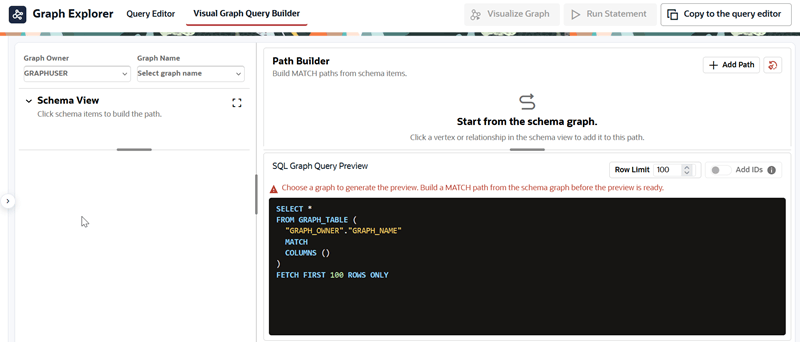
To open Visual Graph Query Builder, select the Visual Graph Query Builder tab in Graph Explorer. The following figure shows the landing page for Visual Graph Query Builder.
Figure: Visual Graph Query Builder Landing Page
Description of the illustration query_builder_landing_page.png
Select values for Graph Owner and Graph Name to select the graph for the query.
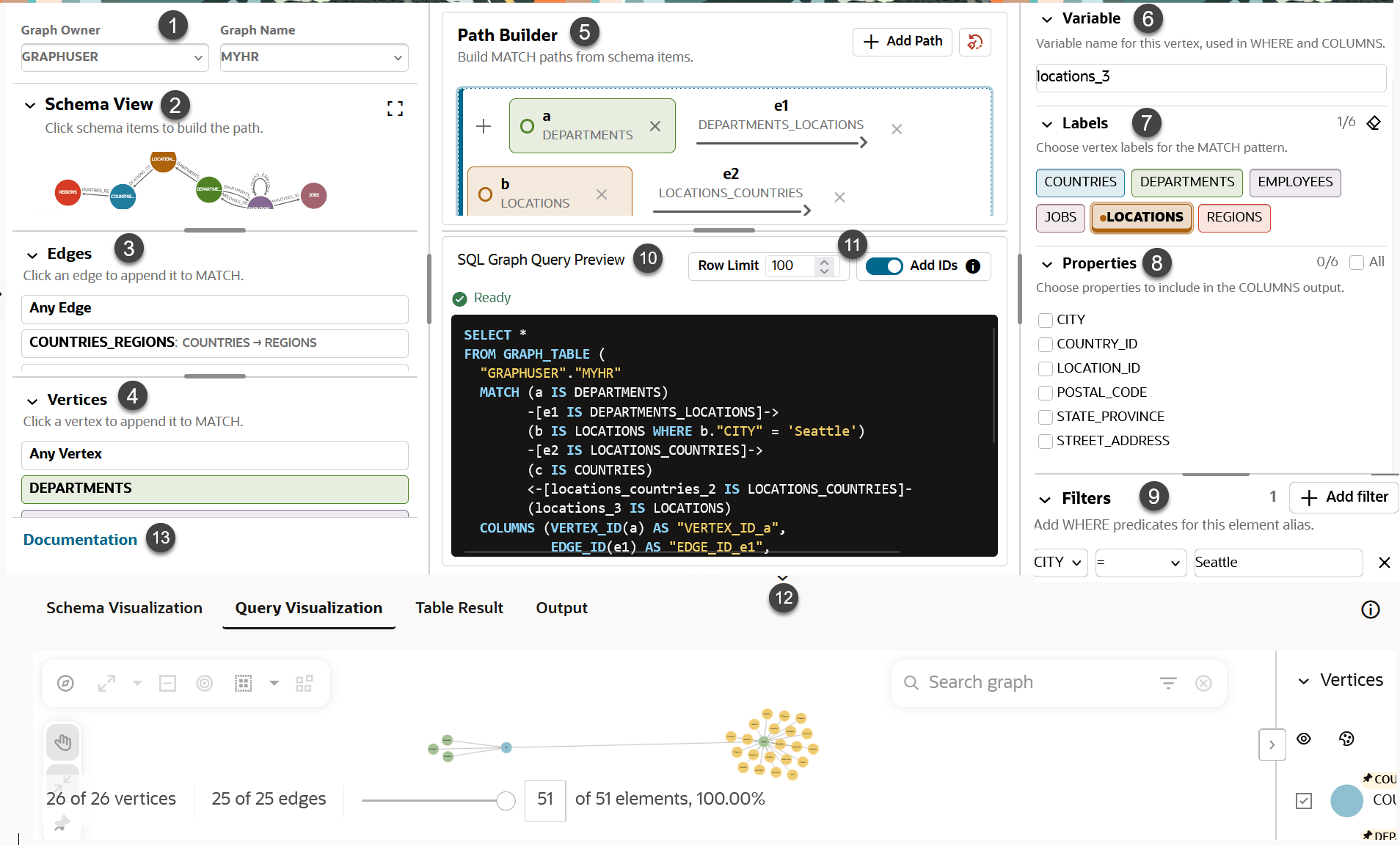
The following figure shows the Visual Graph Query Builder user interface while you construct a path pattern for a SQL graph query.
Figure: Visual Graph Query Builder User Interface
Description of the illustration query_builder_UI.png
-
Graph Owner and Graph Name: Select the graph whose schema you want to use.
-
Schema View: Displays the selected graph schema.
View the graph schema and select graph elements for a path.
-
Edges: Inspect and select relationships to add to the current path pattern in the
MATCHclause. -
Vertices: Inspect and select vertices to add to the current path pattern in the
MATCHclause. -
Path Builder: Displays each selected vertex and relationship in a path pattern.
Select Add Path to add another path.
-
Variable: Specifies the variable name used for a graph element.
-
Labels: Select the labels to use for graph elements in the path pattern.
-
Properties: Select the properties to include in the
COLUMNSclause for a graph element. -
Filters: Add
WHEREpredicates for the selected graph element. -
SQL Graph Query Preview: Displays the SQL graph query generated from the constructed path.
-
Query Preview Controls:
- Use Row Limit to set the displayed row limit.
- Select Add IDs to include vertex and edge identifiers in the SQL graph query visualization.
-
Query Result Tabs: Select Schema Visualization, Query Visualization, Table Result, or Output to display query results.
-
Documentation: Opens documentation in the workspace.