Creating Multiple Datasets Automatically from a Connection
You can automatically create Spatial Studio datasets from all, or selected, geometry tables and views found in an Oracle Database connection on the Connections page.
Before you begin, ensure that you are the owner of the connection and have the
SPATIAL_AUTHOR role.
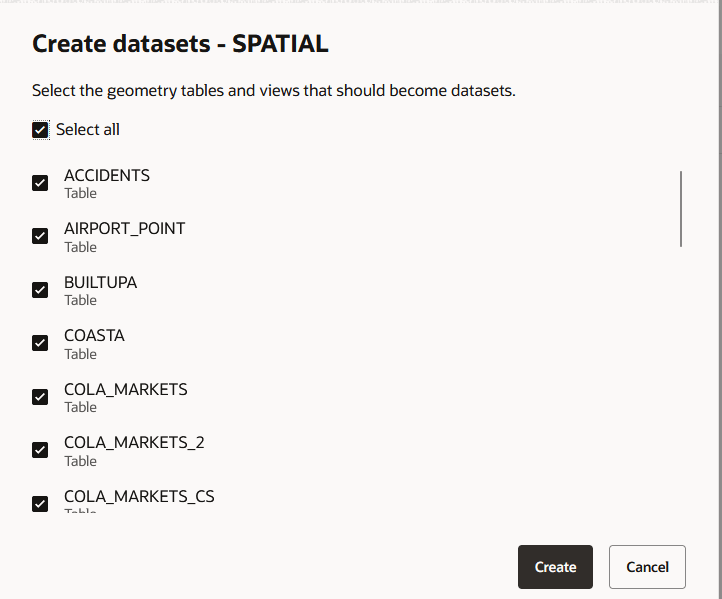
- Click Create datasets.The Create datasets dialog opens and displays the geometry tables and views available in the connection.
Figure 3-34 Selecting Tables and Views for a Connection
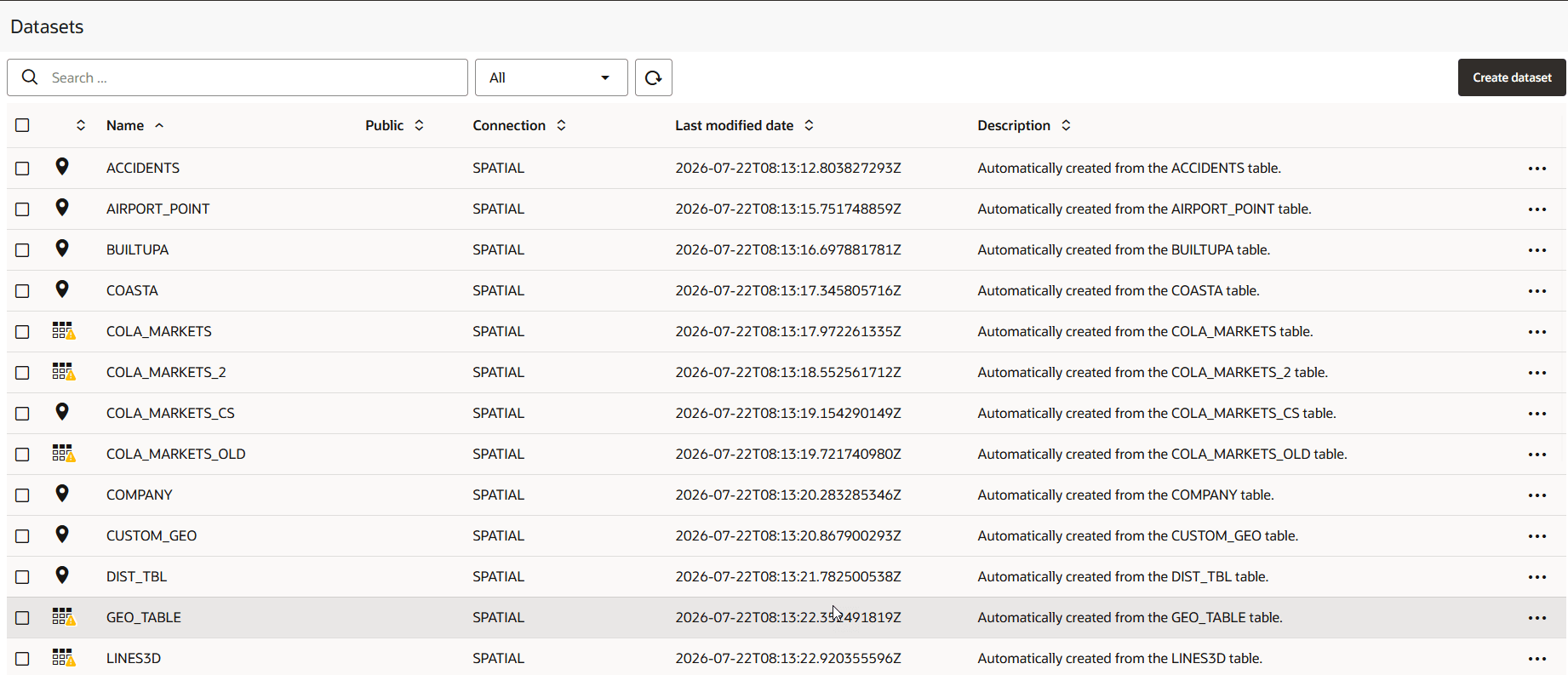
- Click Create.Spatial Studio automatically creates one dataset for each selected table or view. These datasets are listed on the Datasets page.
Figure 3-35 Automatically Created Datasets