3.19 Working With APEXlang Applications
The Open Application Specification Language (APEXlang) is a declarative language for the generative development of Oracle APEX web applications. It provides developers and LLMs with a supported way to represent Oracle APEX applications as human-readable files that can be reviewed, versioned, diffed, scanned, validated, and governed.
Oracle SQL Developer for VS Code provides native support for APEXlang, including direct integration with AI assistants and advanced editing, source control, and diff capabilities. To improve the editing experience, SQL Developer for VS Code also provides APEXlang language services that use compiler feedback such as errors, warnings, and an application component tree to help developers work more productively.
Oracle SQL Developer for VS Code integrates SQLcl support for APEXlang import and export operations directly into the development workflow through the built-in terminal and user interface.
3.19.1 Understanding the Connection Navigator and APEXlang Editor
For any APEXlang application, SQL Developer for VS Code provides editor and navigator features to help you develop and deploy APEXlang applications.
Connections Navigator
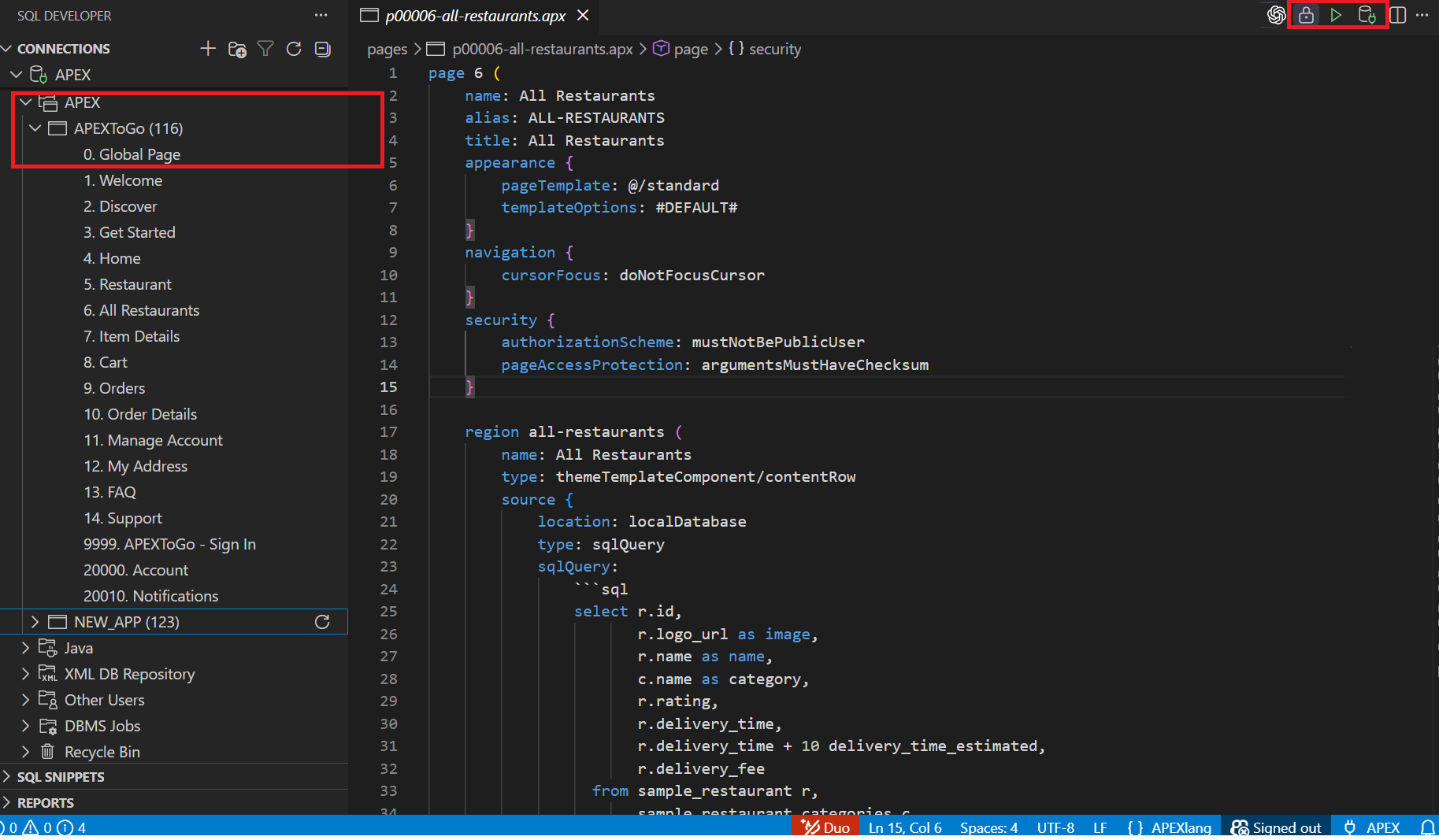
- APEX node (Generate): When you right-click the APEX node in the Connections navigator, the context menu shows Generate…. Select it to create a new simple APEXlang application project in a local folder.
- Application node (Export): When you right-click a specific APEX application node (for example, APEXTOGO (116)), the context menu shows Export…. Select it to export the selected application to an APEXlang project on your local file system.
Editor toolbar
The editor toolbar provides APEXlang-specific actions for compiling and deploying an application, managing the attached database connection, and viewing page lock status.
Import (play icon)
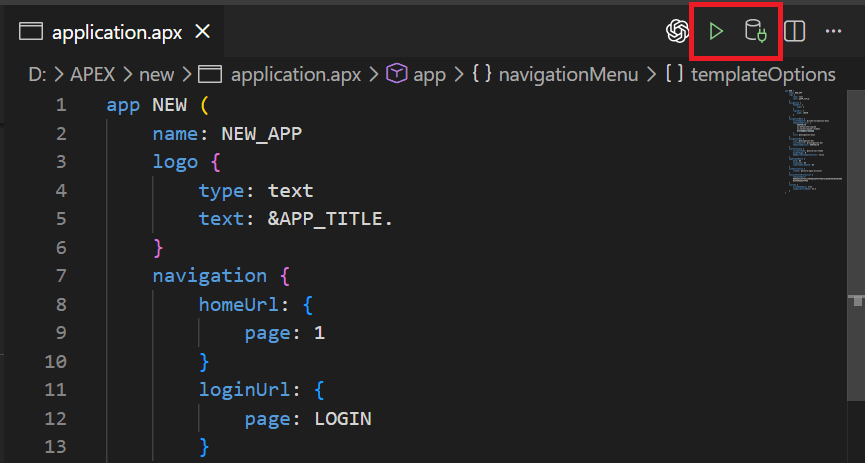
The Import button (play icon) compiles the APEXlang application and deploys it to the attached database connection where APEX is installed.
Attach/Detach Connection
- For APEXlang files and
deployments/default.json, the connection is shared across all open files in the same application. Attaching or detaching a connection in one file applies to the other open files in that application. - For other JSON files under the deployments folder, the connection is not shared. This allows you to attach a different target connection for a specific deployment file.
Page Locked (padlock icon)
If the open document represents an APEX page and that page is locked in APEX, a padlock icon is displayed in the editor toolbar when a connection is established. Click the padlock icon to display a popup with details of the page lock.
3.19.2 Exporting an APEX Application
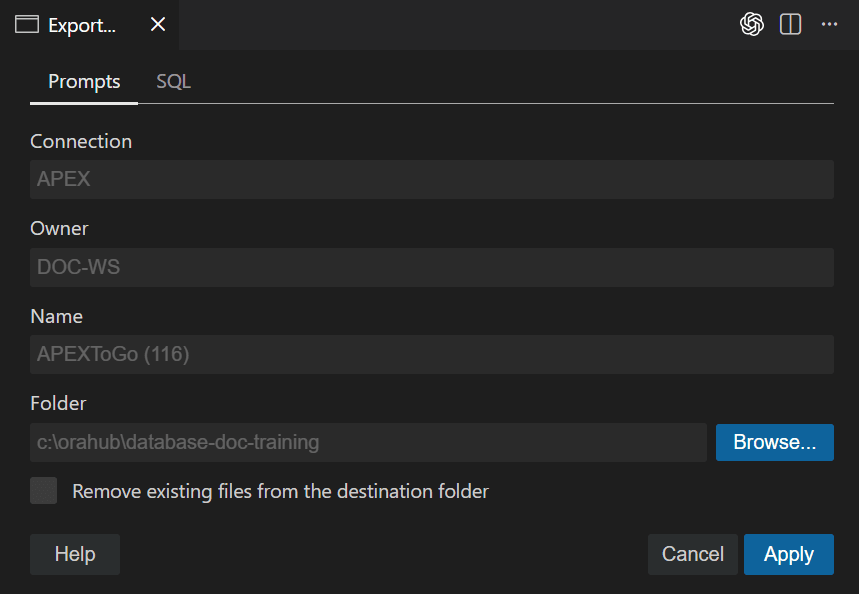
Exporting an application saves an existing APEX application from the database as an APEXlang project on your local file system. This lets you edit and manage the application as source files and import it back into APEX when needed.
- Right-click the application and select Export….
3.19.3 Generating an APEX Application
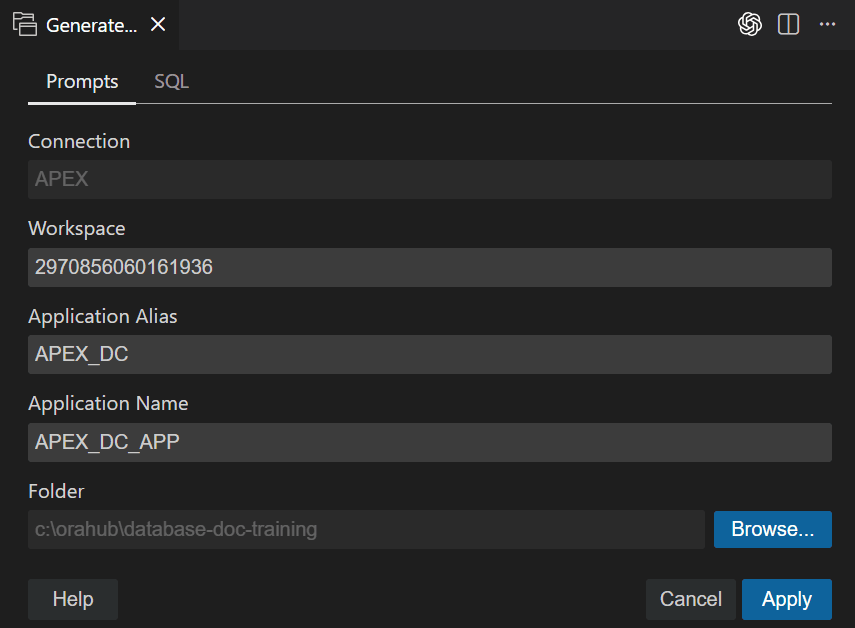
Generate creates a new APEXlang application project by running the SQLcl
generate command, producing a ready-to-edit folder structure (including an
application.apx file and related deployment files) in the location you
specify.
- Right-click the APEX application node and select Generate....
3.19.4 Importing an APEX Application
Importing an application compiles the APEXlang project and deploys it to the attached Oracle Database connection where APEX is installed.
- Verify that the editor shows the connection as attached.
3.19.5 APEXlang Language Services
When you open an APEXlang file in the editor, SQL Developer for VS Code provides language features to help you author, validate, and navigate APEXlang content.
While editing APEXlang files, SQL Developer for VS Code displays a
light bulb icon  in the editor margin when a Quick Fix or other code action is
available. Click the light bulb or press Ctrl+I to
view and apply suggested fixes, such as correcting common issues or
refactoring content.
in the editor margin when a Quick Fix or other code action is
available. Click the light bulb or press Ctrl+I to
view and apply suggested fixes, such as correcting common issues or
refactoring content.
Syntax Highlighting
APEXlang syntax is color-coded based on your editor theme and
preferences.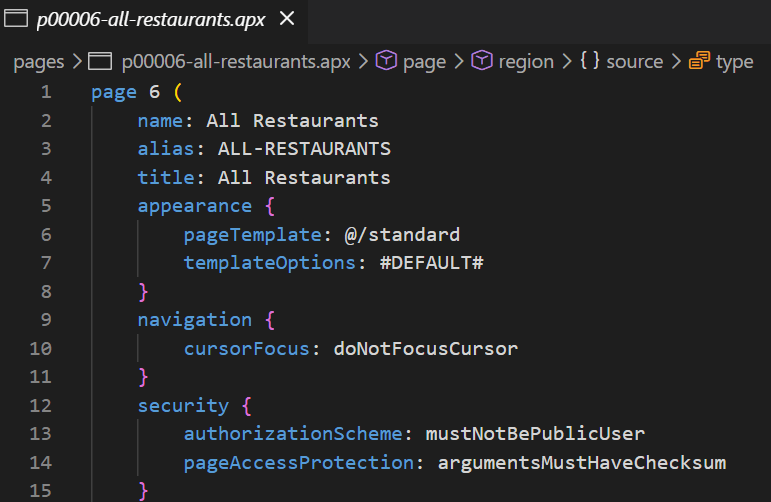
Description of the illustration apex_syntax_highlight.png
Outline View
The structure of the current APEXlang document is displayed
in the Outline view. This view enables you to quickly navigate to
components and properties within the file.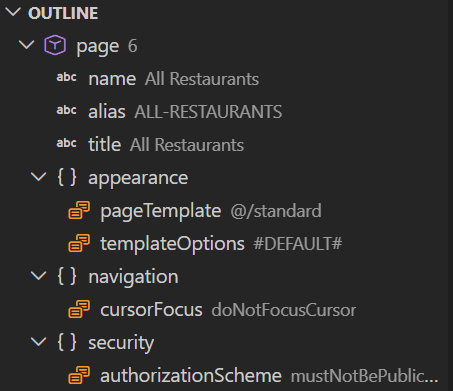
Description of the illustration apex_outline_view.png
Hover
Provides documentation for properties and property values.

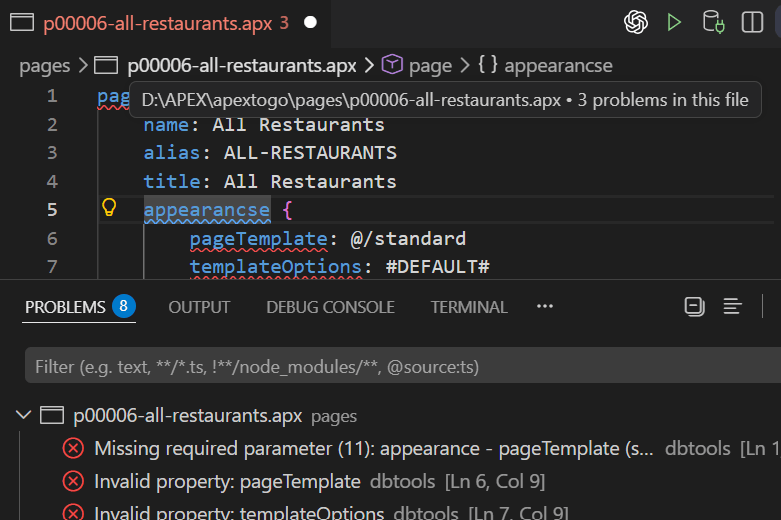
Diagnostics
- inline using diagnostic underlines
- in the Problems panel
Code Completion
Code completion (CTRL+SPACE) in APEXlang suggests content that can be
inserted at the current cursor location. Suggestions include
property names, valid property values, references, and
snippets.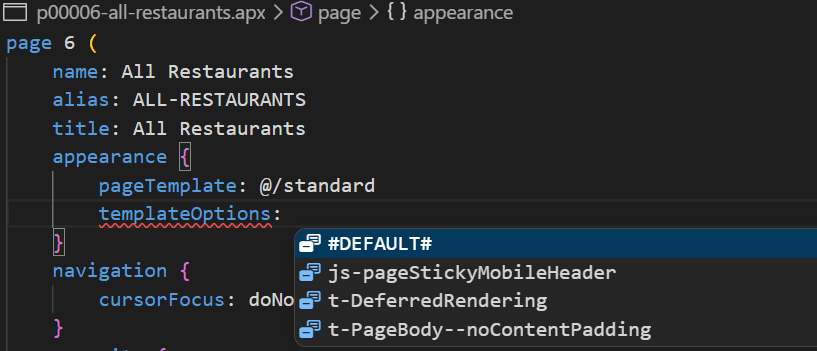
Description of the illustration apex_ui_code_completion.png
- Property values in List of Values (LOVs)
and references to other components
When completion is invoked immediately after a
propertyName, valid values are suggested. Where available, documentation is displayed for the suggested values. Suggestions can include values from static LOVs and plugin LOVs, as well as references to other components. - Property names in existing and new groups
When the cursor is not positioned to the right of a
propertyName, completion suggests properties that can be inserted in the current context or in relevant groups. If the required group does not exist, it is created with the property inserted. If the group exists elsewhere in the document, the property is inserted into the existing group and the editor scrolls as needed to make the insertion visible. - New child component snippets
When the cursor is not positioned to the right of a
propertyName, completion can also offer snippets for inserting new child components.
Embedded Language Support
APEXlang can contain embedded fragments of other languages, such as CSS, SQL, and PL/SQL. When the embedded text block is annotated with the language, SQL Developer for VS Code highlights the fragment using that language's syntax rules.
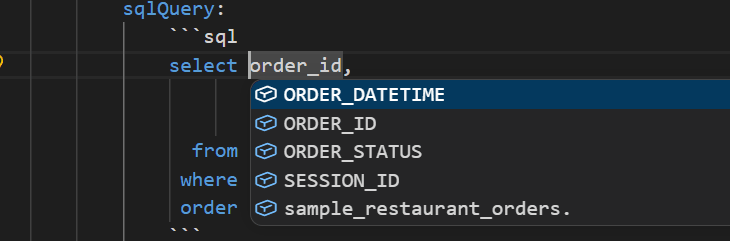
For embedded SQL and PL/SQL, completion is provided by
Oracle SQL support, including database objects such as tables and
columns when a connection is attached.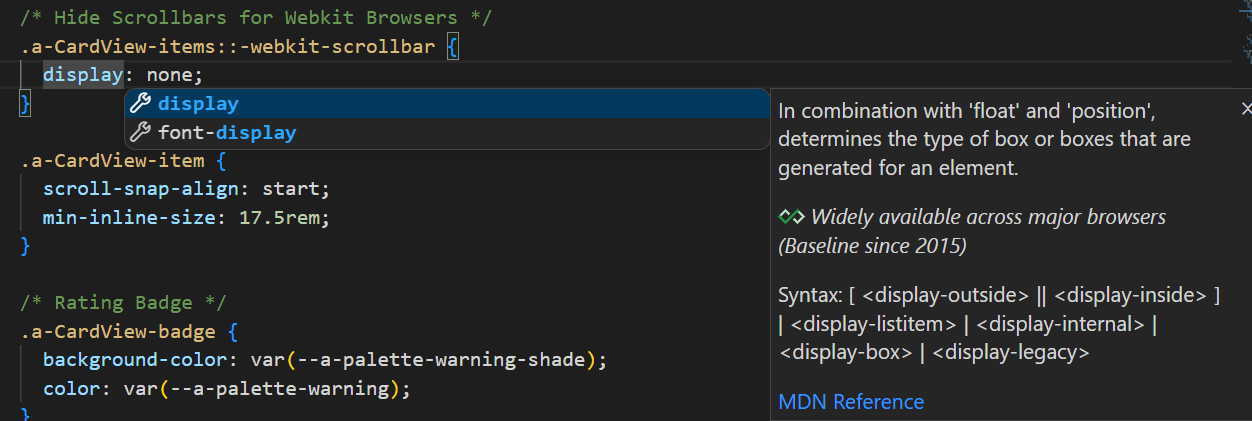
Description of the illustration apex_embedded_language_support_css.png
For embedded SQL and PL/SQL, completion is delegated to Oracle SQL
support. When a database connection is attached, completion can
include database objects such as tables and columns (for example,
while editing a SELECT statement).
Navigation and Refactoring
SQL Developer for VS Code provides navigation and refactoring actions for APEXlang components and references.
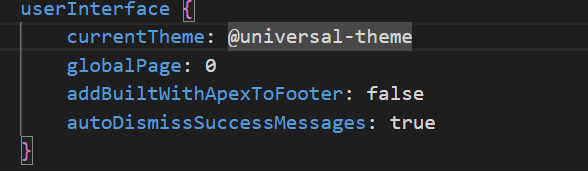
- Go to Definition: Enables navigation from a
component reference (typically of the form @component-id) to
the referenced component using the context menu or
Ctrl+Click.
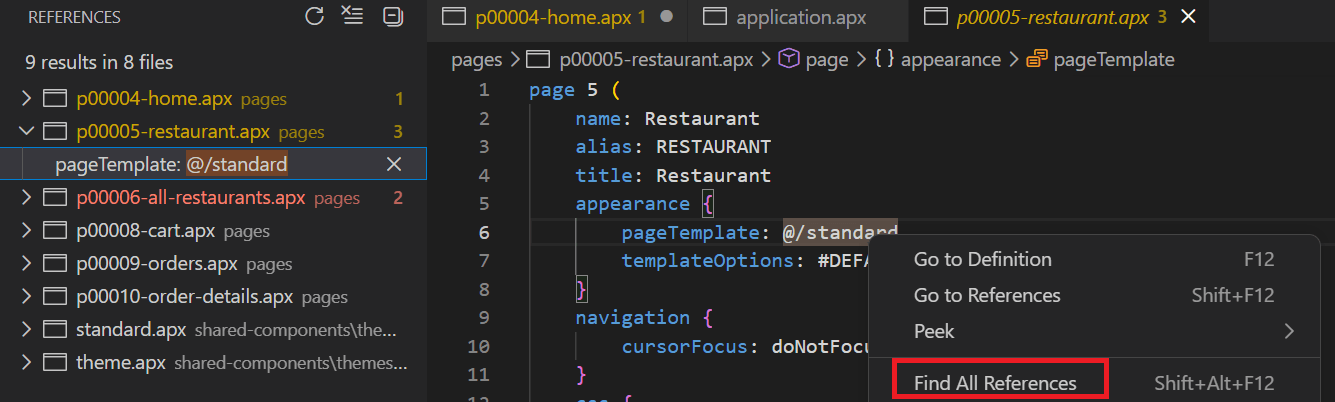
- Find All References/Usages: Shows all references to a
selected component or reference across the project.
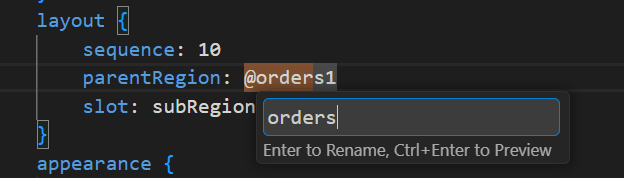
- Rename Symbol: Renames a component identifier and updates
its references using the context menu.
Quick Fixes
Quick fixes are offered for common issues detected while editing.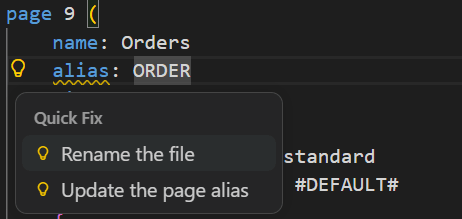
Description of the illustration apex_quick_fixes.png
- Page number and alias inconsistencies between a page file name and its contents (page files typically follow the convention p<numeric page id>-<page alias>.apx).
- Invalid casing where a property requires a specific case (lower or upper).
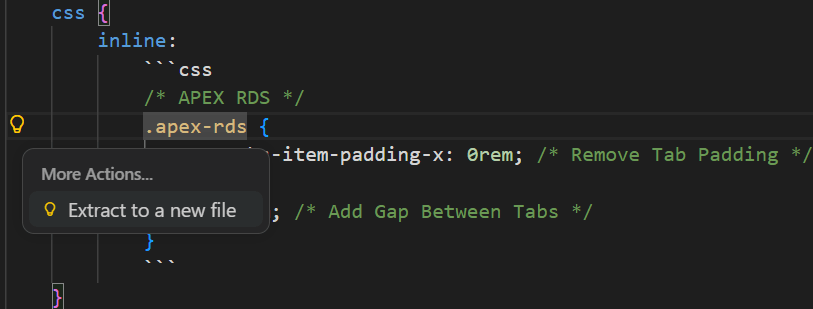
Refactor Inline and Out-of-Line Embedded Language Source
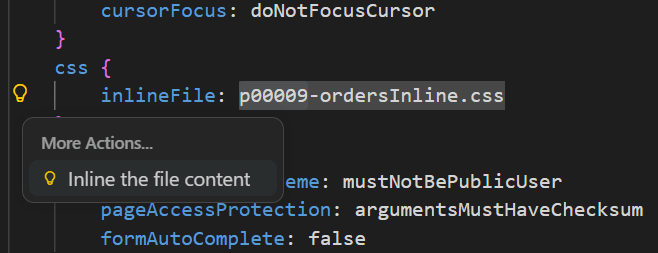
- Out-of-line content is indicated by using
the same property name with a File suffix, with the
value set to the file path/location.
- Refactor actions are available to extract
inline content out to a file and to inline
file-based content back into the document.
3.19.6 Import Workflow Enhancements
SQL Developer for VS Code provides optional and automatic behaviors that can run as part of importing an APEXlang application.
Export Before Import
Optionally, when you click Import, SQL Developer for VS Code can export the application (SQL export) before compiling and importing the APEXlang sources.
- enabling or disabling export-before-import
- the number of export files to retain
- the export location
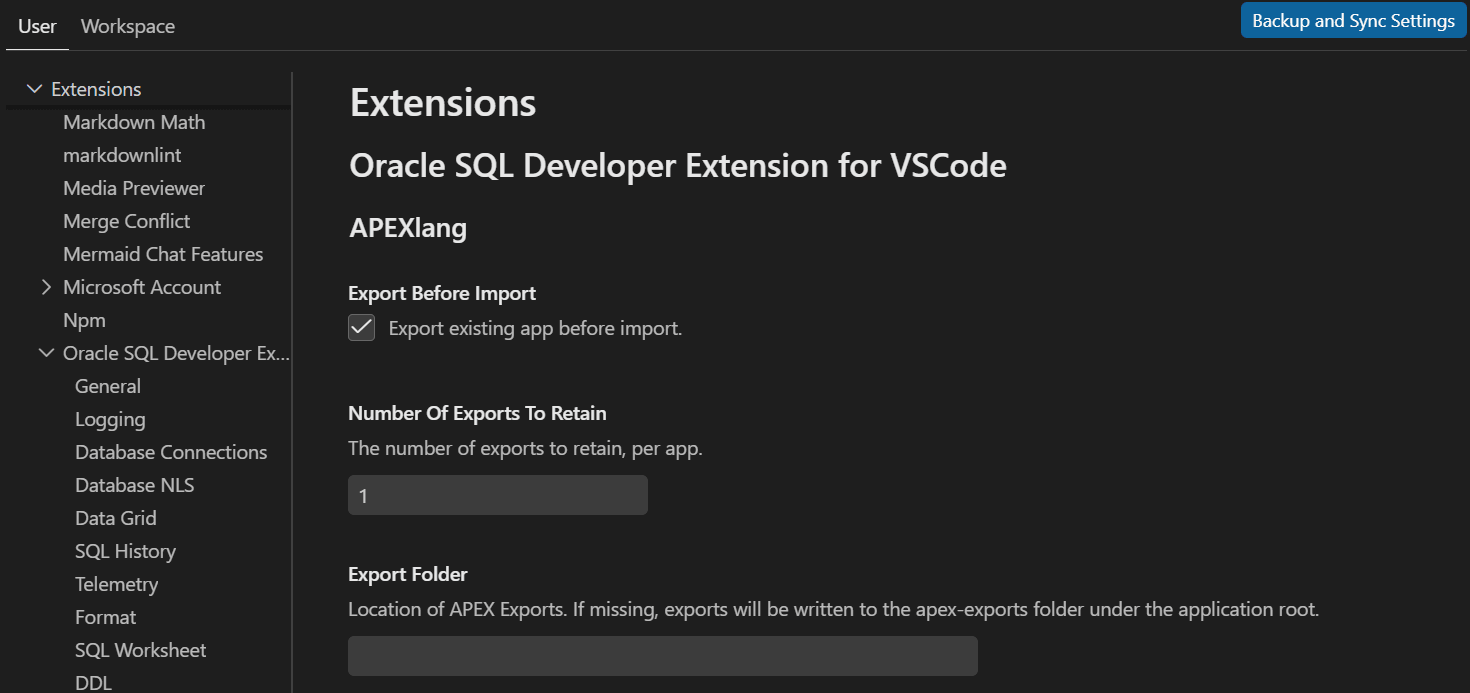
If the export location is not defined, a folder named
apex-exports is created and used. The
folder also includes supporting files such as a
README and .gitignore.
Auxiliary File Maintenance
- If the deployment file does not record the application ID, it is created or updated so subsequent imports use the same ID.
- If
.apex/apexlang.jsonis missing, it is created.
Information about these updates, or warnings if they fail, is
written to logs. When this occurs, the import confirmation provides
an option to open the import logs.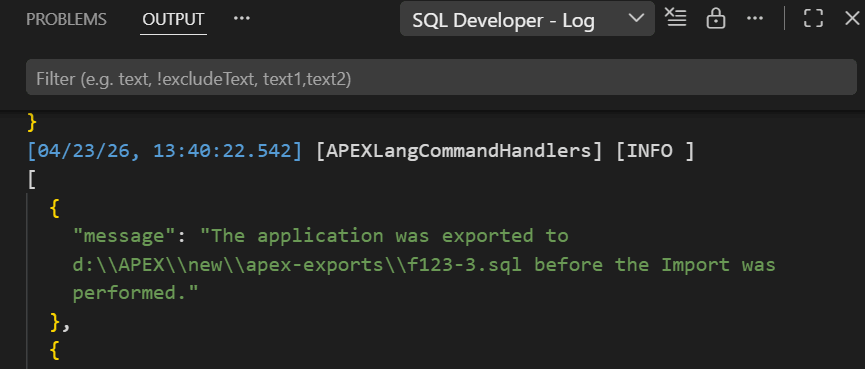
Description of the illustration apex_import_log_file.png