Entering and Modifying Data
You can enter data into tables and views and also edit and delete existing data. To do any of these operations, select the object in the Connections panel, and then click the Data tab in the table detail display. If you click one of the other tabs, Columns, Constraints, Grants, Statistics, Triggers, and so on, you can view the information and perform relevant context menu (right-click) operations.
The following figure shows the Data pane for a table named EMPLOYEES, with a filter applied to show only those employees whose department_id is 60. A filter icon appears next to the department_id column name in the table.
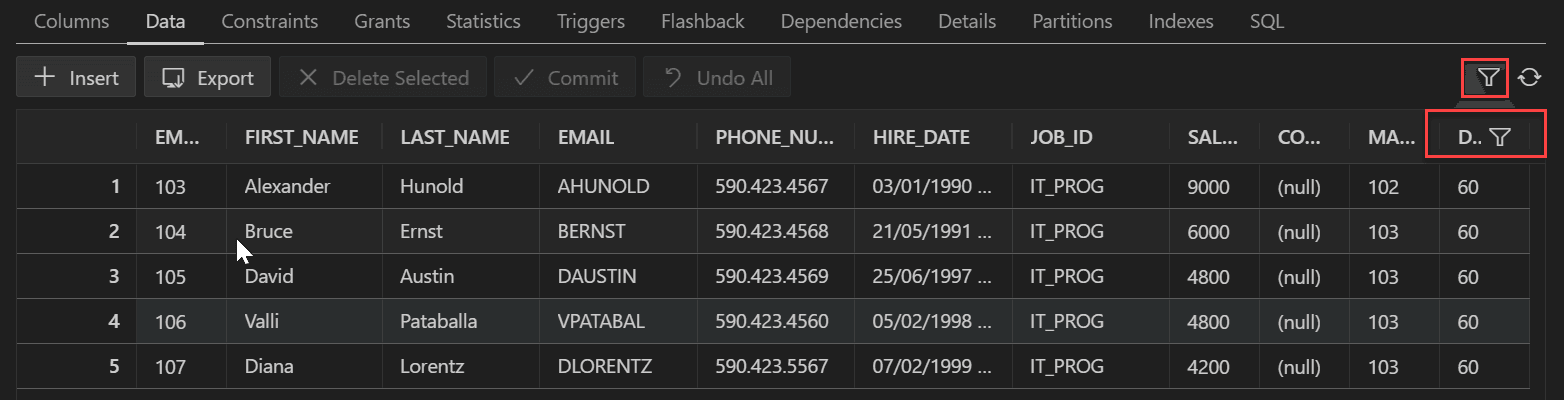
Description of the illustration table_filter.png
The Data tab provides the following options:
-
Insert adds an empty row at the beginning of the table, for you to enter new data.
-
Export enables you to export some or all of the table data to a file or to the system clipboard, in any of the following formats: XML (XML tags and data), CSV (comma-separated values including a header row for column identifiers), SQL Insert (INSERT statements), or SQL Loader (SQL*Loader control file). After you select a format, the Database Export (Unload Database Objects and Data) wizard is displayed.
-
Delete Selected marks the selected rows for deletion. The actual deletion does not occur until you commit changes.
-
Commit ends the current transaction and makes permanent all changes performed in the transaction.
-
Undo All reverts back to the previous state before any changes were made in the current transaction.
-
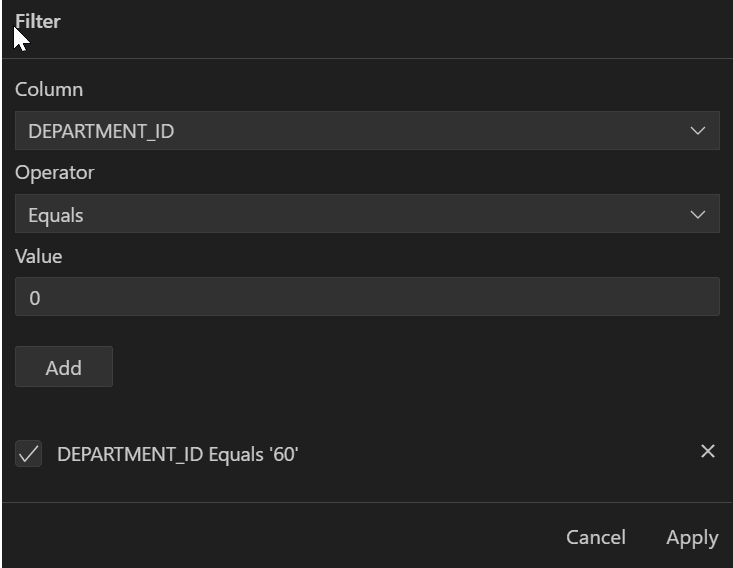
Filter icon enables you to add a filter to limit the display of data. Enter the column name, operator and value, and click Add. The filter is added below. Add more filters if needed. Click Apply to apply the filters.
-
Refresh icon queries the database to update the data display. If a filter is specified, the refresh operation uses the filter.
In the data grid, the context menu (right-click) includes the following commands:
-
Single Record View displays the Single Record View dialog box, which enables you to edit data for a table or view, one record at a time.
-
Count Rows displays the number of rows in the table.
-
Export enables you to export some or all of the table data to a file or to the system clipboard, in any of the following formats: XML (XML tags and data), CSV (comma-separated values including a header row for column identifiers), SQL Insert (INSERT statements), or SQL Loader (SQL*Loader control file). After you select a format, the Database Export (Unload Database Objects and Data) wizard is displayed.
When you right-click a column name, the context menu commands are:
-
Auto-fit All Columns adjusts the width of all columns according to your specification (by column header, by column data, or best fit).
-
Auto-fit Selected Columns adjusts the width of the selected columns according to your specification (by column header, by column data, or best fit).
-
Columns enables you to reorder, hide or show columns.
-
Sort enables you to sort columns in ascending or descending order.