Exporting Data
Right-click on the grid and select Export to export the output data in multiple formats.

Description of the illustration export_data.png
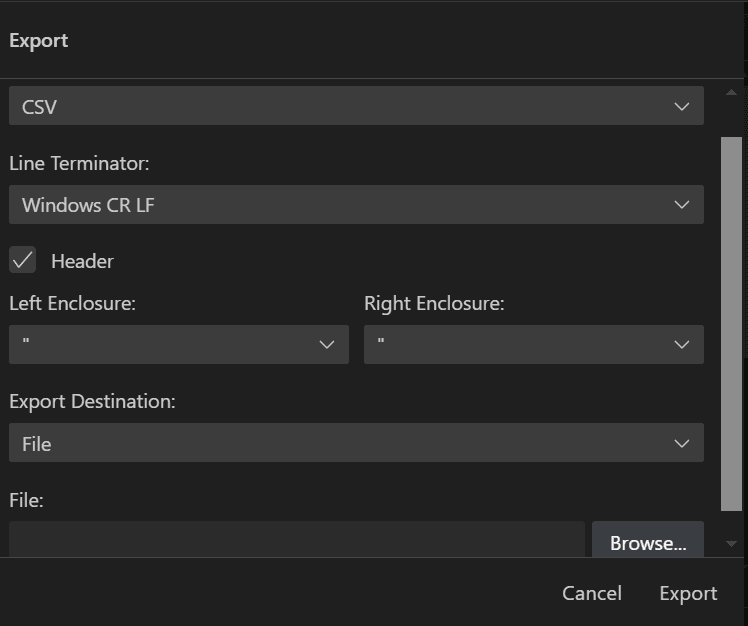
You can choose the desired format for exporting the output by configuring the settings in the Export dialog box. Click Export to export the output.
Description of the illustration export_data_dialog.png
The following configurations are available for exporting the output:
-
Format lists the formats in which the output can be exported. Available options are: CSV, Delimited, Fixed, HTML, Insert, JSON, Text, XML, JSON Formatted, Loader
-
Line Terminator lists the line terminator options for export. Available options are: Unix/Mac LF, Windows CR LF, CR
-
Header displays header in the exported output if this check box is selected.
-
Left Enclosure displays the available left enclosure options, which include: double quote (“), single quote (‘), opening parenthesis ((), opening brace ({), and opening bracket ([).
-
Right Enclosure displays the available right enclosure options, which include: double quote (“), single quote (‘), closing parenthesis ()), closing brace (}), and closing bracket (]).
-
Export Destination lists the destination for the exported output. Available options are: File, Clipboard
-
File allows you to browse and select the destination file for exporting the output.