Insert a Data Record in a Duality View
This section covers the steps to insert a data record in a duality view.
-
In the Connections panel, expand the Duality Views node, and then click the duality view name to open it in the right panel.
-
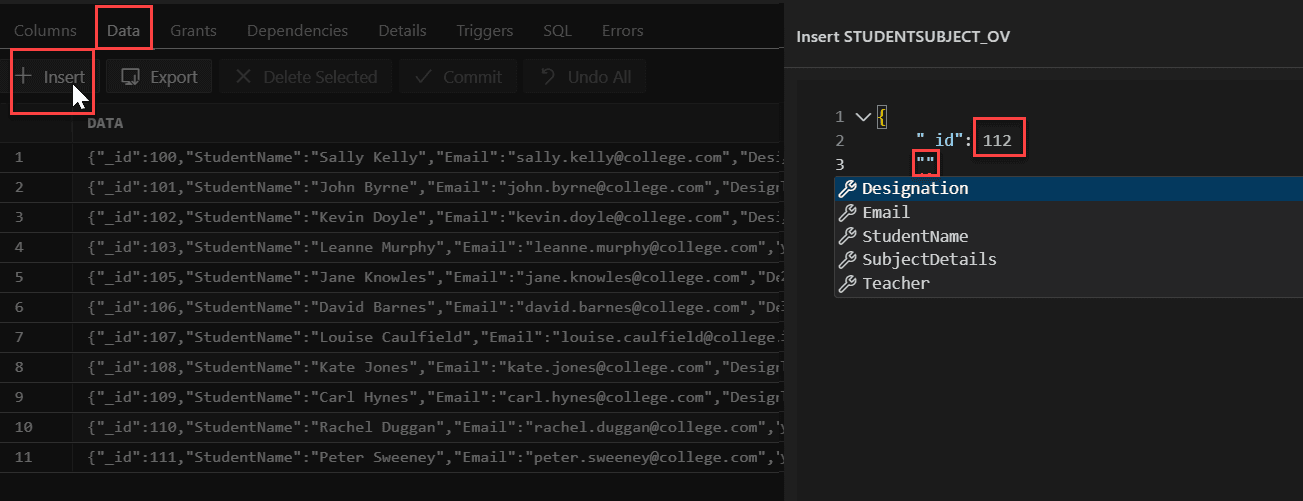
Select the Data tab.
-
Click Insert.
-
In the Insert panel, enter the value for the first property. Press the Enter key to move to the next line. When you enter quotation marks, the available properties that you can choose from are displayed in a list.
If you add any new property that is not part of the schema, an error notification is displayed.
After you complete entering all the details, click Save.
-
Click Commit to commit the changes to the database.