Tracking Activity with Logs
The SQLcl MCP Server provides two main ways to track and monitor database operations: a historical audit trail and real-time session monitoring.
Reviewing the Audit Trail
The server automatically records the execution history of every request in the DBTOOLS$MCP_LOG table. This table provides a complete audit trail of all database operations the server performs. It captures request details, execution times, and results to help you with analysis and troubleshooting.
To maintain optimal database performance, you should prune the DBTOOLS$MCP_LOG table regularly. Consider setting a record limit (for example, 1000 records) and creating an automated cleanup procedure to prevent excessive log accumulation.
To view the audit trail, run a query similar to the following example:
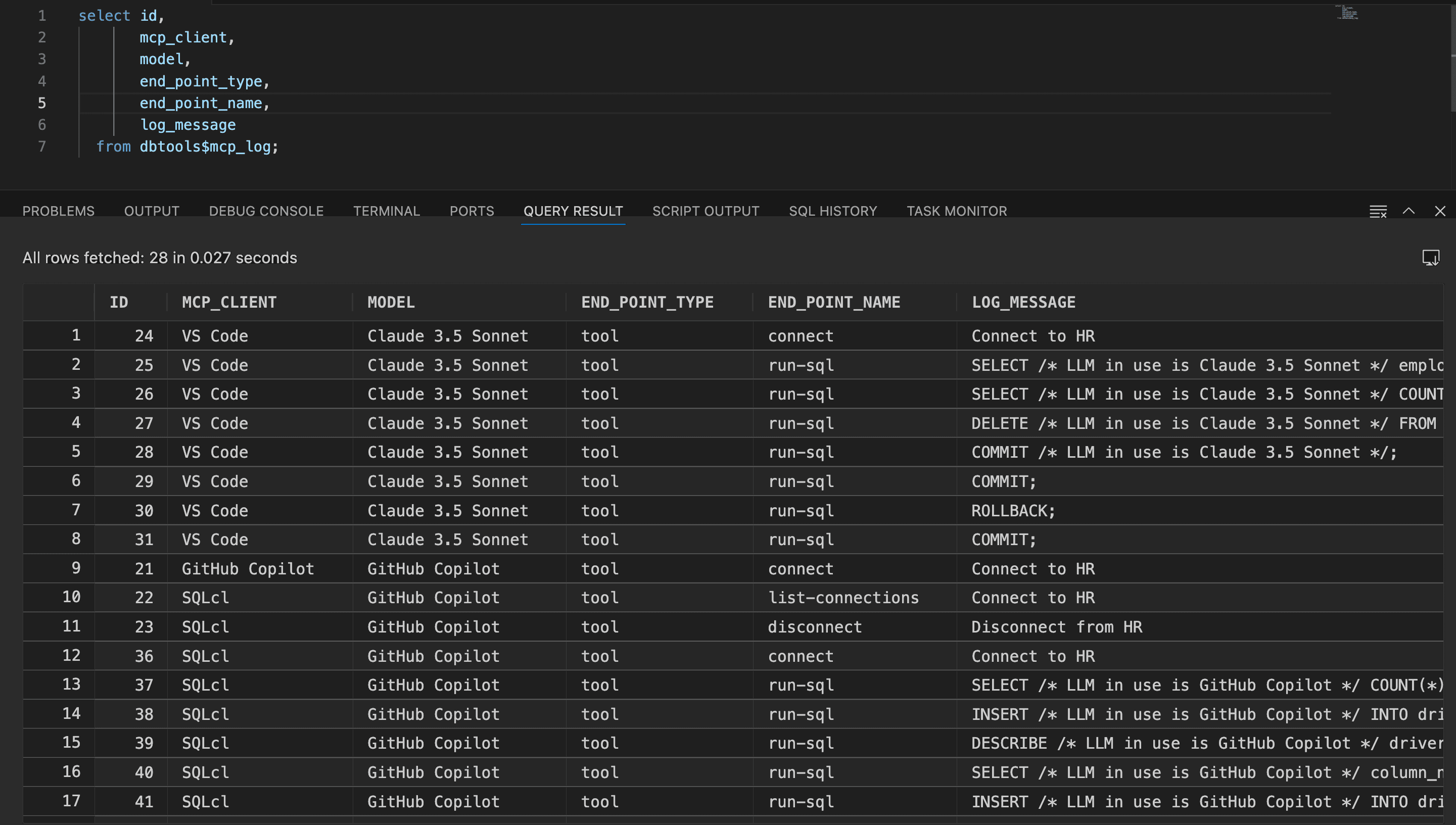
Description of the illustration mcp_logs.png
Monitoring Live Sessions
If you have database administrator (DBA) privileges, you can monitor active MCP connections and operations in real-time. The server integrates with Oracle’s V$SESSION view, allowing you to use standard Oracle monitoring tools to track current sessions, resource usage, and performance. To see the MCP client information, you can observe the MODULE and ACTION values in V$SESSION.
To view active sessions, query the V$SESSION view:
select * from V$SESSION;