Using Snippets to Insert Code Fragments
Snippets are code fragments, such as SQL functions, Optimizer hints, and miscellaneous PL/SQL programming techniques. Some snippets are just syntax, and others are examples. You can insert and edit snippets when you are using the SQL Worksheet or creating or editing a PL/SQL function or procedure.
Snippets are displayed in the lower part of the Connections panel. Click the Expand icon to view all the available sinppets in each group (such as Aggregate Functions or Character Functions). In most cases, the fragments in each group do not represent all available objects in that logical grouping, or all formats and options of each fragment shown. For complete and detailed information, see the Oracle Database documentation.
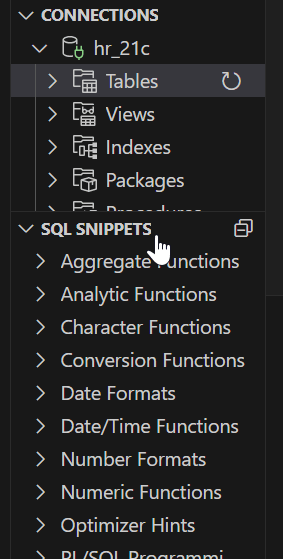
Description of the illustration snippets.png
To insert a snippet into your code in a SQL Worksheet or in a PL/SQL function or procedure, drag the snippet from the left bottom pane and drop it into the desired place in your code. Edit the syntax so that the SQL function is valid in the current context.
For example, you could type SELECT and then drag CONCAT(char1, char2) from the Character Functions group. Then, edit the CONCAT function syntax and type the rest of the statement, such as in the following:
SELECT CONCAT(title, ' is a book in the library.') FROM books;