Working with Database Objects
The SQL Developer for VS code interface uses the left side for navigation to find and select objects, and the right side to display information about selected objects.
In the Connections panel, you can browse, edit and delete objects.
To search for an object within an object type, for example, a specific table, click Tables and type the name of the object. Even as you type, objects matching the letters entered are highlighted.
Click a database object to open it in the right panel. A tabular display of the object’s properties are displayed. In the following figure, click the SQL tab to see the corresponding SQL source code for the EMPLOYEES table.
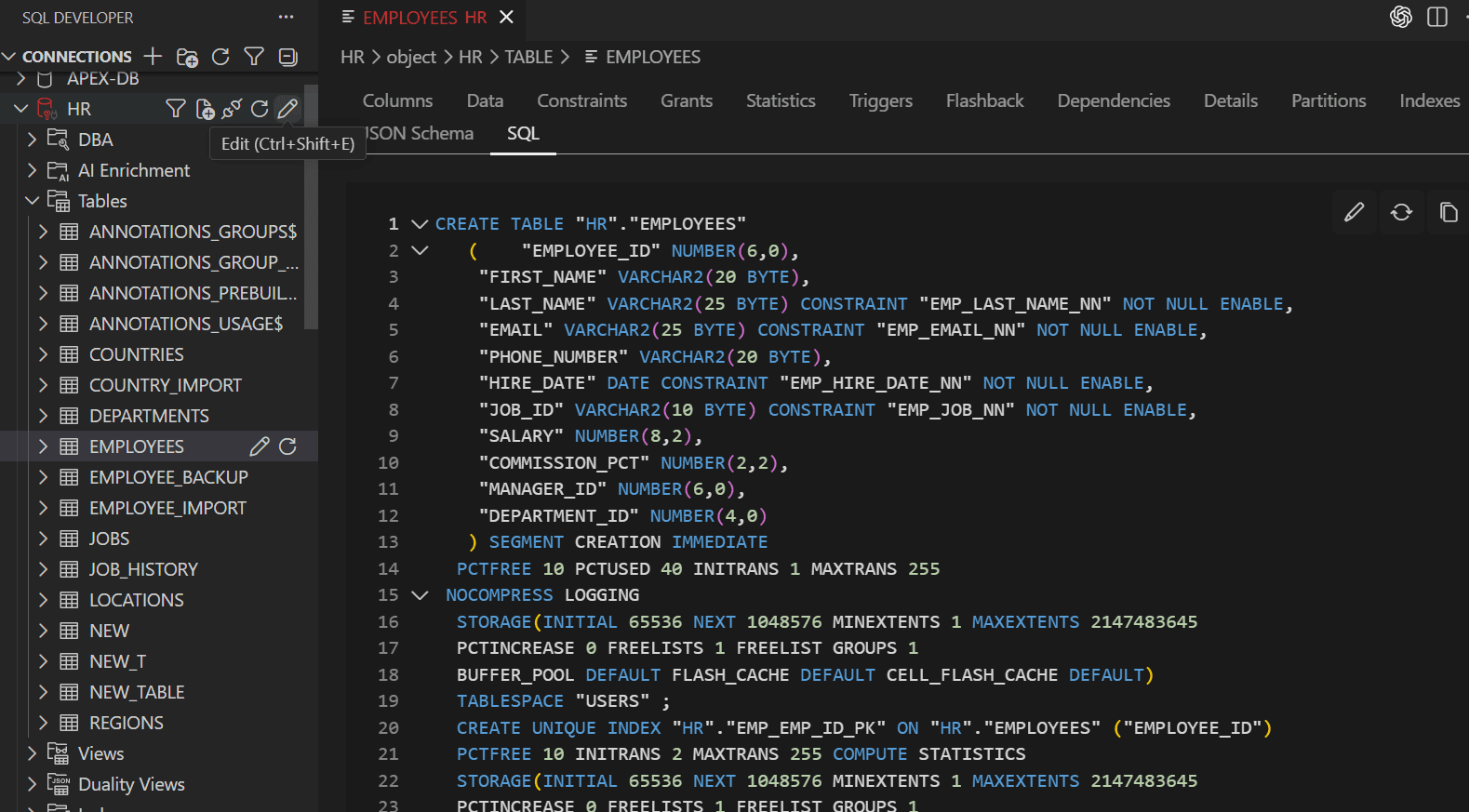
Description of the illustration db_objects_dashboard.png
The object types available are: