2.2 Viewing Tuxedo Summary
The Tuxedo Summary page filters all Tuxedo domain targets from a large number of Enterprise Manager monitoring targets, and allows you to centrally manage Tuxedo targets and easily navigate to each target home page.
To enter the Tuxedo Summary page, do the following:
- Log in to Enterprise Manager Cloud Control as SYSMAN.
- From the home page, click Targets > Middleware at the top.
- In the Middleware page, click Middleware Features > Tuxedo Summary. The Tuxedo Summary page is displayed, as shown in the following figure:
The following figure illustrates Tuxedo Summary Page:
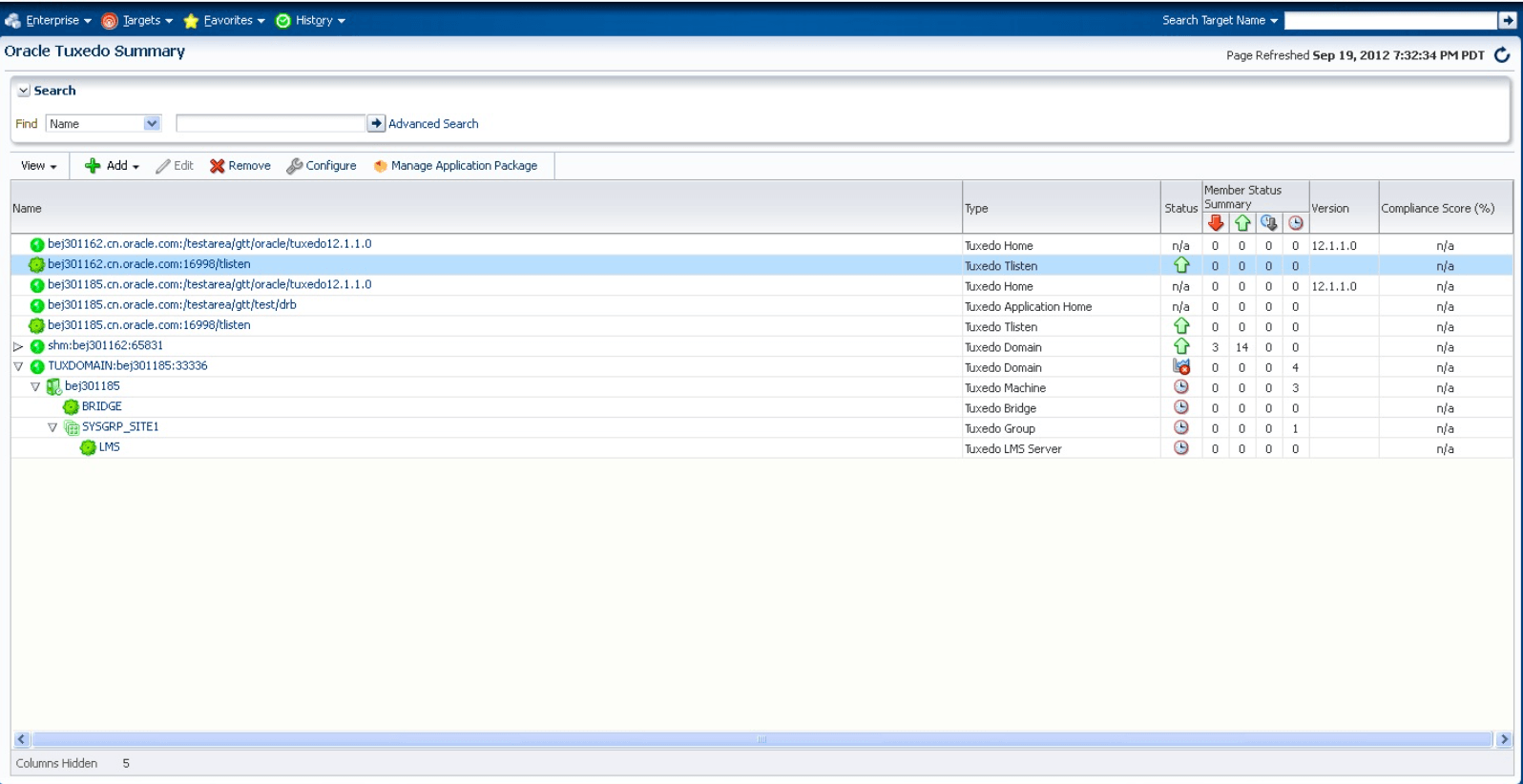
Figure 2-1 Tuxedo Summary Page
Parent topic: Using Web-Based Console