Patch Oracle Blockchain Platform
After you've installed Oracle Blockchain Platform Enterprise Edition you can find patches for it on the Oracle Support site.
Patch set 5 is available for Oracle Blockchain Platform Enterprise Edition. The change log for the patch as well as prerequisites and instructions are included in the readme file that comes with the patch.
- Go to the My Oracle Support portal https://support.oracle.com/portal/, and log in.
- Click the Search bar and select Patches and Product Certification Matrix from the drop down list.
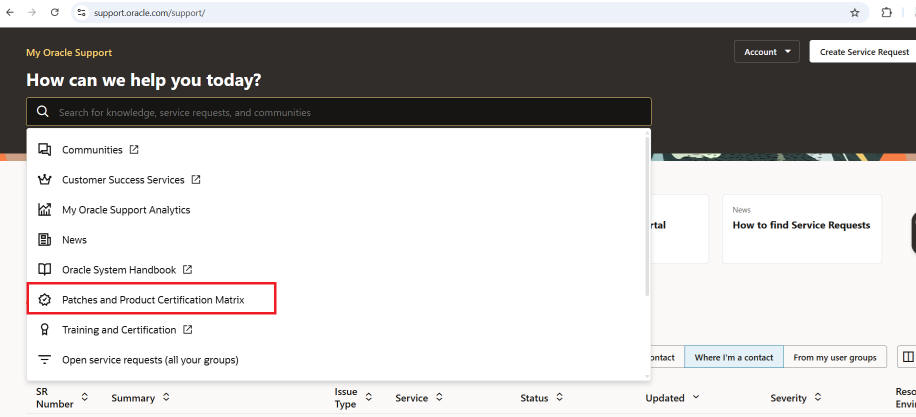
- Search for the patch by name or number (
38964498). - Click the patch name link to see the patch details. Download and extract the patch.
- Follow the instructions in the readme file to install the patch.
- After the patch is applied, restart any existing Oracle Blockchain Platform instances. Because the container registry images are updated by the patch, any instances created after patching will use the updated images.
Roll Back Patches
You can also roll back the patch using the same patch script and selecting the rollback option.
The rollback can be performed only if no lifecycle operations have been done from Blockchain Platform Manager after the patch application. If you have completed lifecycle operations after installing the patch and need to roll back, please contact Oracle Support.
Critical Patches
Critical patches and security updates are listed on the Oracle Critical Patch Updates, Security Alerts and Bulletins website: https://www.oracle.com/security-alerts/