Delete Smart View Connection URLs
You can reset the list of connection definitions to remove those that are unwanted or invalid in Cube Designer.
When you connect to Essbase from Cube Designer, the list of server locations is created by previous Smart View connections . If there are connections that are no longer valid, you receive errors.
To reset the list of server locations,
- Click the down arrow next to the Private Connection drop down list and select Delete Connection URLs.
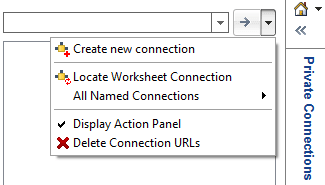
- In the Delete Connection URLs dialog box, select Extension Update URLs from the drop down menu.
- Select all of the URLs except the one you want to use, and click Delete.