Create an Essbase Cube
You can create a cube at the same time you create the application, or you can create additional cubes later.
To create a new cube in the Essbase web interface,
- Log in to Essbase as a power user or a service administrator.
- On the Home page, click
Create.

- Select the name of an existing application.
- Type a new cube name.
- Select a cube type, aggregate storage or block storage.
- Select whether to allow duplicate member names and enable scenarios.
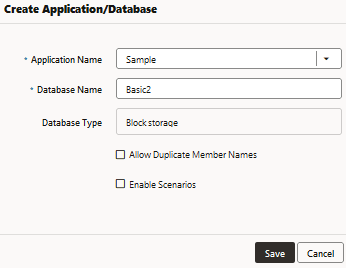
- Click Save.