More Connection Examples for Generic JDBC Drivers
The following examples illustrate using the Essbase web interface to connect to non-Oracle JDBC sources of data, using generic drivers you uploaded to the Essbase Server.
The following examples are for non-Oracle sources. To create an Oracle Database connection using a generic JDBC driver, see Create Connections and Datasources for Generic JDBC Drivers.
Start by creating a global or application level connection of type JDBC, using the Essbase web interface. Complete the connection details that apply for the generic JDBC driver you uploaded.
JDBC Connection Example for DB2
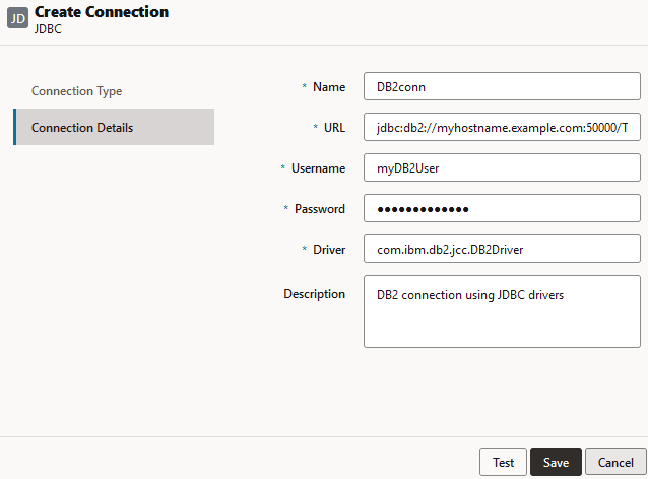
For a generic JDBC connection to DB2, in the Connection Details screen,
-
Provide a name for the JDBC connection. For example, DB2conn.
-
In the URL field, provide the JDBC connection string. For example,
jdbc:db2://myhostname.example.com:50000/TBC. Obtain the JDBC connection string from the JDBC provider. -
For User and Password fields, enter the credentials for a user who is authorized to access the DB2 database.
-
In the Driver field, provide the fully qualified class name of the JDBC driver. For example,
com.ibm.db2.jcc.DB2Driver.
JDBC Connection Example for MySQL
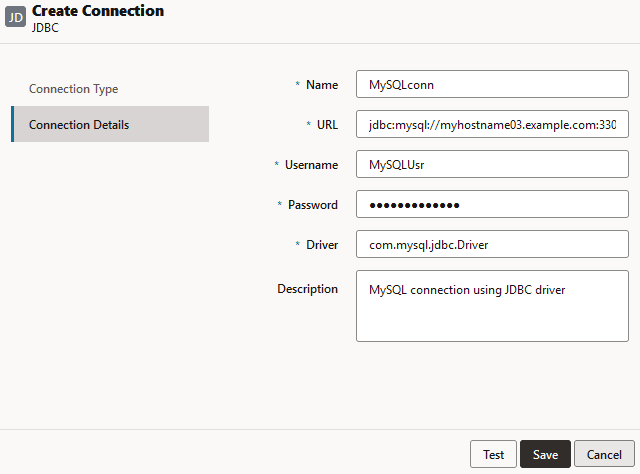
For a generic JDBC connection to MySQL, in the Connection Details screen,
-
Provide a name for the JDBC connection. For example, MySQLconn.
-
In the URL field, provide the JDBC connection string. For example,
jdbc:mysql://myhostname03.example.com:3306/tbc. Obtain the JDBC connection string from the JDBC provider. -
For User and Password fields, enter the credentials for a user who is authorized to access the database.
-
In the Driver field, provide the fully qualified class name of the JDBC driver. For example,
com.mysql.jdbc.Driver.
JDBC Connection Example for SQL Server
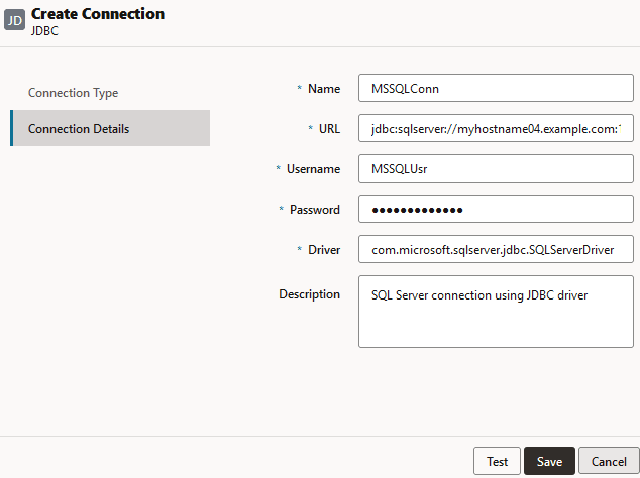
For a generic JDBC connection to Microsoft SQL Server, in the Connection Details screen,
-
Provide a name for the JDBC connection. For example, MSSQLConn.
-
In the URL field, provide the JDBC connection string. For example,
jdbc:sqlserver://myhostname04.example.com:1433. Obtain the JDBC connection string from the JDBC provider. -
For User and Password fields, enter the credentials for a user who is authorized to access the database.
-
In the Driver field, provide the fully qualified class name of the JDBC driver. For example,
com.microsoft.sqlserver.jdbc.SQLServerDriver.
JDBC Connection Example for Teradata
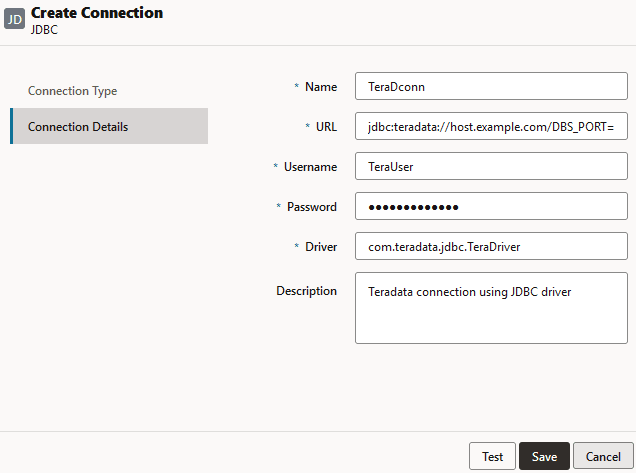
For a generic JDBC connection to Teradata, in the Connection Details screen,
-
Provide a name for the JDBC connection. For example, TeraDconn.
-
In the URL field, provide the JDBC connection string. For example,
jdbc:teradata://host.example.com/DBS_PORT=1025. Obtain the JDBC connection string from the JDBC provider. -
For User and Password fields, enter the credentials for a user who is authorized to access the database.
-
In the Driver field, provide the fully qualified class name of the JDBC driver. For example,
com.teradata.jdbc.TeraDriver.