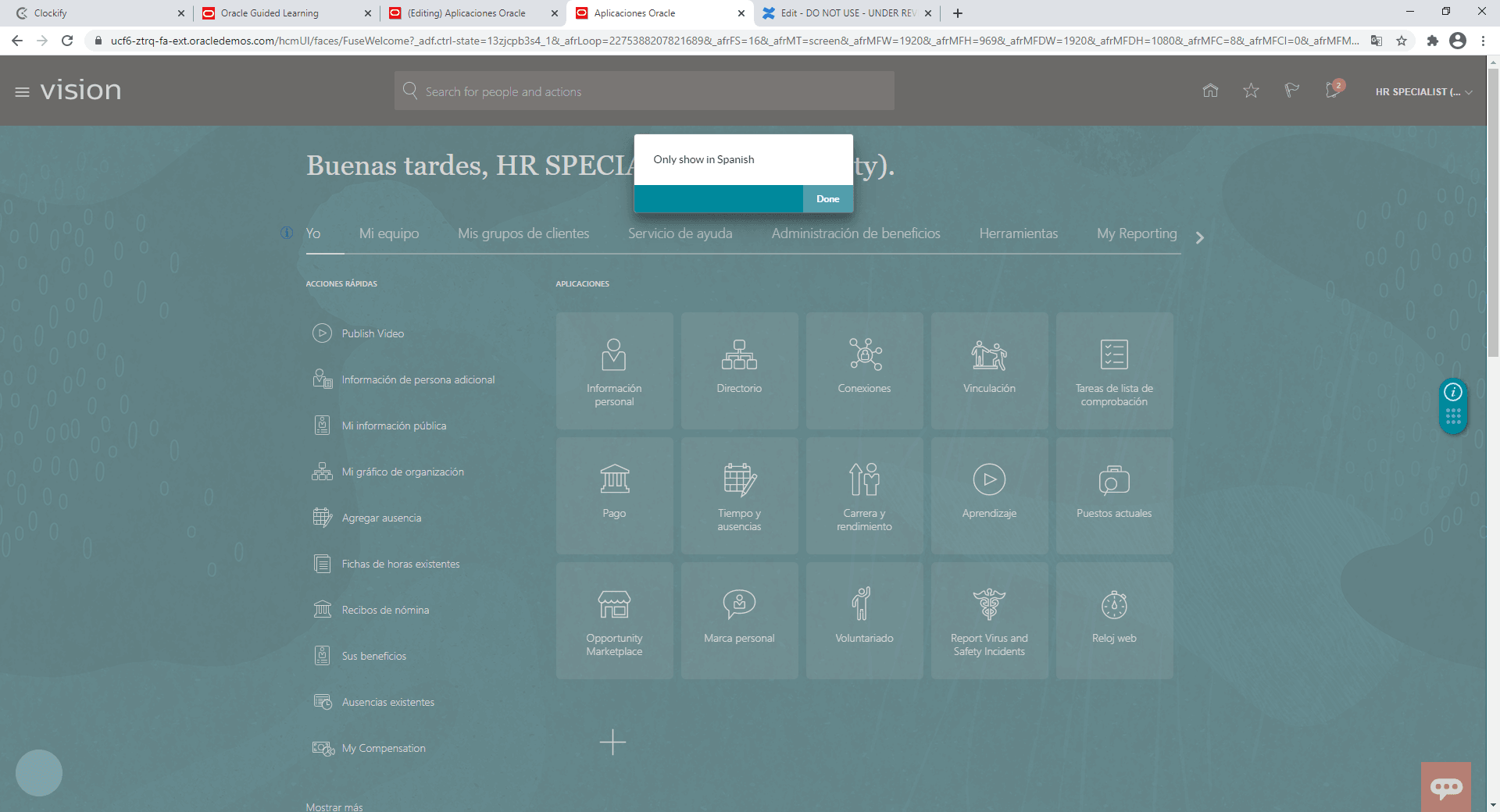
Add a condition so a guide only appears in a certain Fusion language
If a guide is pertinent to only one language, follow these steps so it is active only where desired:
- Create your guide normally
- Open Fusion in the language where you wish the message/guide/link to appear
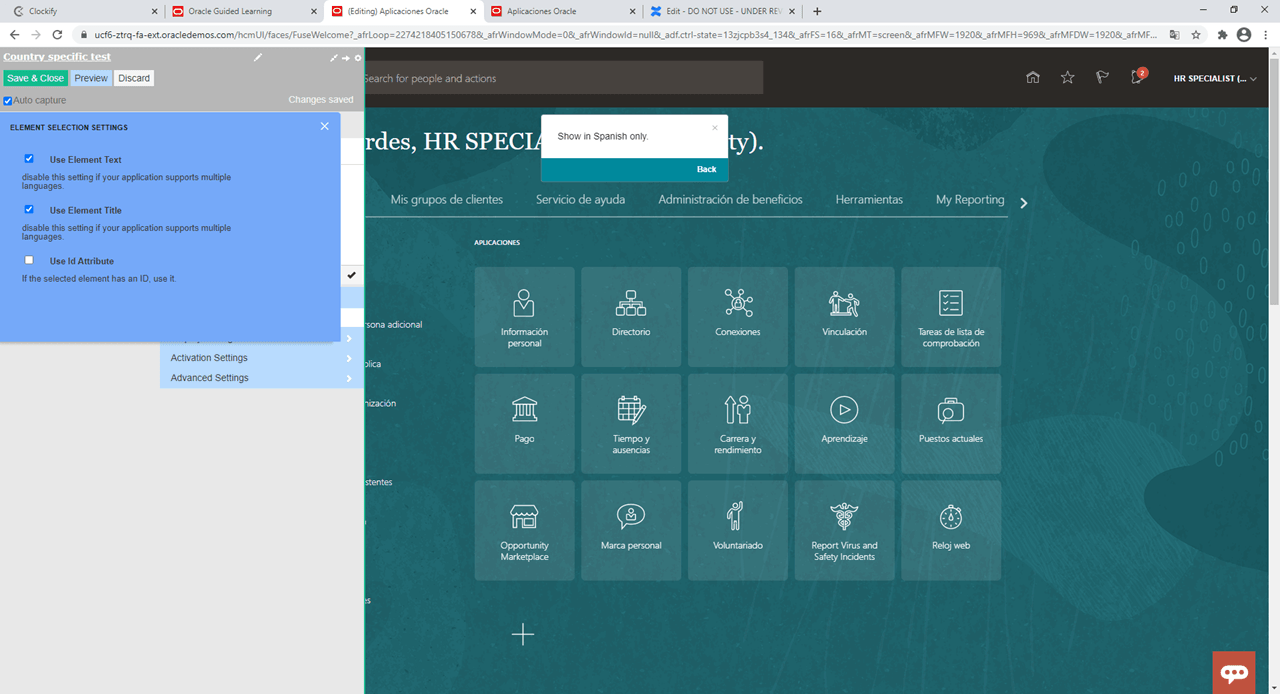
- Launch the guide from the OGL Editor and select 'Use Element Text' under ELEMENT SELECTION SETTINGS
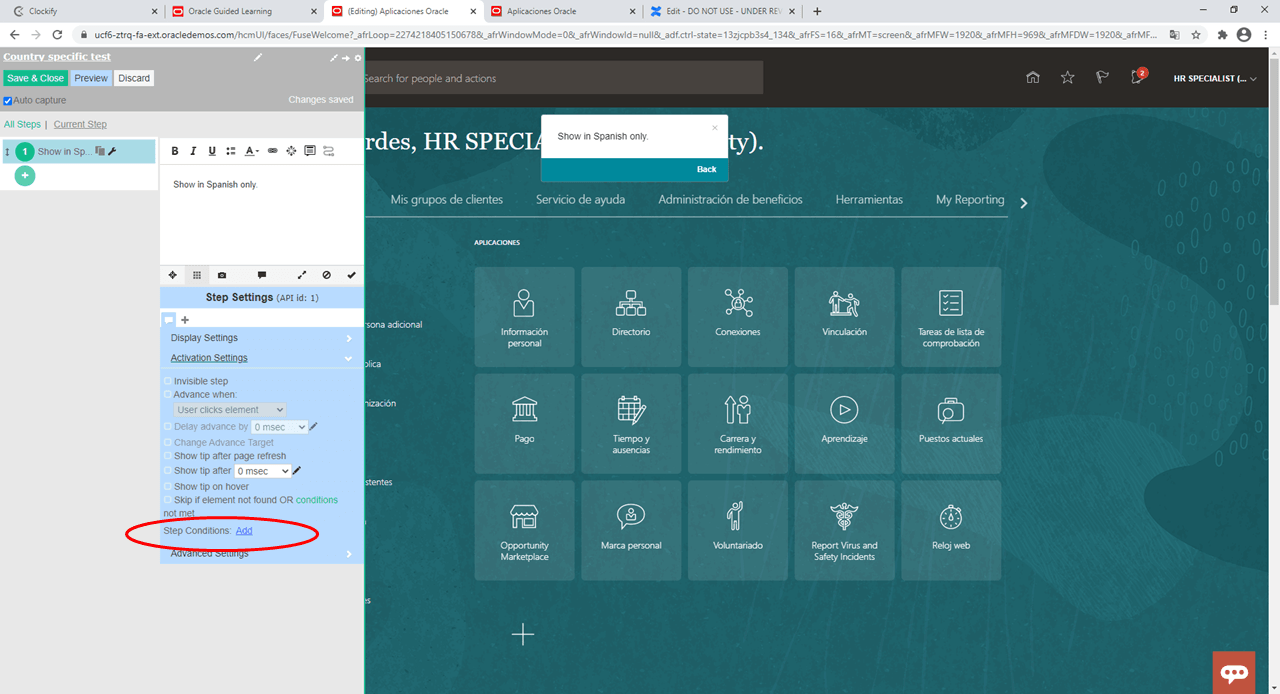
- In Activation settings, select 'Add' to add a step condition
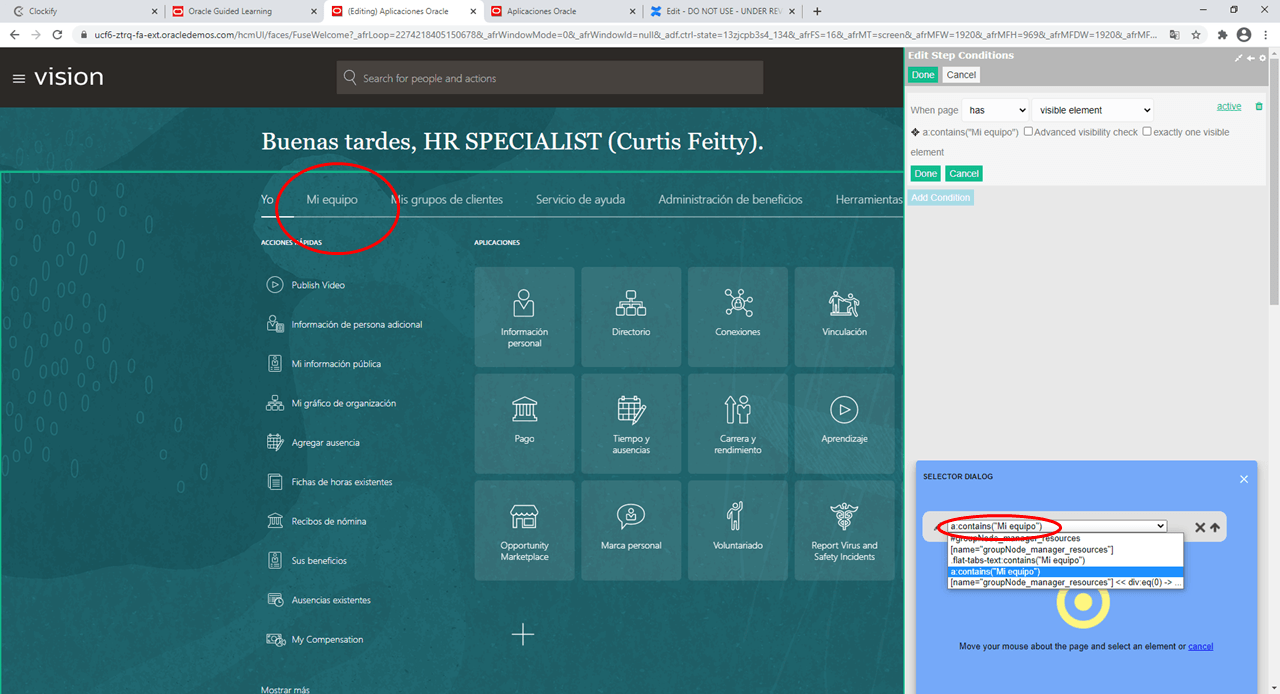
- Select an element in the language where the guide should appear.
Note: This must be specific to this language only. The example below is 'Mi equipo' (My team).
- Open guide activation settings in your guide and add a 'page' condition. This example uses the HomePage.
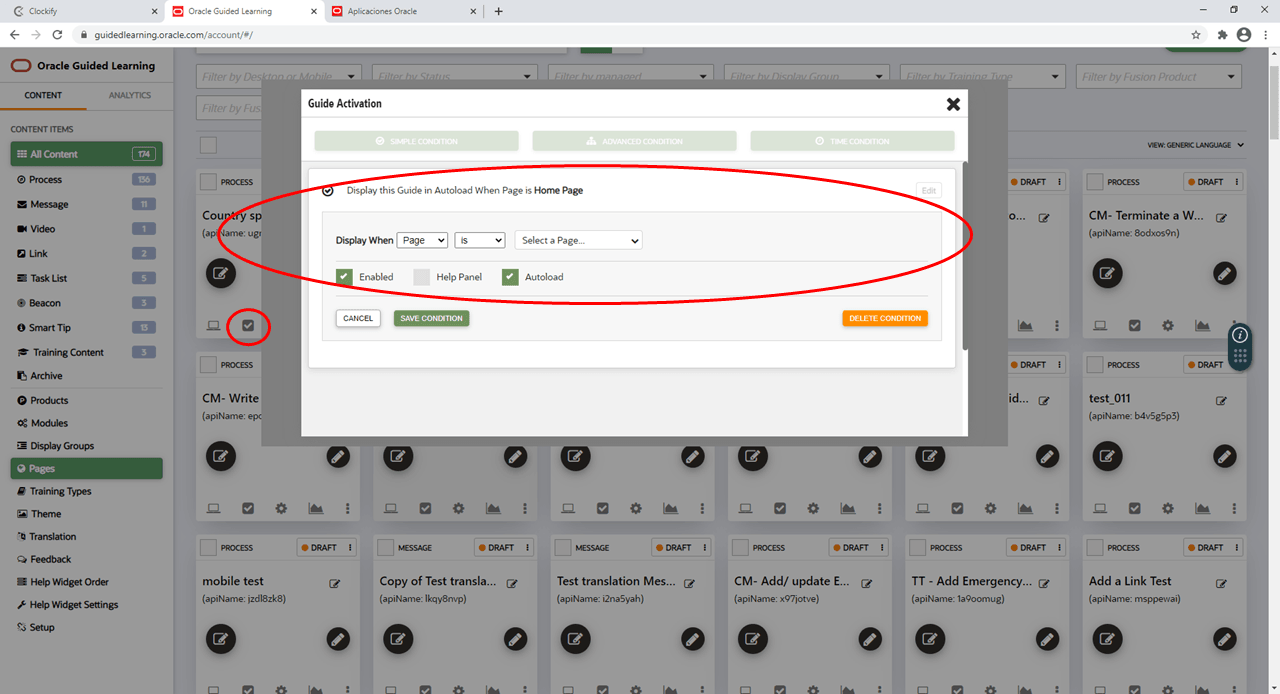
- Your guide will now only show in the required language, on the required page (in our example the Home Page) when the 'Mi equipo' element is visible