Advance on Click Fails
Sometimes when you set advance on click on an element, Oracle Guided Learning will not advance to the following step as expected.
When this happens, normally, the application handles the click and blocks any other code from handling the event.
Resolving Issues with Guides Not Advancing on Button Clicks
This document outlines common troubleshooting steps to help you diagnose and resolve the issue efficiently.
Understanding the Issue
Users encounter situations where a guide doesn’t move to the next step after clicking a designated button. Here’s a structured approach to diagnose and resolve the problem:
- Verify Guide Advancement
First, ensure that the guide advanced after the button click. Use the diagnostic tool to check the current step of the guide:
iridize.diagnose(); - use this command in the developer console to launch the Diagnostic tool.

Step: Click the button you’ve designated for advancing the guide.
Action: Open the Diagnostic tool.
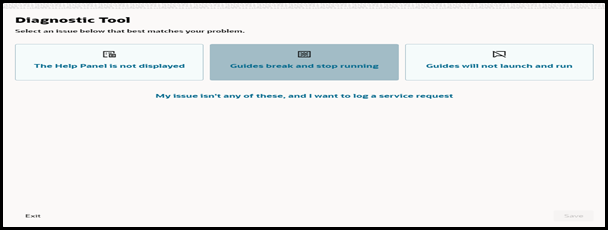
Check: Verify if the guide has moved to the next step.

If the guide has advanced, the issue may lie with the selector used. If the guide hasn’t advanced, proceed to the following troubleshooting steps.
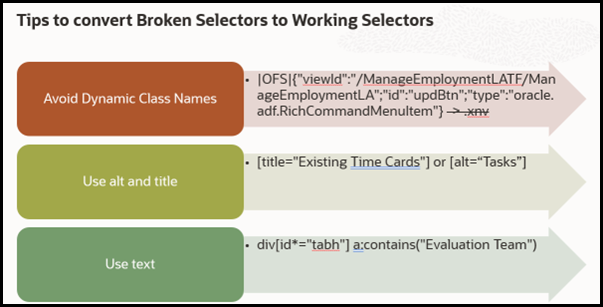
2. Check and Update the Selector
If the guide has advanced but the step isn't progressing as expected, then the selector might be incorrect or too specific. Here’s how to address it:
Review: Ensure that the selector used for the button is correct and specific enough.
Update: Try using a more accurate or alternative selector to see if it resolves the issue.
3. Handle Click Event Blockage
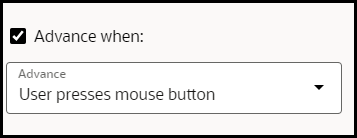
Sometimes, the host application might prevent the guide from recognizing the click event. The work around for this issue is to consider changing the advance event from 'click' to 'mouse down':
Change Event: In the guide configuration, switch the event type from ‘click’ to ‘mouse down’.
Test: Check if the guide advances properly with the new event setting.
4. Use Sub steps as a Temporary Solution
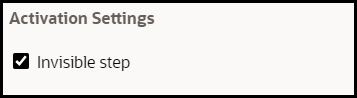
If the solution provided above does not work, you can use a temporary workaround by adding the dummy step (invisible step) as a sub step of the current step:
Outcome: This creates the appearance of the guide as advancing, even though it is technically still on the same step.
Conclusion
By following these steps, you will be able to diagnose and address issues related to guides not advancing after a button click.
Here is the gist of the above steps, ensure to:
- Start by verifying guide advancement,
- Check the Selector
- Handle potential event blockage.
- and use sub steps if necessary.
Note:
If the issue still persist, consult additional resources or support for further assistance.