Can I launch a guide if a user gets stuck?
Yes.
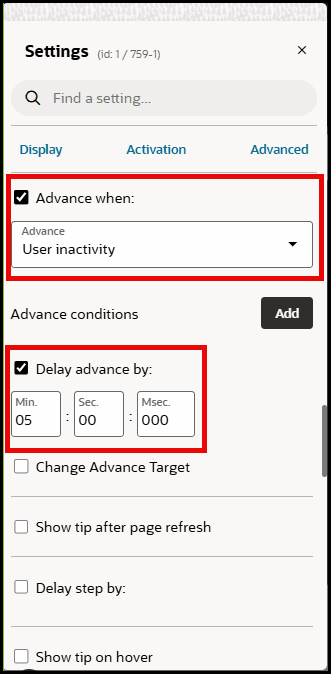
You can configure a guide (with an overview of a page, for example) to automatically launch if the user does not move his mouse for a certain amount time.
Or you could use this feature to highlight the help widget if the user is inactive.
How do I do it?
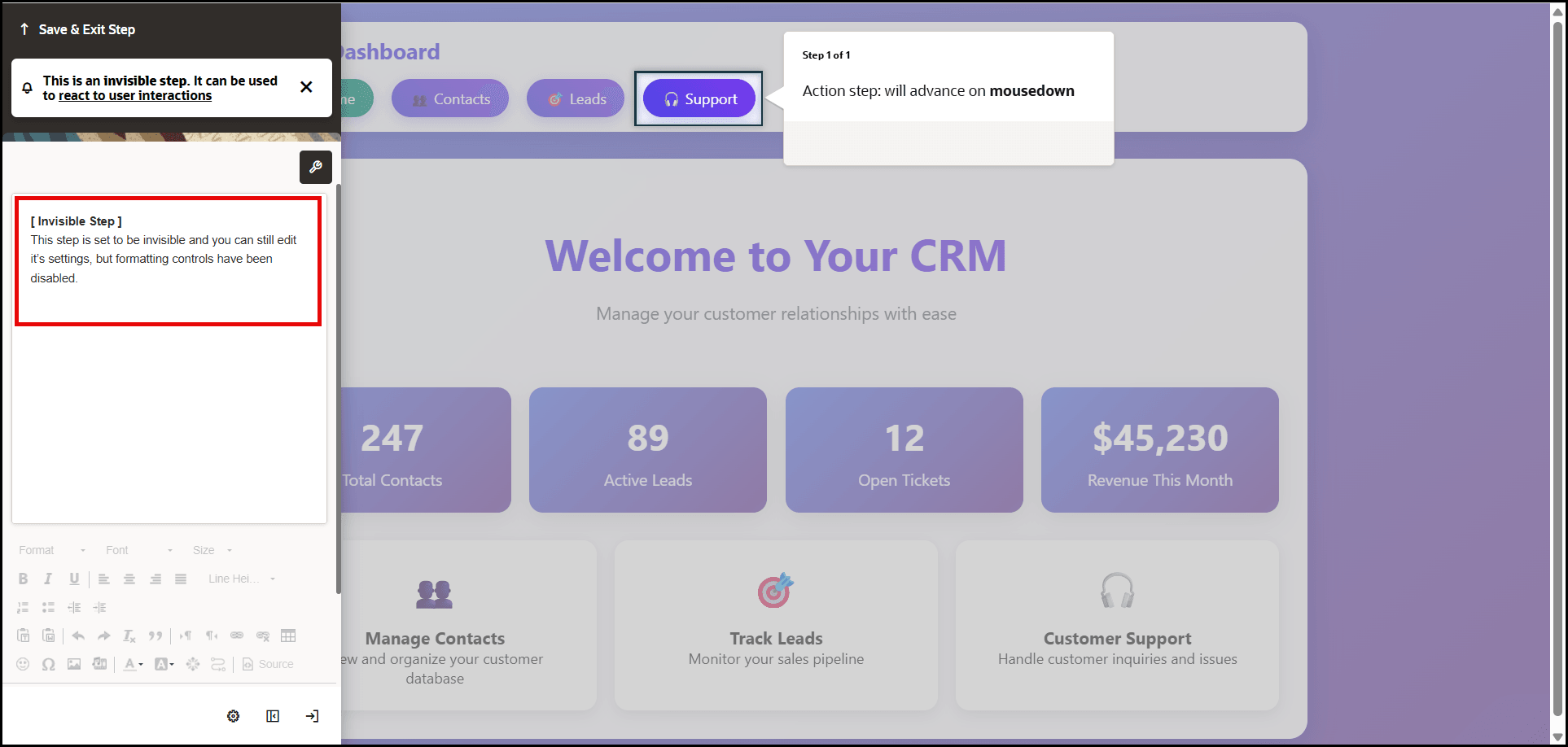
Refer to our knowledge-base article about launcher guides. There you will learn about invisible steps. For now, know an invisible step allows you to "listen in" on user activity (e.g. clicking a button) but also to user inactivity.
This is how you do it:
In your launcher guide, the first and only step, should be an invisible step that will look like this:
Notice that in our example we want to advance after 5 seconds of inactivity.
And that's it! You can then choose an action as described in the invisible steps article.
Note:
If 'Advance when' is set to 'User inactivity' by default that function will delay the advance tip by 2 minutes of user inactivity. If you want the tip to appear after a longer inactive time, you can increase the value using the 'Delay advance by' option.