Cloning a Tooltip
Cloning a tooltip is useful when:
- You have created a beautiful tooltip, with customized settings and styles. And you want to create another one just like it
- You have created a step with multiple tooltips and you want to move one of those tooltips to a new step
- You want to move a tooltip, you have created, into an existing step (e.g. to branch the guide)
Cloning will create an identical copy with all the text, styling, conditions, branches and any other settings.
Steps to Clone a Tooltip
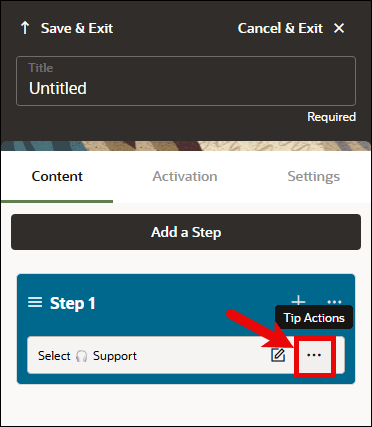
- To clone a tooltip in the Full Editor, select the Tip Actions (...) button next to the tip you wish to clone.
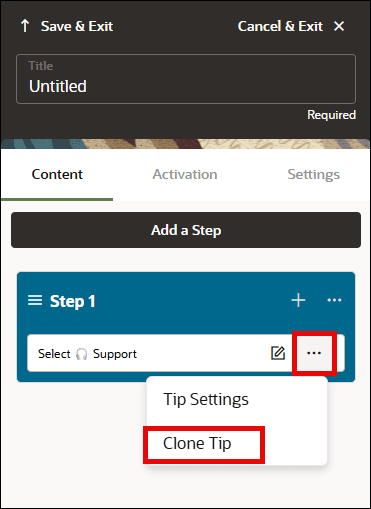
- In the Tip Actions menu, select Clone Tip.
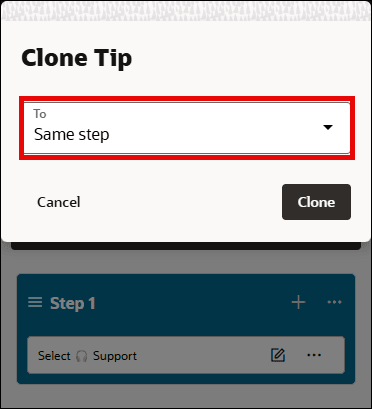
- In the Clone Tip dialog, you can choose whether to paste the cloned tip into the Same Step or into a New Step. Then select Clone.
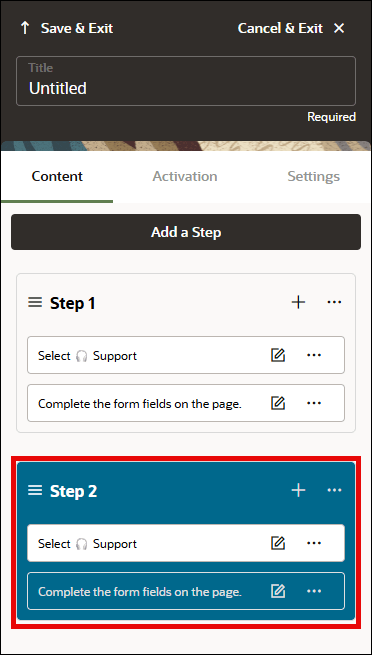
- If you choose to paste it into the Same Step, the cloned tip will appear directly after the original tip like this:
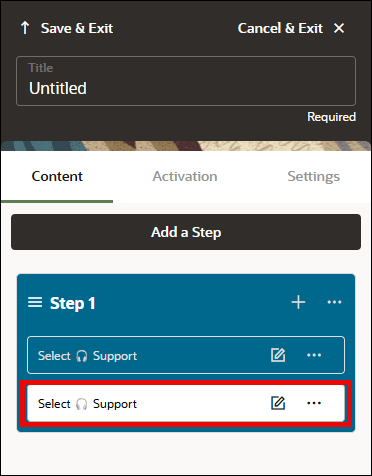
- If you choose to paste it into a New Step, the cloned tip will appear in a separate step below the current step like this:
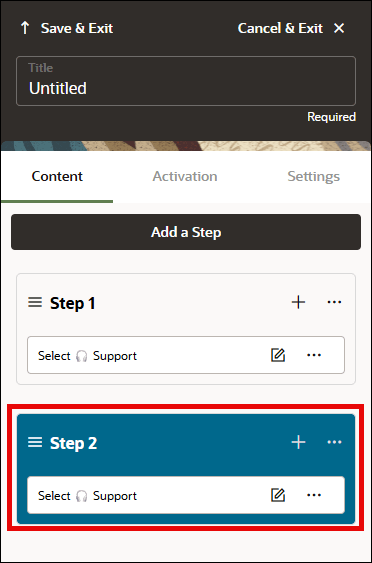
Steps to Clone a Step
Cloning a Step is similar to cloning a Tooltip in that it will create an identical copy of the Step with all the tooltips, text, styling, conditions, branches and any other step settings.
- To clone a tooltip in the Full Editor, select the Step Actions (...) button next to the tip you wish to clone.
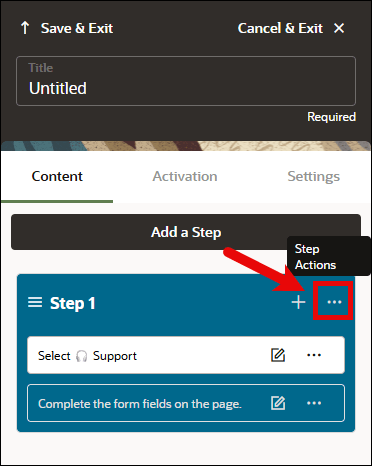
- In the Step Actions menu, select Clone Step.
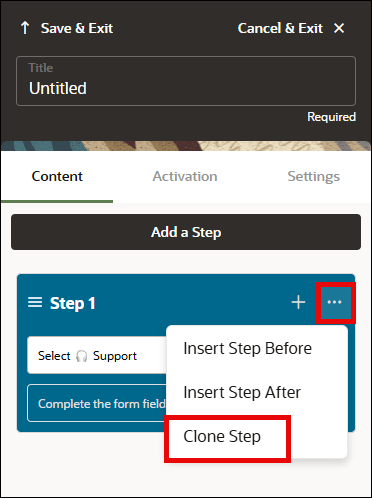
- In the Clone Step dialog, you can choose whether to paste the cloned tip into the Same Step or into a New Step. Then select Clone.
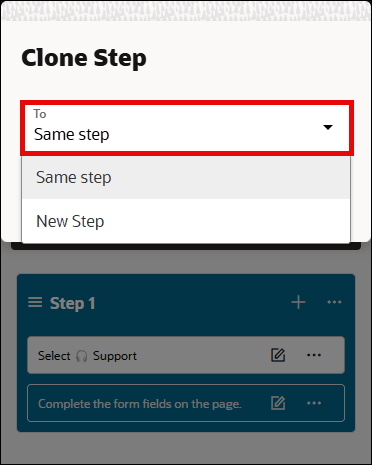
- If you choose to paste it into the Same step, all of the original tooltips and their respective tips settings will be copied and pasted after the last tooltip like this:
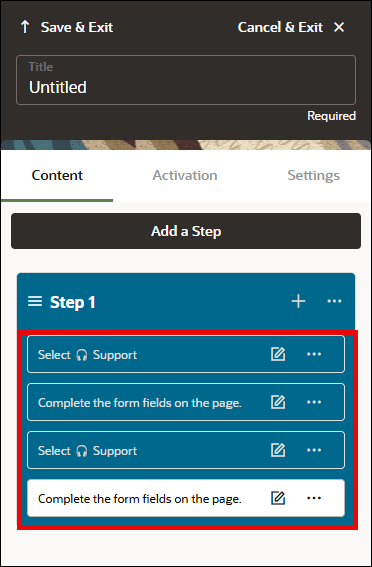
- If you choose to paste it into a New step, the cloned step will be copied and pasted as a new step directly after the original step like this: