Help Widget Explained
What is the help widget?
The Help Widget is intended to be a one-stop-shop for customer self service. Used correctly, it should be the first place your users go to to search for help and assistance on your application. Placing the right content into the Help Widget will reduce the number of support requests and drastically improve the onboarding process of users.
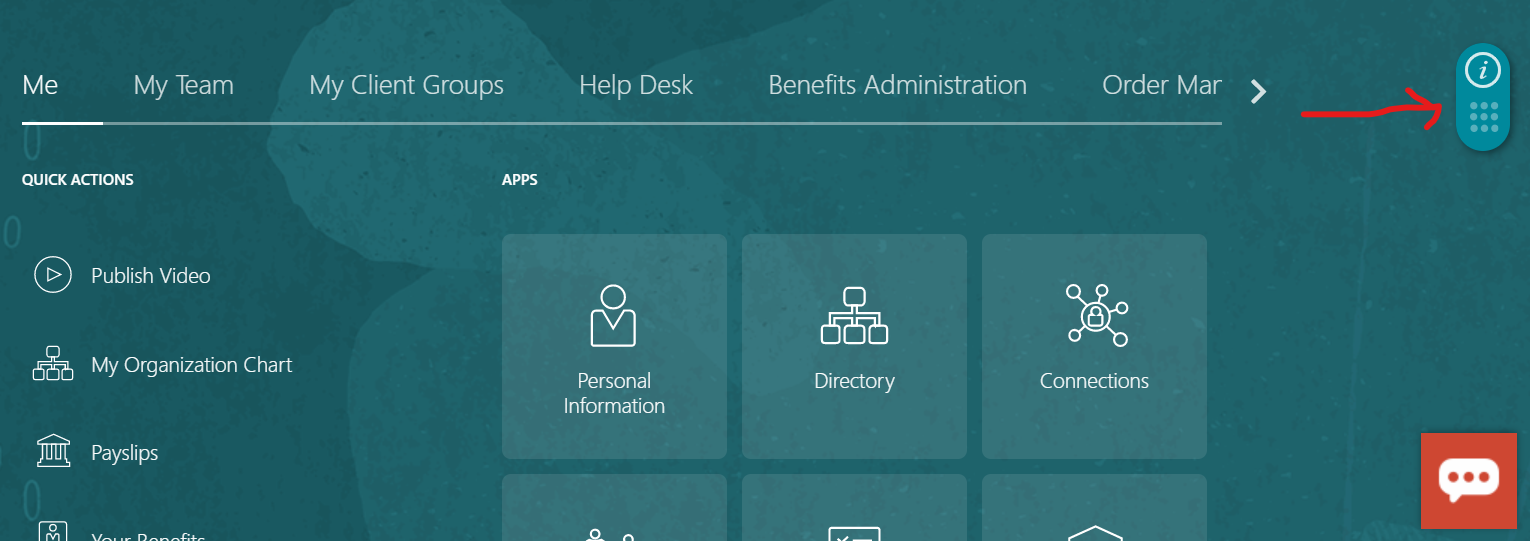
Technically speaking, the Help Widget is an HTML component that sits on top of your application. Normally it contains a list of step-by-step, walkthrough guides and important links (e.g. a link to the product knowledge-base). By default the Help Widget is located on the right hand side of your application (see image below).
Delivering contextual help
The content of the Help Widget is completely dynamic. As the training professional, you have all the power to control what content it holds directly from the Guided Learning dashboard without requiring any IT resources.
As a result the Help Widget is a great way to deliver contextual help to your users. With it you can:
- Show content that is only relevant to the page that the user is currently on, using page conditions
- Show content based on the role of the logged in user, using user fields. For example, you can display two completely different guides to a sales rep and a sales manager.
- Show content based on user activity. For example, only show a link to guide 'update opportunity' if the user has already completed the guide 'create opportunity'.
All of this is possible using guide activation conditions.
Extended features
Customers can further leverage the Help Widget by posting links to training in the corporate LMS, policy documents and videos
Guide search
Allows your users to search for other relevant guides on the Guided Learning platform. That is, guides that are not displayed in the Help Widget but match a certain keyword. Your user will then be able to launch these guides directly from the search results.