Horizontal Scrolling
When you are on the top home page of Fusion and you need to have the user select an element from the horizontal scroll bar at the top of the page that is not visible unless you scroll, and you want to have an additional tip in the same step for the next navigational step, follow the settings in the screenshot below:
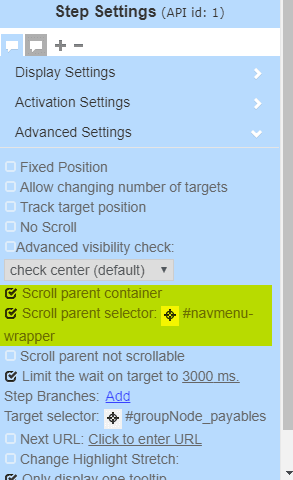
Pay special attention to the Scroll parent selector and make sure it is set to "#navmenu-wrapper".