Is it possible to make the overlay a little lighter?
Yes, download the design kit and edit as desired.
To Export (download) your OGL Theme Design Kit:
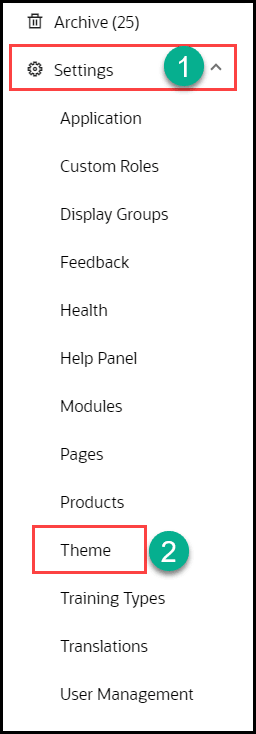
- From the OGL Console, select Settings from the left navigation panel.
- Select Theme in the left panel.
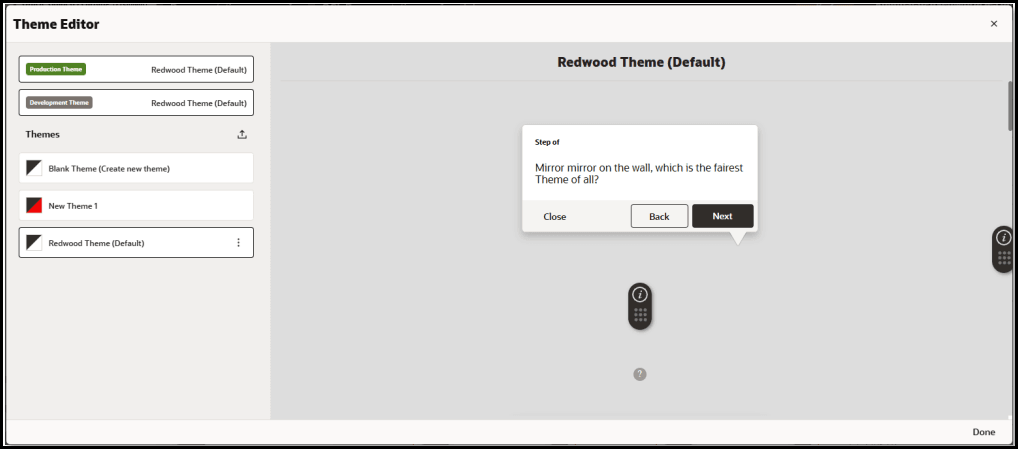
- The Theme Editor modal opens:
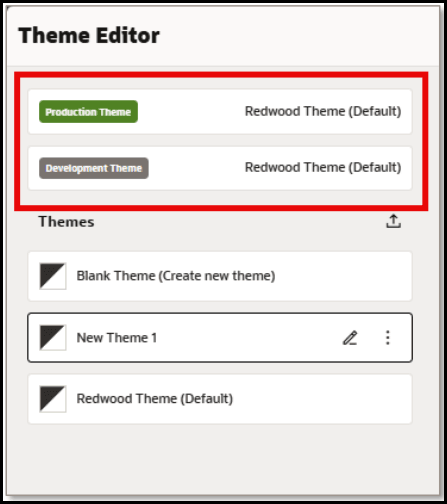
The currently set PROD and DEV themes are always listed at the top of the editor:
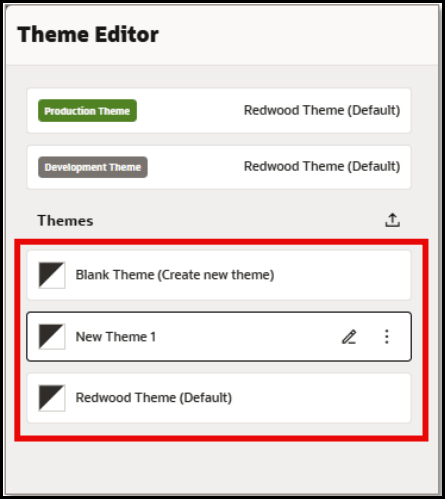
- In the Themes section, choose the theme from the list of available themes to
edit/export.
- In the Themes section, choose the theme from the list of available themes to
edit/export.
- Select Export to download the selected theme as an HTML file to your default Downloads folder.
- Navigate to the folder where you downloaded the theme HTML file.
- Open the theme HTML file in a text editor, such as Notepad.
- In the HTML source code, insert the following in the Custom CSS section
in theme file to adjust the opacity of the
overlay:
.stExposeDiv { opacity: 0.3 !important;}