Oracle Transactional Business Intelligence (OTBI) - How to resolve CSP error
If you encounter a Content Security Policy (CSP) error when deploying OGL to Oracle Transactional Business Intelligence (OTBI), follow the instructions below to resolve the error.
Log in with a user who has system administrator access.
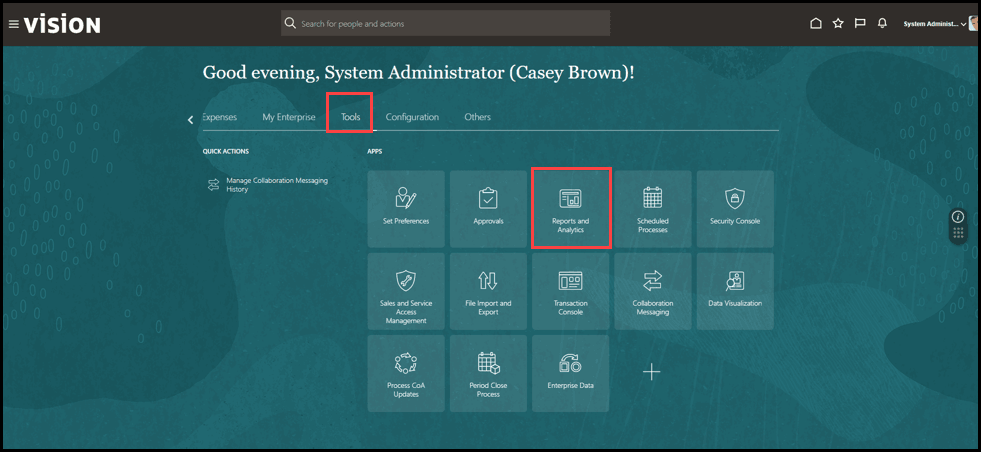
- Select Tools, then Reports and Analytics.
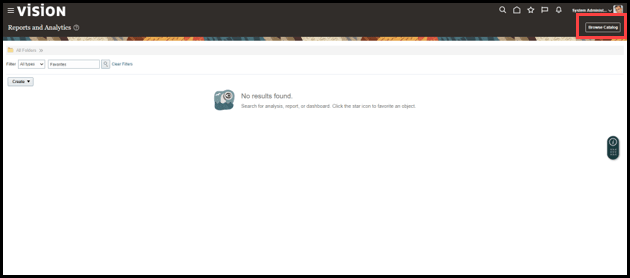
- Select Browse Catalog.
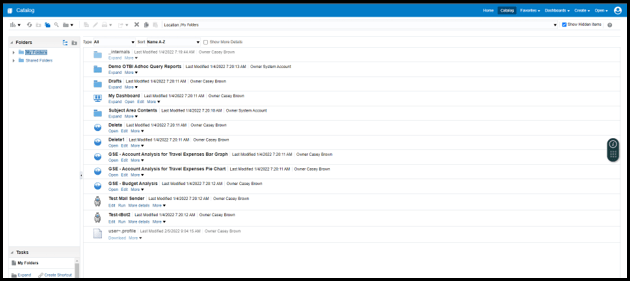
- On the OTBI page, select My Profile.
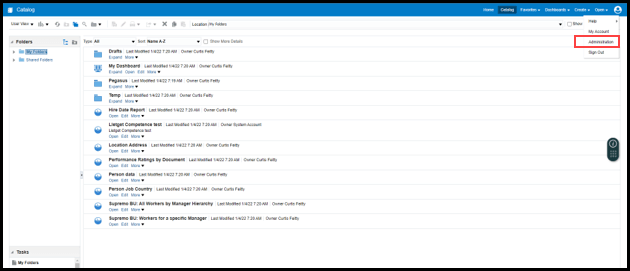
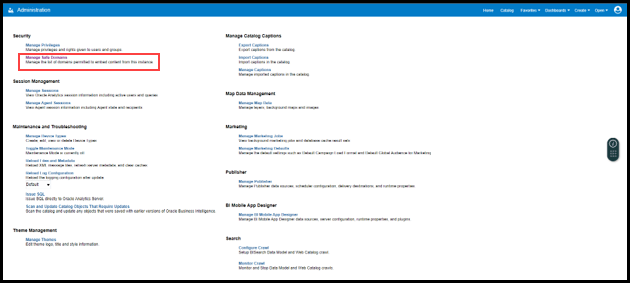
- Select Administration.
- Select Manage Safe Domains.
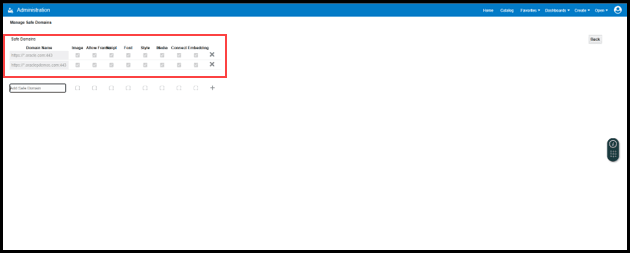
- Add the required Safe Domains, in the following format:
Examples: www.example.com:<port number> / *.example.com:<port number>
In this scenario, to allow OGL on OTBI pages, add the following domain names:
https://*.oraclepdemos.com:443 and https://*.oracle.com:443 as shown
Note:
This allows users to embed their analyses in content located on other domains. Enter the name of the safe domain and the port.Validation Checklist
After completing the CSP configuration, verify the following:
Table 10-1 Validation Checklist
| Validation Checklist |
|---|
| ☑️ Validation |
| ☐ Oracle Guided Learning widget is visible. |
| ☐ Guides load successfully. |
| ☐ Smart Tips appear correctly. |
| ☐ Message Guides display without errors. |
| ☐ Browser console no longer shows CSP violations. |