Step and Video Guide Enabling/Disabling
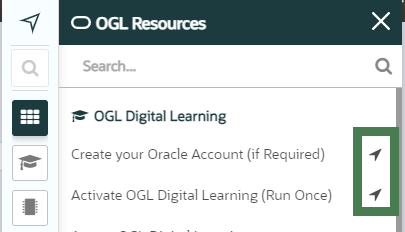
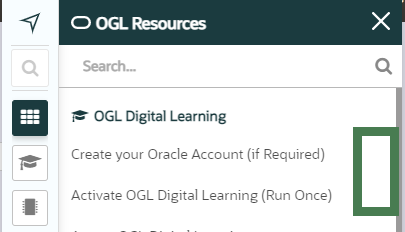
Step Guides are an in-app presentation of the guide's pdf, showing the user the entire process in question without having to leave the application. Users can access Step Guides by selecting the Steps  icon next to the guide name. This also provides access to the Video Guide.
| Step Guides are ENABLED (The Steps icon is displayed)
|
Step Guides are DISABLED (The Steps icon is not displayed)
|
 |
 |
IMPORTANT: Enabling/Disabling Step and Video guides is set at the account/appID level, not on a per-guide basis.
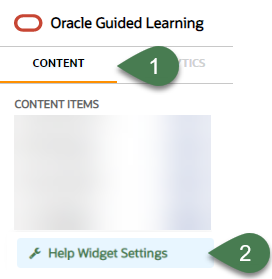
- Select the Content tab in the OGL Console, then select Help Widget Settings
- Locate the Advanced Settings section
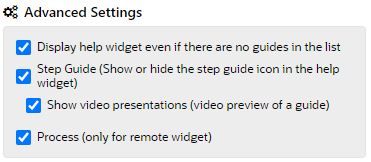
- Check or uncheck the 'Step Guide (Show or hide the step guide icon in the help widget)' checkbox (Note: Checked = Enabled; Unchecked = Disabled)
- Check or uncheck the 'Show video presentations (video preview of a guide)' checkbox (Note: Checked = Enabled; Unchecked = Disabled)
IMPORTANT: The 'Show video presentations (video preview of a guide)' setting is automatically unchecked when the 'Step Guide (Show or hide the step guide icon in the help widget)' setting is unchecked.
- Select the Save to Dev button to validate in your DEV environment and, when ready, select the Publish to Prod to save the changes to your production environment
