My Content
The My Content section in the left panel of the OGL Console provides an overview of all content items in the account (i.e. process guides, messages, beacons, etc.).
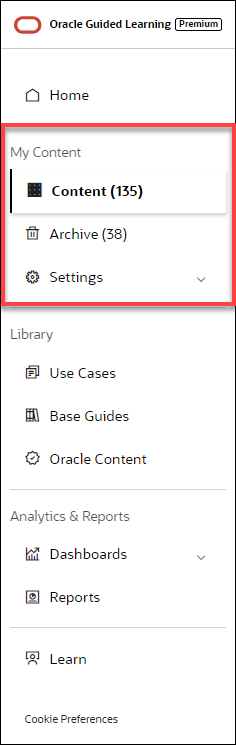
Select Content ( ) to display all of the current content items that you have created or
copied from a library, such as Use Cases. These content items will appear in the
main content page to the right and will include all content items that are in Draft,
Published, or Inactive status. These content items can be sorted and/or filtered to
allow for more efficient browsing.
) to display all of the current content items that you have created or
copied from a library, such as Use Cases. These content items will appear in the
main content page to the right and will include all content items that are in Draft,
Published, or Inactive status. These content items can be sorted and/or filtered to
allow for more efficient browsing.
Sorting and Filtering Content Items
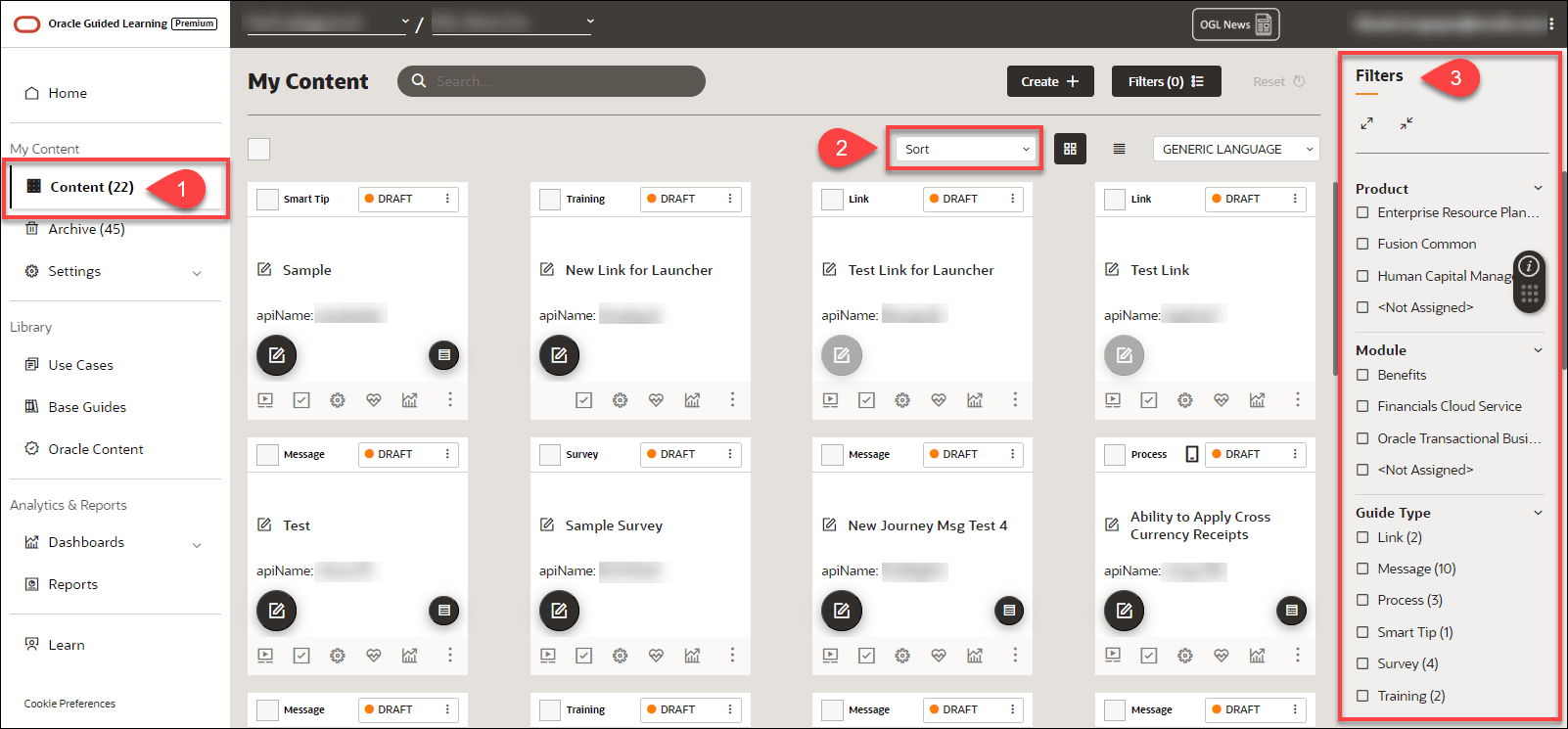
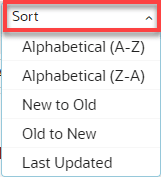
To sort your
content items, select the Sort ( ) dropdown menu and choose a sorting option.
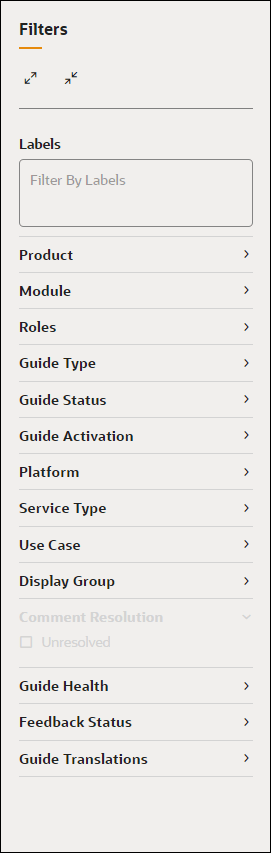
To filter your content items, use the Filters
( ) panel on the right side of the page and select from any of the available
filtering categories and options to narrow the list of content items
displayed.
) panel on the right side of the page and select from any of the available
filtering categories and options to narrow the list of content items
displayed.
Note:
If the Filters panel is not displayed, be sure to activate it by
selecting  button located at the top of the My Contents page.
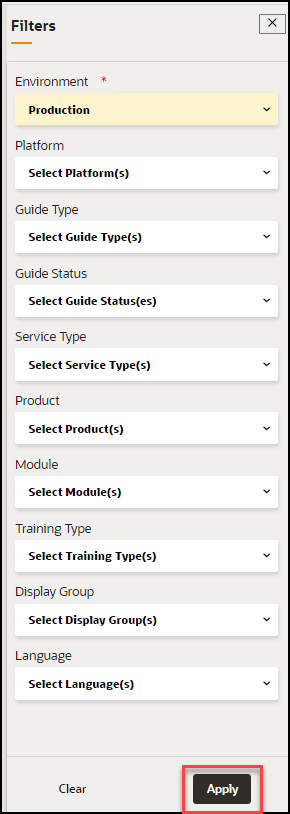
Below are all of the available categories with which you can can filter content items:
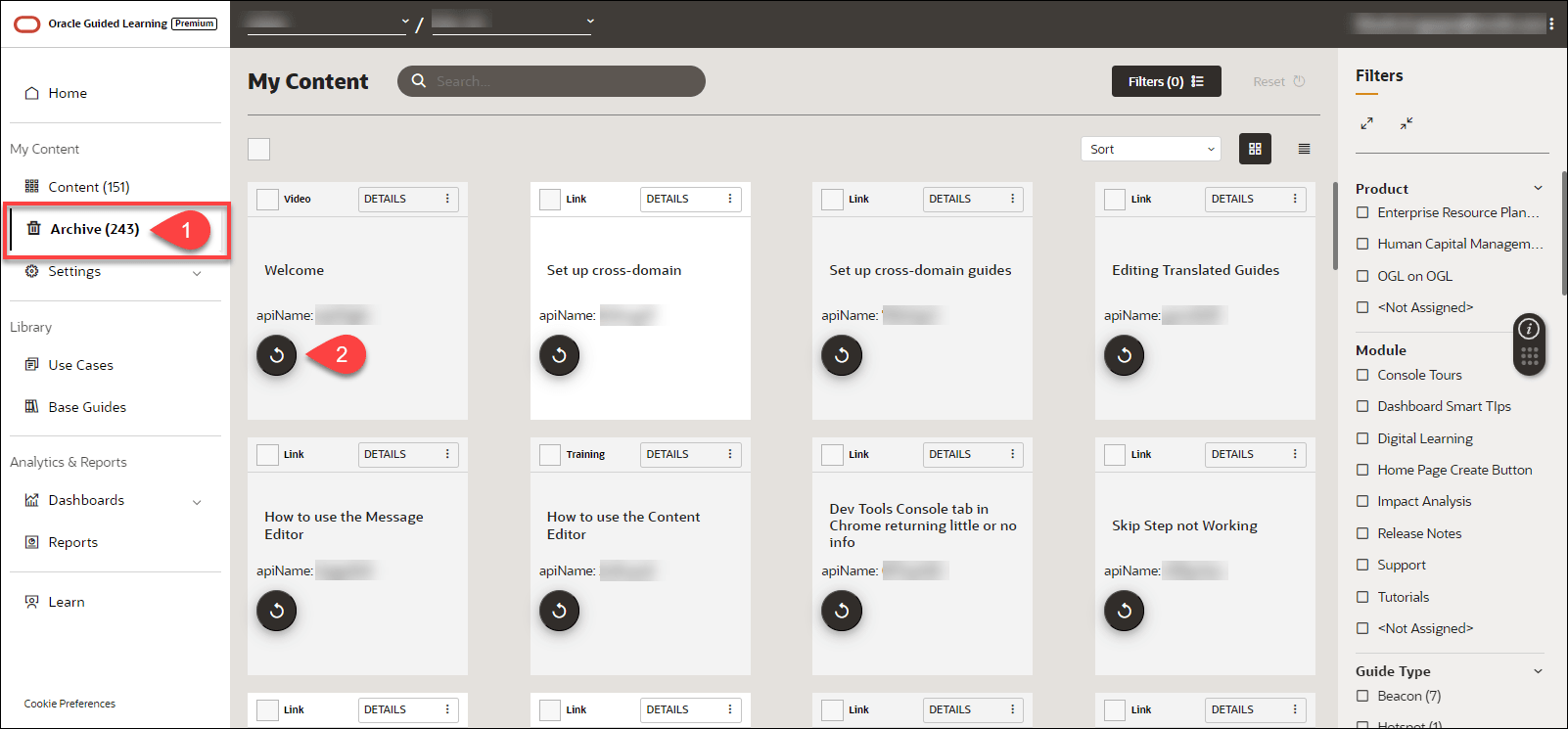
Archived Content
Content items that you
delete are not permanently deleted and are simply moved to Archive. Select
Archive () to display all items that have been deleted in the account. These content
items can also be sorted and filtered for more efficient browsing, as shown
above.
To recover any archived items and move them back to your
Content, select the Recover ( ) button on the content item you wish to restore.