Selecting Custom Set of Probes
Probes monitored by CHA are grouped into categories. A custom set of probes may be specified based on their categories, or on individual probes from different categories. Click the "Expert" tab, or use the tab and left/right arrow key to navigate to the Expert panel.
Figure 6-32: Selecting Custom Set of Probes
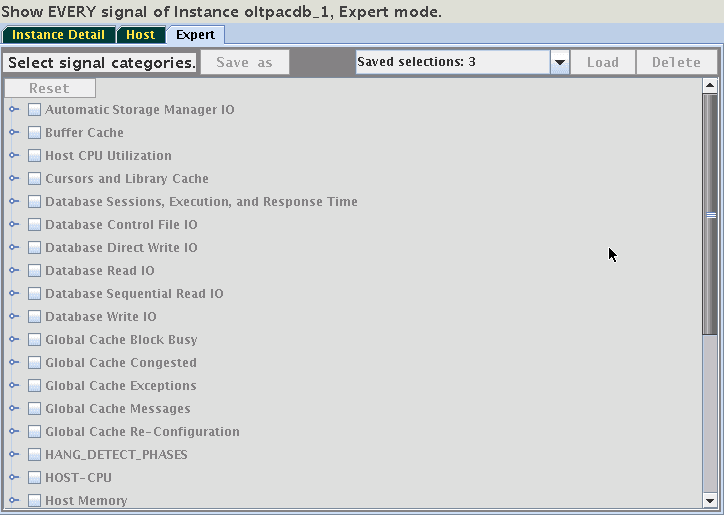
This panel provides access to a hierarchical tree with probe categories. The number of probe categories may vary between CHA models. To create a custom set of displayed probes, select either a category or expand its tree, and then select individual probes from any category. For example, select the category "Global Cache Congested". Its name is highlighted in yellow and its checkbox is selected. Note, two additional categories became highlighted without their checkboxes being selected. This means that one or more of the probes from "Global Cache Congested" are also their members.
Figure 6-33: Selecting Custom Set of Probes
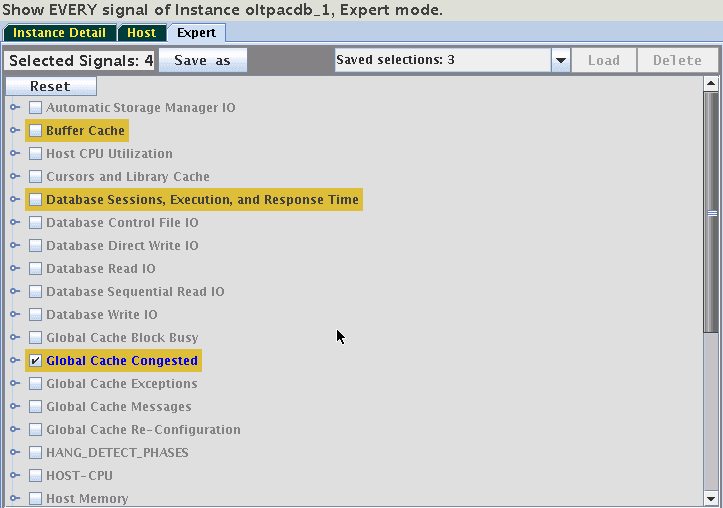
Expand the selected category and one of the other yellow highlighted categories to see which probe they share. In this case, it is the "cpu_used_pct":
Figure 6-34: Selecting Custom Set of Probes
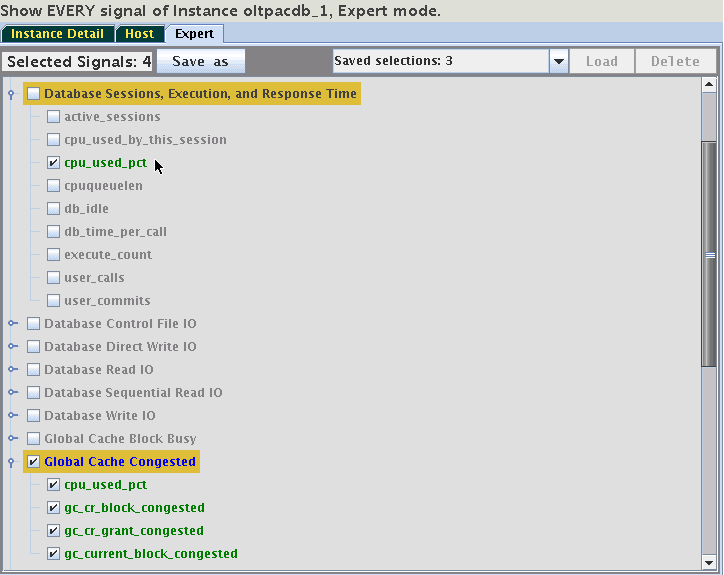
By unchecking the probe "cpu_used_pct", only one category will remain highlighted. Switch to the "Instance Detail" tab to see that now only the three signals of the category "Global Cache Congested" are being displayed on the Instance tab. Selections may be stored for reuse. On the Expert tab use the button "Save As" to save the selection under a specified name.
Figure 6-35: Selecting Custom Set of Probes
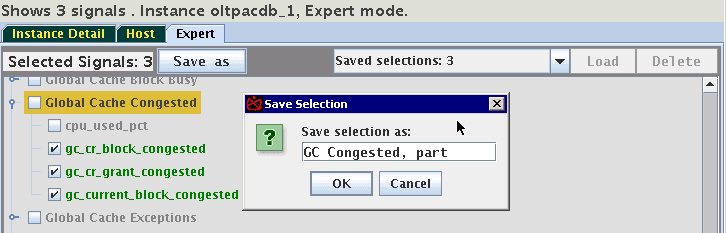
These saved selections will be available after a restart of AHF Scope on the same host. Use the drop-down menu "Saved selections" to retrieve any of the saved sets of probes. Press "Load" to activate it, or press "Delete" to remove it from the persistent storage. Note, that selecting of the saved set without a corresponding Loading does not activate it.