Logout from the Web GUI
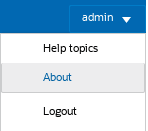
To logout from the Web GUI, click Logout from the user menu in the upper right corner of the Web GUI.
If you have signed in using SSO, logging out from the Web GUI may also terminate the session with the Identity Provider (IdP).
The system logs you out and re-displays the Sign in page.