2 ECP Security Features
This chapter explains the Security Features which are available in the “ECP Cloud” and “ECP Edge”
ECP Cloud - Security
The following are the current security features of the "ECP Cloud"
User Management
ECP utilizes the Oracle Identity Cloud Service (IDCS) for Identity Management.The ECP Application URL shall be provided to the Users after the Onboarding process.
End User Login procedure of the ECP Application
- Each Tenant will have separate URL to access the ECP Portal, that goes through authorization [IDCS stripe]
- Centralized [ECPAdmin & X GBU] shall have a separate URL, that as well goes through authorization [IDCS stripe]
Present Login flow
Figure 2-1 ECP Login Page
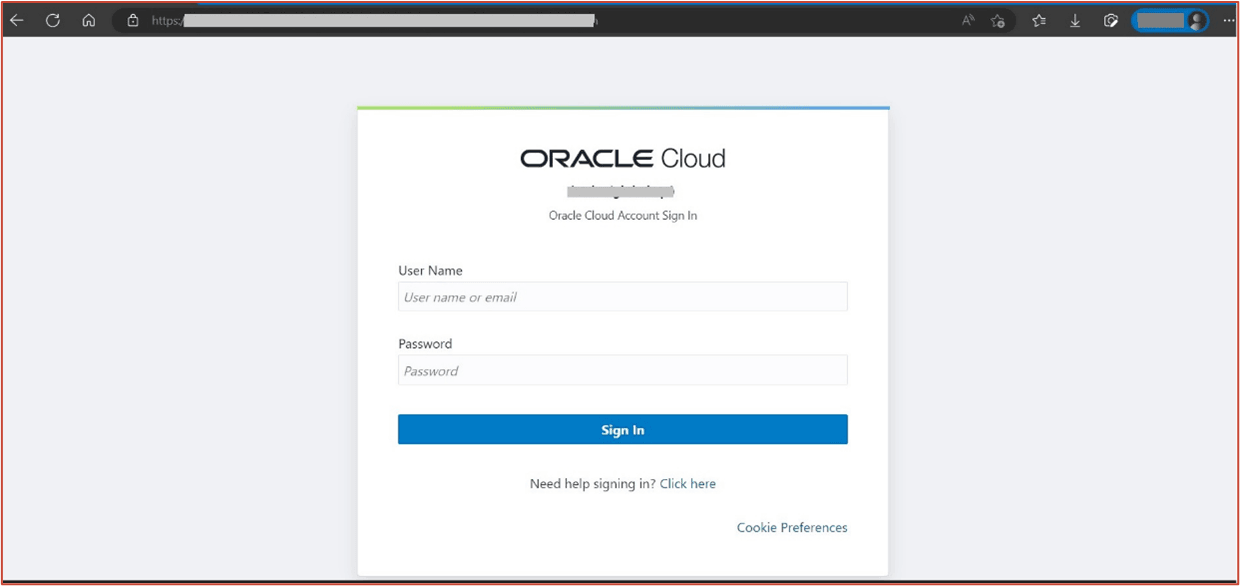
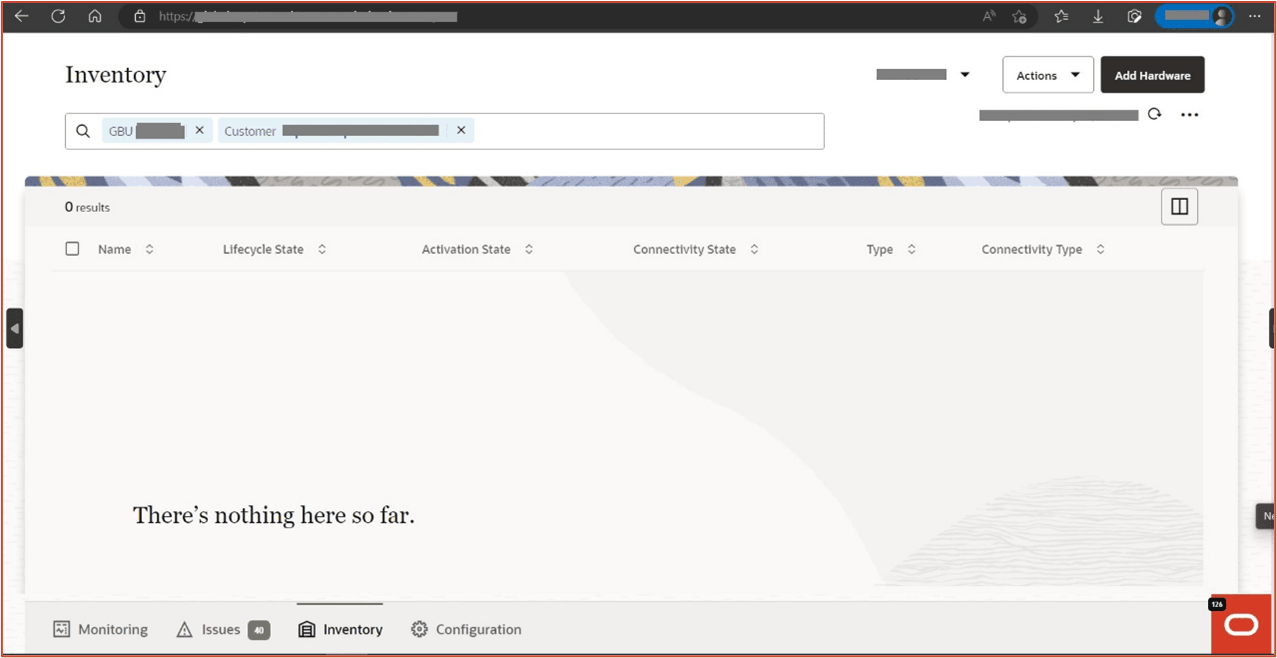
Figure 2-2 ECP Home Page
Description of Personas
- Multi-tenant: There is one - "CustomerAdmin"
Different Roles in ECP
- Customer Admin: Can create/update/delete another Customer admins. Customer Admin can primarily monitor and manage Edge Nodes and IoT Devices. Example: Activate / deactivate device for customer.
Add/Revoke/Delete/Reset Password Examples
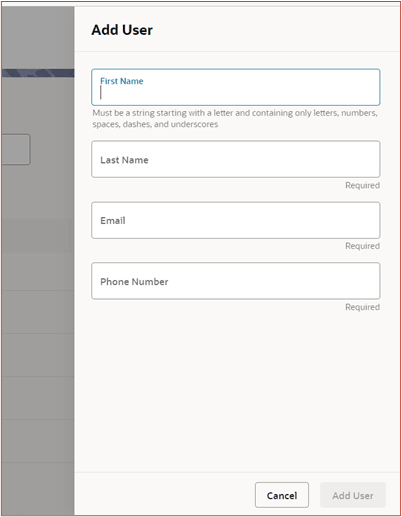
- The Administrator can login and add a New User. On the Inventory page Click on
Oracle Logo, Settings Tab, User Management, Add User. A new page appears, as
shown below:
Figure 2-3 Add user screen on the GUI
- The Administrator can login and revoke/grant roles. On the Inventory page Click
on Oracle Logo, Settings Tab, User Management, click “Action” button as
highlighted, select Revoke User Role, as shown below:
Figure 2-4 Revoke or grant user role action on the GUI

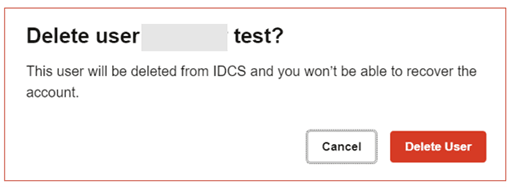
- The Administrator can login and delete a User. On the Inventory page Click on
Oracle Logo, Settings Tab, User Management, click “Action” button as
highlighted, select delete user, as shown below:
Figure 2-5 Actions button on the GUI to delete a user

Figure 2-6 Delete user confirmation on the GUI
- When access the login URL, you may choose “Click here” to change your password.
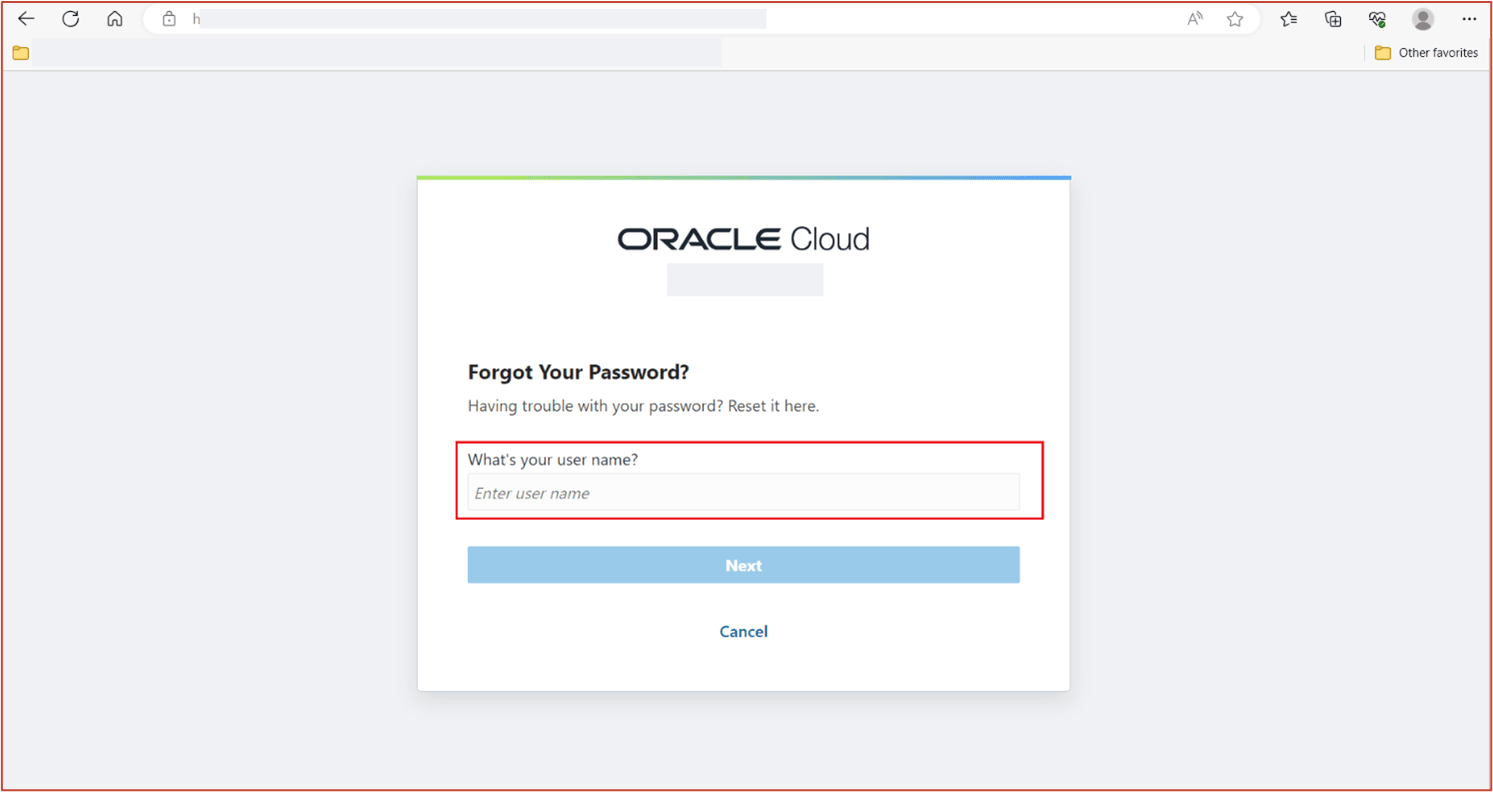
Follow the instructions by entering the Username, and you will receive an email
associated with the Username to assist in changing/resetting password.
Figure 2-7 Change password initial link
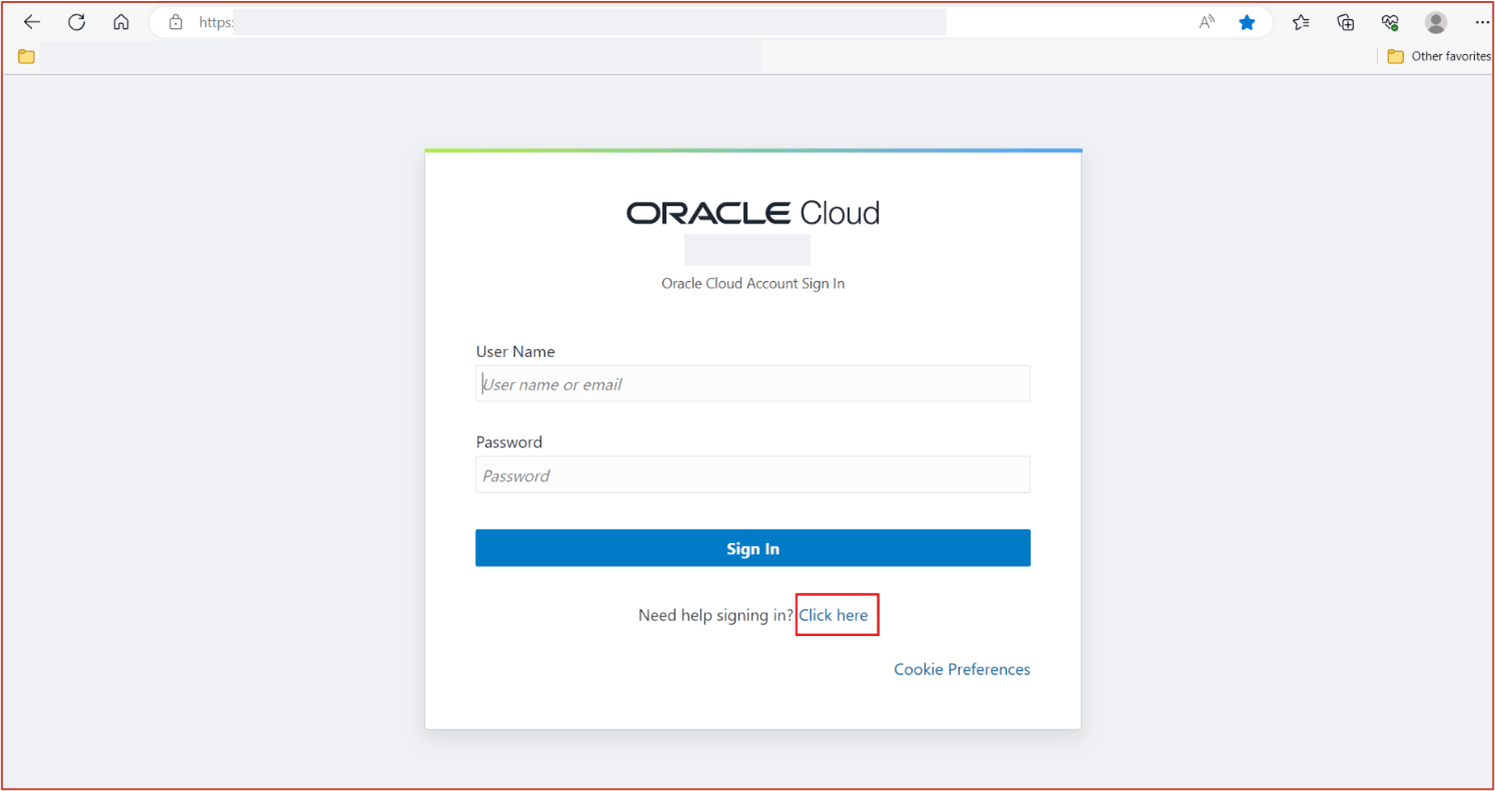
Figure 2-8 Change password - enter username image
Secure Device Onboarding & Authentication
The authorized/authenticated Users [that is, Users with Admin rights] are allowed to onboard devices for the corresponding Customer(s).
- Once you login – It would take you to the Inventory Page .
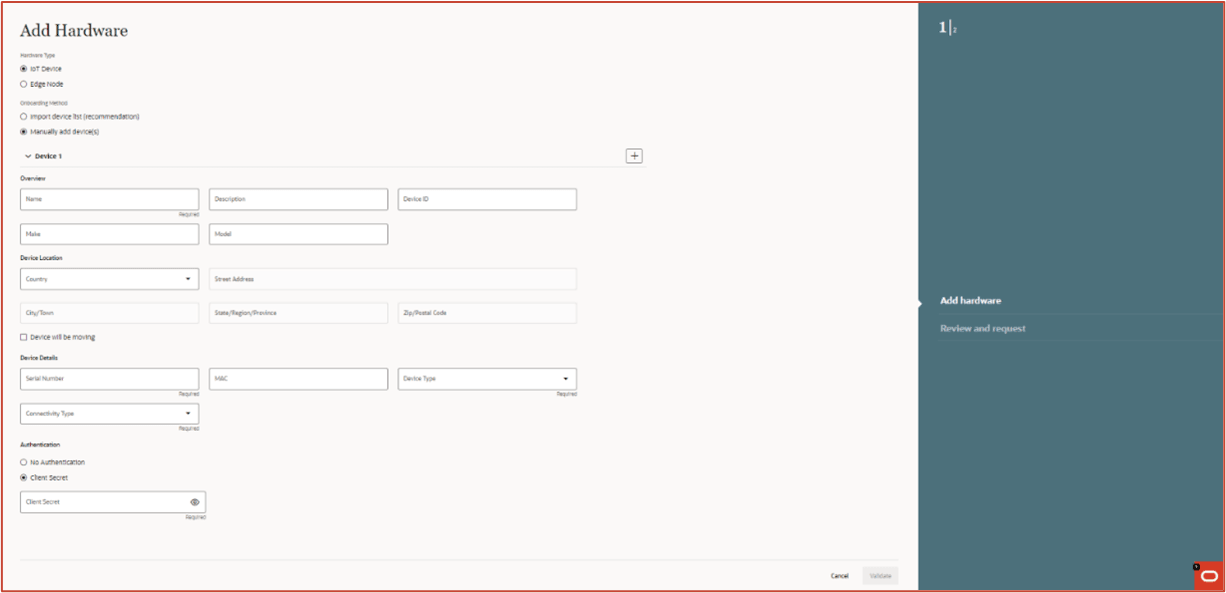
- On Inventory page -> Click on Oracle Logo -> Click “Add Hardware” -> This is the place to add detail.
Note:
- No-Auth: Device cannot talk to Cloud.
- Client Credentials: Device can talk to Cloud by passing the credentials provided during onboarding process.
Figure 2-9 Device Onboarding - No Authentication
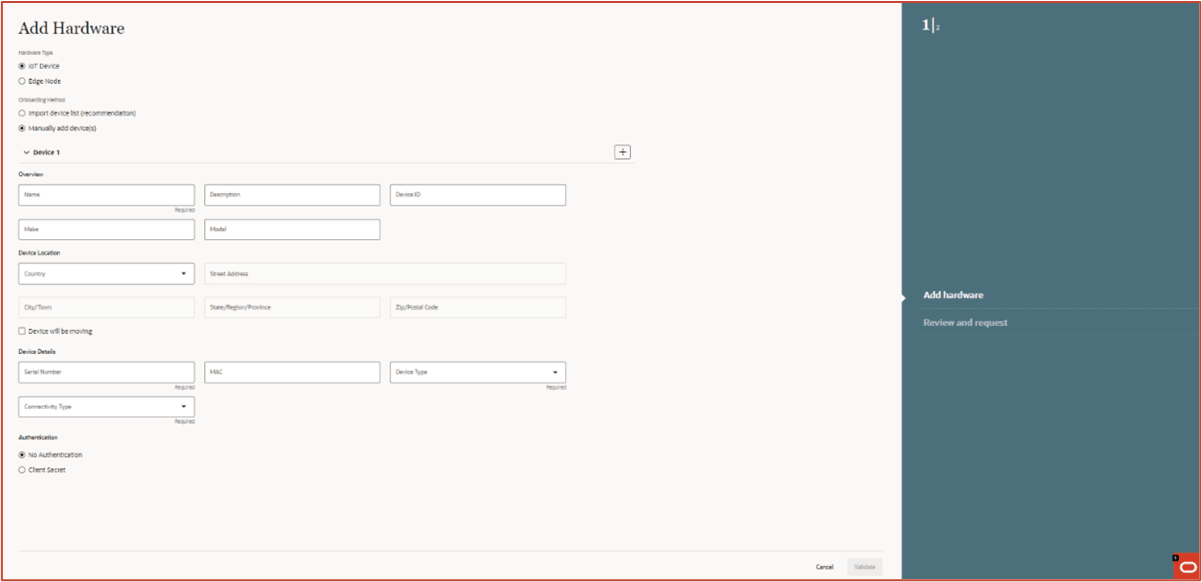
Figure 2-10 Device Onboarding - With a Client Secret
Secure storage of application secrets
Oracle Cloud Infrastructure Vault is a key management service that stores and manages master encryption keys and secrets for secure access to resources.
This vault lets you securely store master encryption keys and secrets that you might otherwise store in configuration files or in code. Customer IDCS Application Client credentials are stored in Vault.
Logging and Monitoring
ECP maintains several types of log files.
- Health Monitoring Metrics: Indicates the system health via different parameters such as CPU usage, memory usage etc.
- Centralized Logging: All ECP-IOT components will have their logs and metrics streamed to fluentd and elastic search or prometheus and Thanos respectively which are centralized services that are being used to stream the logs and metrics. . All ECP-IOT components will be configured to deploy the fluentbit streaming agent that will stream logs to fluentd.
For each cluster, there will be a fluentd instance that will stream logs to elastic search and also there will be a prometheus instance that will stream metrics to thanos. Retention Policies.
The default retention period for logging and metrics is 90 days. System logs for ECP services are stored for troubleshooting purposes and are purged periodically based on the retention period (15 days, 30 days, 90 days etc..) defined during deploy time configurations. These configurations are only managed by ECP SaaSOps team and not available for GBUs and end Customers to configure. None of the customer related data are acquired and stored in the ECP Cloud. Only system (ECP Edge and IoT Devices) related data for monitoring, troubleshooting and lifecycle management purposes are collected and stored in the ECP Cloud.
Separate auditing and “detective control” privileges
- ECP preserves the Access logs with relevant auditing information for a period of 1 year(default configuration).
Limiting Oracle’s Access to customer data
- ECP Cloud doesn't store any Customer business specific data. Customer specific data is completely governed by the GBU-specific Applications and are transferred to Customer specific clouds, which are not accessible to Oracle Admins.
- Customer Admins have the complete control of adding and removing the users from the Customer Tenancy IDCS slice. Also multiple users can be assigned per Persona.
Encryption
- ECP stores data (both user and system) in: OCI Autonomous Transaction Processing DB, and OCI Object storage.
- Both of these services have built-in (I.e. TDE) encryption capabilities and automated encryption key management (so customer managed keys are not available).
- Data in transit - in and out - uses TLS with strong, FIPS-compliant encryption protocols.
Tenant Isolation
Each tenant’s data is isolated; it has its own PDB & all data is stored independently.
- PDB [ Structured Data ]
- Object Storage [Unstructured Data]
- IDCS [ Contains User Detail, including Credentials]
Secure API Access
Accessing the ECP APIs are secured by industry standard means.
The various ECP APIs can be accessed using valid OAuth token.
HTTP Security Response Headers
There are a set of HTTP Security headers which are sent in the HTTP Response, and enhance the security of ECP application.
Setting security HTTP headers in the response enforce that the ECP application is always accessed using HTTPS, prevent XSS attack and sensitive data is never cached at customer browser.
Secure Access to MNO Portals
ECP interacts with MNO Portals using RestAPIs for Connectivity Management.
- Vodafone : Rest API calls are secured using OAuthToken
- AT&T: Rest APIs are secured using Basic Authentication
Edge Device Secure Onboarding
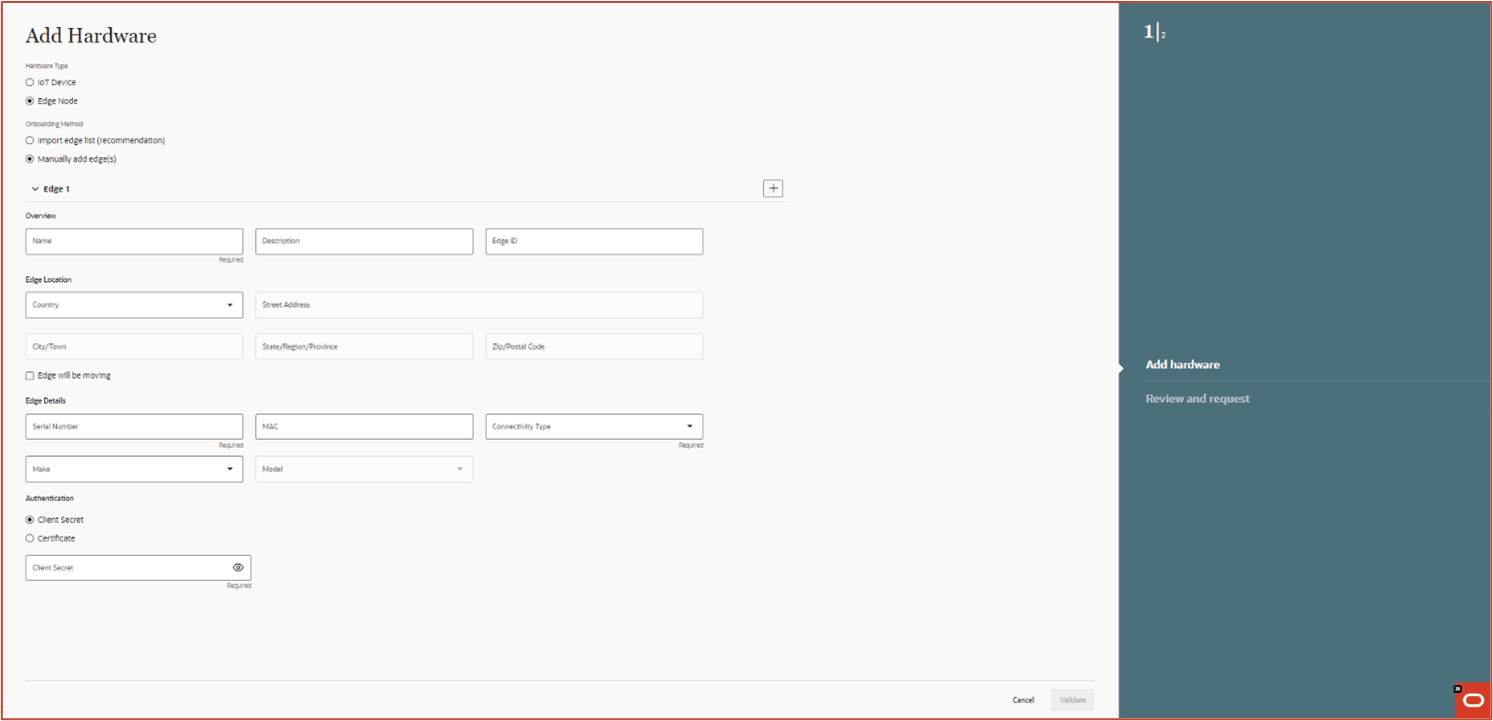
Every Edge device must first be onboarded with ECP cloud using Edge device hardware information like serial number and model. Once the Edge device is registered with Cloud, it is activated using the Activation GUI running in Edge.
- Basic authentication using credentials (user/password)
- Certificate based authentication.
Figure 2-11 Onboarding screen showing the Edge authentication fields
Mobile Device Management (MDM)
Mobile Device Management (MDM) is software that allows IT to automate, control, and secure administrative policies on laptops, smartphones, tablets, or any other device that is enrolled on the MDM platform and connected to a network.
ECP interacts with the MDM platforms and enables secure and remote management of Android mobile devices by using APIs to take actions (such as manage, lock, unlock or add/update OS/applications).
One can register connected mobile devices individually or in bulk on ECP, and easily manage permissions and monitor device usage so that devices remain secure via this external MDM platform.
- 3rd Party MDM solution: Ivanti Neurons
- REST API authentication method: Basic
ECP Edge - Security
ECP Edge is a physical appliance deployed in customer on premise. Edge collects the sensor data from the connected IoT devices and sends to ECP Cloud. The Edge is managed and operated by Oracle, so it is of outmost importance to secure the device from various threats.
The Edge is composed of micro services (uses Pod man Container Engine) and applications running natively on host Oracle Linux Operating system (Oracle Linux 9.3).
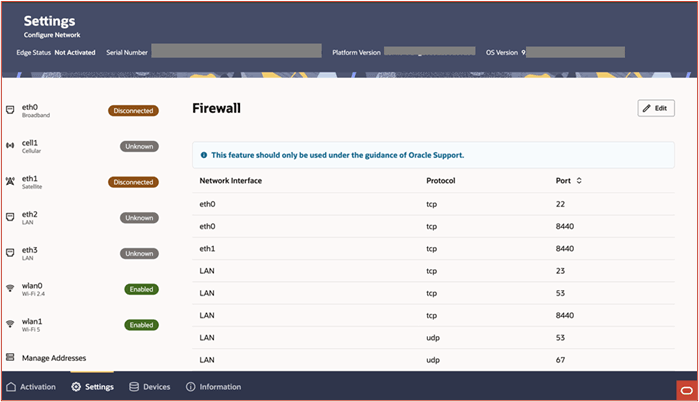
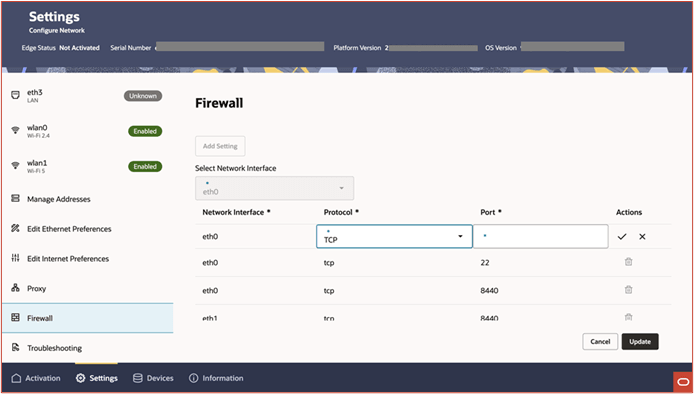
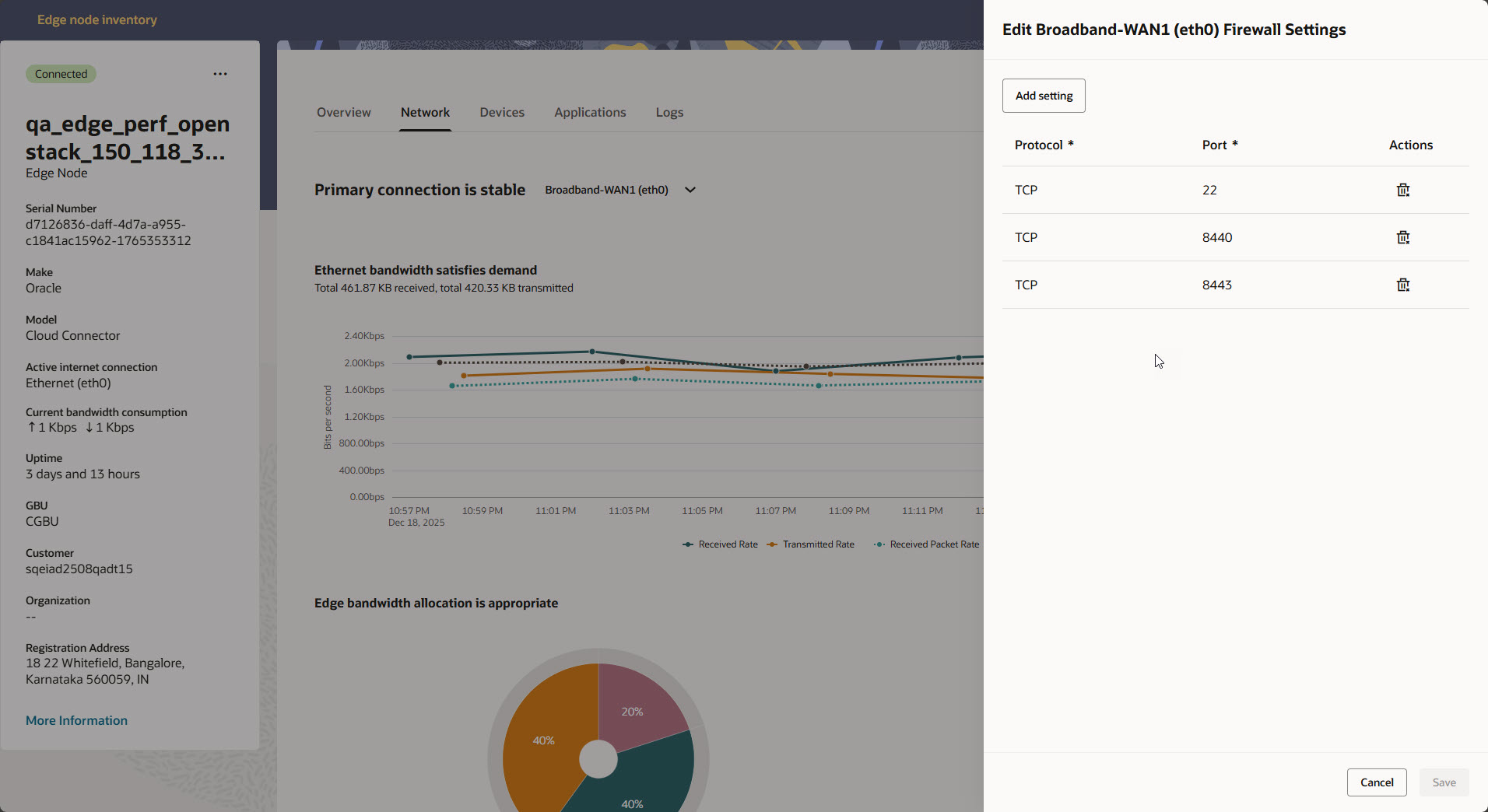
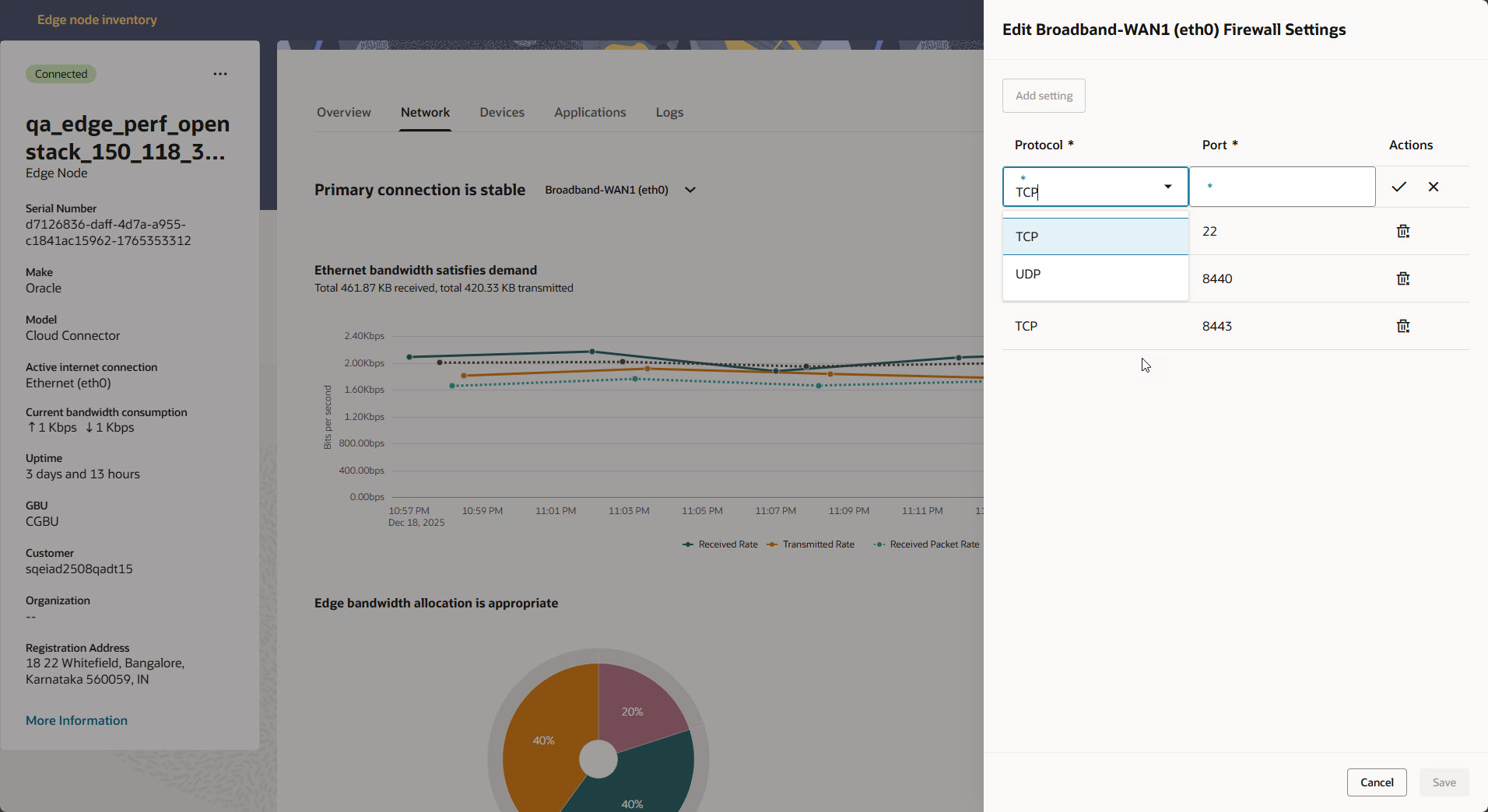
- Restricted Access: Edge is deployed as a headless system (without monitor, keyboard, mouse, and any UI) and so there is no access to the system. All USB devices are disabled except USB Camera devices, so any attempt to attach any kind of USB devices would be disallowed by the system. The system passwords are not shared with customer. By default, all TCP and UDP ports are disabled including SSH port 22. However, ports can be selectively opened through a command request from ECP cloud. Once the Edge is on boarded and provisioned to the ECP Cloud, the Edge is managed from ECP Cloud.
- Secure and trusted Communication: All communication between Edge and external entities (ECP Cloud Services, Object Store, and Container Registry) are authenticated and secured by OpenSSL TLS 1.2/1.3. Edge uses the OCI Certificate service for Certificate management.
- Certificate Authentication and Rotation: ECP Edge must authenticate to ECP cloud
before sending any data. The supported authentication mechanisms are Client
Credential (User name + Password) and Certificate. The authentication mechanism
is configured in ECP cloud portal while onboarding a particular Edge device. An
Edge device authenticates to ECP cloud service using the configured
authentication method.
During an Edge activation process, an edge certificate is configured. The certificate is signed using OCI Certificate Service. Edge device sends the certificate as part of MQTTS authentication request payload. The certificate is verified in ECP cloud using Certificate Authority (CA) certificate.
An Edge certificate expiry date is configured between 60 -365 days. Certificates with long expiry date (more than year) pose security risk in case private key is compromised. Certificate with shorter expiry date partially mitigate this problem as the certificate is renewed or rotated frequently and a new set of key pairs (Private + Public key are generated).
Certificate rotation is completely automated, no manual intervention is required. Edge service monitors the expiry date of existing edge certificate. If the certificate expiry is due within 30 days (which is configurable), the certificate renewal / rotation is triggered. A new Edge certificate is configured. The existing connection between Edge and ECP Cloud is terminated and a new connection is established using the renewed/rotated certificate.
- Data and Secrets Security: Edge uses the industry standard secret store engine Vault to store various types of secrets like Private key, Password, Access token, Signing keys etc. Service configurations are stored in the Consul. Temporarily telemetry data are stored unencrypted in Redis.
- Software Integrity Check: Edge supports over the air(OTA) update of software packages including container images, Operating system software, Security patches and firmware updates. The packages are downloaded from pre-approved sources. All container images are digitally signed and hosted within Oracle cloud container repository. Edge verifies the digital signature of container images and then installs.
- Container Security: All containers services are run as non-root user. Host file system is mounted as read only and access is provided to only require directory in the host file system. Resource limit (CPU & Memory) is configured per container service and whenever a service exceeds its configured resource limit, the service is stopped from running.
- Logging and Monitoring: By default logging is enabled for all micro services. All platform related operations (Access ,package upgrade, installation and port operations) are logged into log file. The Edge Monitoring service collects the system resource usage metrics (like CPU, Memory, Disk, Network bytes sent/received, network connections) and sends to the ECP cloud services for analysis.
- Host Based IDS (Intrusion Detection System) and Anti Malware: Edge uses Suricata
as an IDS and ClamAV for detecting Malware and Viruses. Both software are
included in Oracle Linux release. Actual rpms used in Edge node ISO image are
downloaded from EPEL (Extra Packages for Enterprise Linux) repo. This includes
rules for Suricata and malware signature for ClamAV. For security reason,
dynamically update of Suricata rules and ClamAV malware signature is disabled.
Those rules and signatures can only be updated via platform package update.
- Suricata as IDS: Suricata(suricata.io) is an Opensource network
monitoring and threat detection software. Suricata can be configured to
run as an IDS(Intrusion Detection System) and IPS (Intrusion Prevention
System) mode. The use case for Edge (at this point) is IDS. Suricata
uses signature to match on known threats, policy violations and
malicious behavior.
It will inspect every packet received according to the rules/signatures configured to detect any security incident. If any packet matches the rule/signature, an alert will be logged in /var/log/Suricata. User can check the log file and take needed actions.
Currently Edge uses the default rules that comes with Suricata installation. The rules are configured for the following protocols:- ICMP, DHCP, DNS
- HTTP, MQTT
- TLS
- ClamAV (Anti Malware): ClamAV is a free cross-platform anti malware
toolkit. ClamAV scan is run once every day at 2am. It will scan all
files under
/, i.e. all files on the filesystem. It features:- Detects millions of viruses, worms, trojans and other threats
- Scans archives and compressed files, also protect against archives bomb.
- ClamAV supports following file formats:Zip, 7Zip, RAR, TAR, CPIO, GZip, Bzip2, ISO, IMG, DMG, XAR .. etc.
- Suricata as IDS: Suricata(suricata.io) is an Opensource network
monitoring and threat detection software. Suricata can be configured to
run as an IDS(Intrusion Detection System) and IPS (Intrusion Prevention
System) mode. The use case for Edge (at this point) is IDS. Suricata
uses signature to match on known threats, policy violations and
malicious behavior.
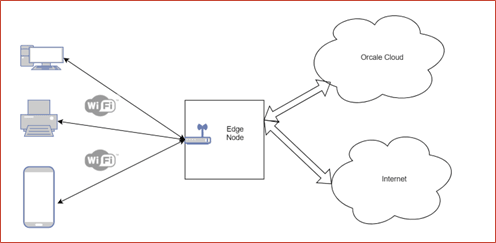
- WiFi Support Edge node supports WiFi LAN Network interface, enabling LAN devices to connect to Edge via WiFi. The WiFi hardware is integrated into the Edge device. The Edge also acts as DHCP server to allocate IP address to the authenticated and connected LAN devices. Those LAN devices will use Edge node as their gateway to gain access to Oracle Cloud and/or internet.
- Security Features implemented:
- Wifi access is protected using WPA2 PSK(Pre-shared Key)
- LAN devices are not allowed to access internet or Oracle cloud before Edge is activated.
- MAC addresses can be configured to block devices from connecting to WiFi.
- Ingress bandwidth can be configured to limit bandwidth usage and thus preventing DDoS attack from LAN network.
- Wifi Password Management:
- Unique default PSK is generated during edge node onboarding in ECP Cloud and is shown in ECP cloud portal.
- Admin uses the default PSK to connect to the Edge WiFi to activate the Edge with ECP Cloud Service.
- Once the Edge is activated, Admin is allowed to configure a new Password.
Figure 2-12 Edge Node Connected to the Cloud and local WiFi
- SSH Port Control on Selected Interface via Local UI: Users can now open the SSH port on a specific interface through the local UI [ ECP Edge UI ]. This provides more control over port access and simplifies the configuration process.