3.5.4 Procedure 14 VERIFY CONFIGURATIONS
Table 3-18 Procedure 14 VERIFY CONFIGURATIONS
| STEP# | This procedure verifies the E5APPB configurations.Note: Estimated time of completion is 5 minutes.Check off (√) each step as it is completed. Boxes have been provided for this purpose under each step number.Should this procedure fail, Contact Oracle technical services and ask for FULL UPGRADE ASSISTANCE. | |
|---|---|---|
|
1. ☐ |
MPS A: Login to serial console as root. |
|
|
2. ☐ |
MPS A: Switch user to elapconfig. |
|
|
3. ☐ |
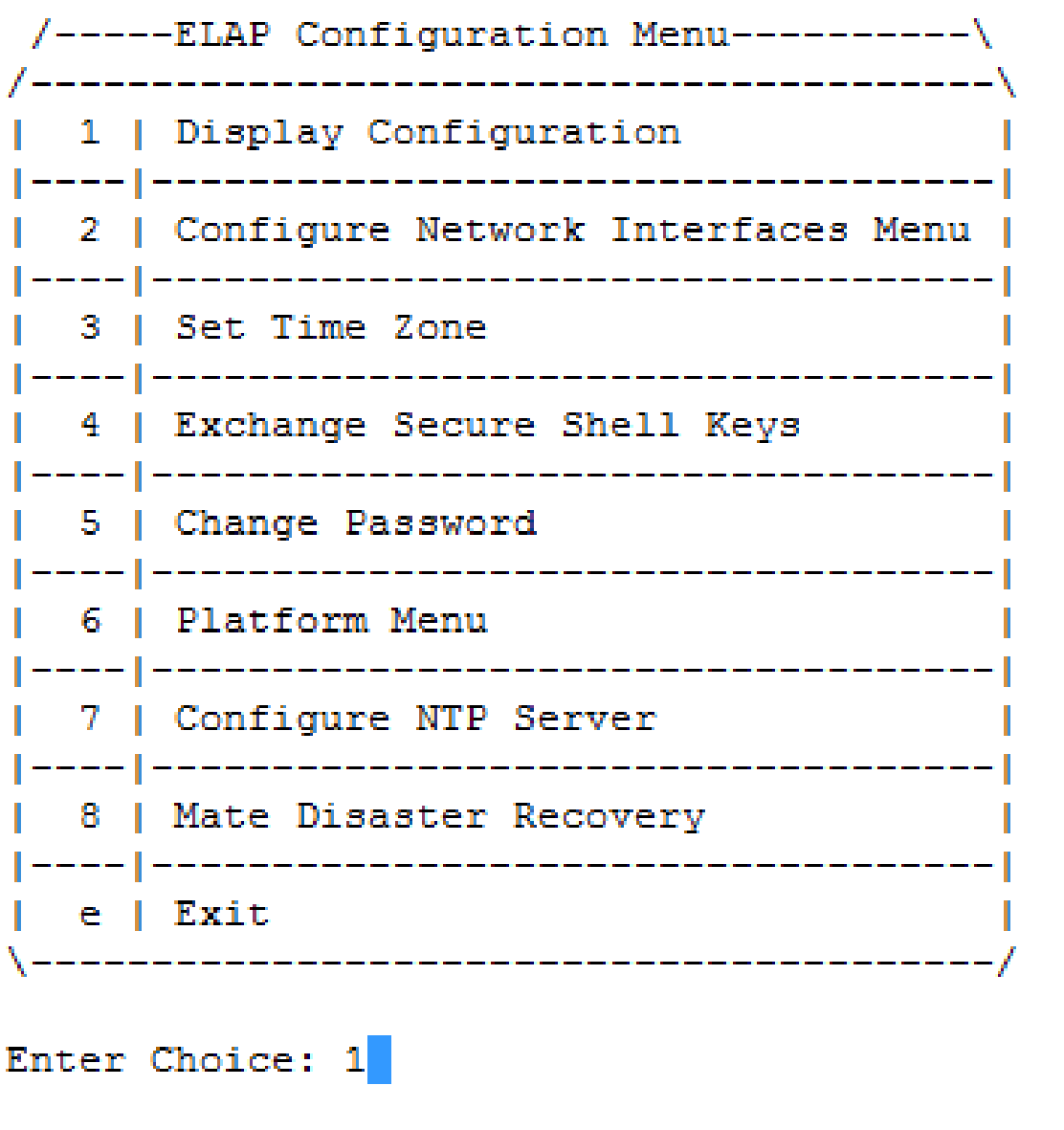
MPS A: Enter option 1 to display the current configuration. |
 |
|
4. ☐ |
MPS A: Verify the configuration data with the data recorded earlier Press Return to continue. |
|
|
5. ☐ |
MPS A: Enter option e to Exit. |
*Note: If this menu is not exited properly, root access via ssh will not be disabled. |