3.5.2 Procedure 5 DISCONNECT NPAC FROM LSMS
Table 3-10 Procedure 5 - Disconnect NPAC from LSMS
| STEP # | This procedure disconnects NPAC from LSMS. Estimated time: 5 minutes | |
|---|---|---|
|
☐1. |
LSMS Active server: Log in to the server as the user “lsmsadm”. |
|
|
☐2. |
LSMS Active server: Stop all connected NPAC regions |
Run the following command to list the active NPAC regions Note: The above output shall vary depending on LSMS configuration. Note: Store this output as it will be required during DB restore phase post upgrade. |
|
Run the following command to stop an NPAC region. Run the above command for all active regions. |
||
|
☐3. |
LSMS Active server: Login to LSMS GUI |
Login to LSMS Active GUI through VIP as ‘lsmsall’ user. |
|
☐4. |
LSMS Active server: Deactivate all active regions |
Click on the NPAC region. Go to the menu Configure -> LNP System -> NPAC -> Modify -> Primary Uncheck the ‘Activate Region’ checkbox and click ‘OK’. |
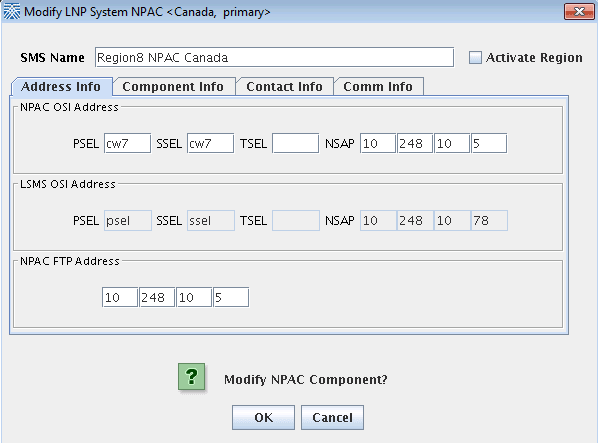 Note:Deactivate all the active NPAC regions. |
||
|
This procedure is complete! |
||