Enabling STIR/SHAKEN Support
Enable STIR/SHAKEN in two places: In the Platform Setup Application, and under System Settings.
Platform Setup Application (PSA) > Additional Extensions. For STIR/SHAKEN monitoring, enable the PSA extension in the Enterprise Operations Monitor.
- Using the Platform Setup Application:
- Click Apply.
Figure 4-2 Enabling Stir/Shaken
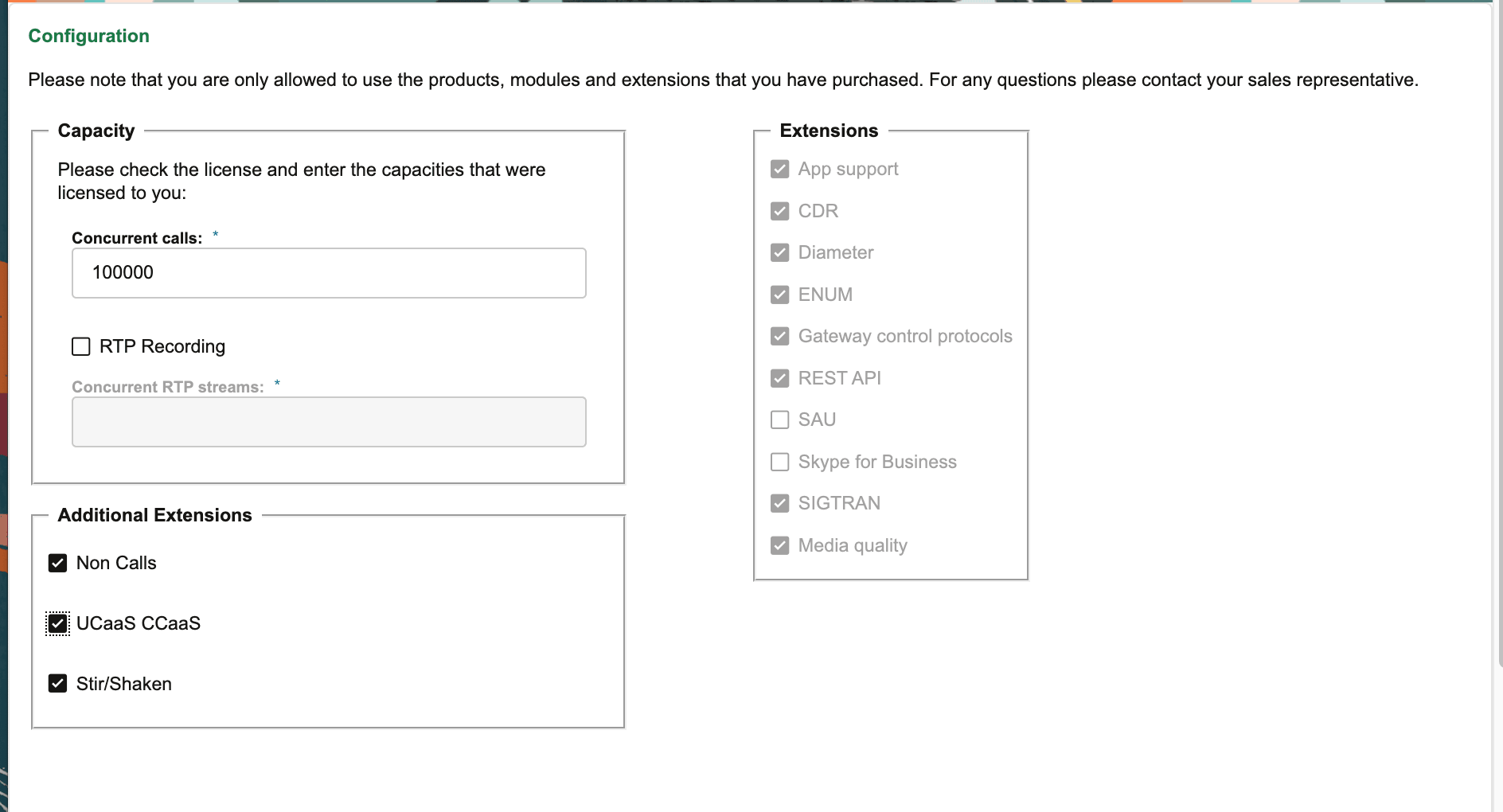
- The STIR/SHAKEN extension, controls if STIR/SHAKEN calls are monitored.
- Enable this extension explicitly. The default setting is false.
Caution:
Enabling/disabling the Stir/Shaken extension will start/stop the HTTP probe process and restart the counters process. It is recommended to perform this action during the maintenance window.
- Click Apply.