Working With Document Reviews
Initiating a Document Review
Initiate a review when you have a document that requires the approval of one or more people.
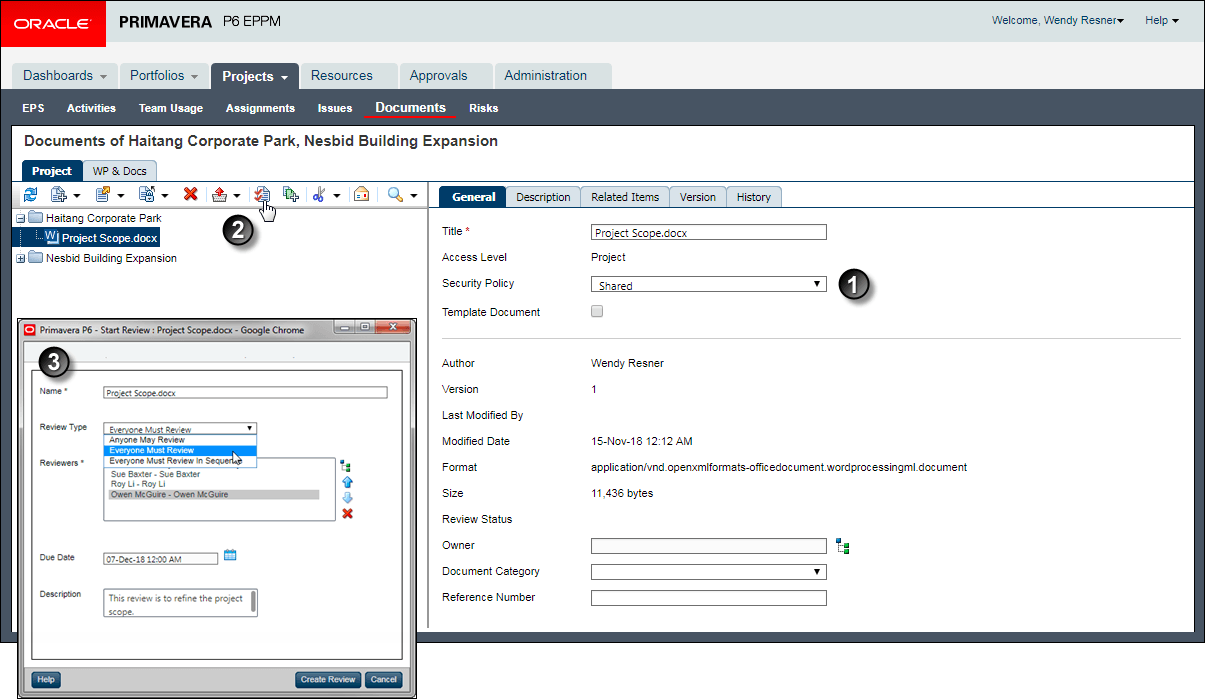
Table of Screen Highlights
| Item | Description |
|---|---|

|
Ensure the Security Policy for the document is set to Shared. |

|
Click Start Review. |

|
Use the Start Review dialog box to specify review details, including the name of the review, the review type to determine the approval requirements and reviewer sequence, the reviewer list, the date by which all reviewers must complete the review, and a description of the review. Click Create Review. |
Participating in a Document Review
During the review, review participants can access the document from the Document Reviews portlet on the Dashboards page. The Action Required tab indicates whether you have a review to complete.
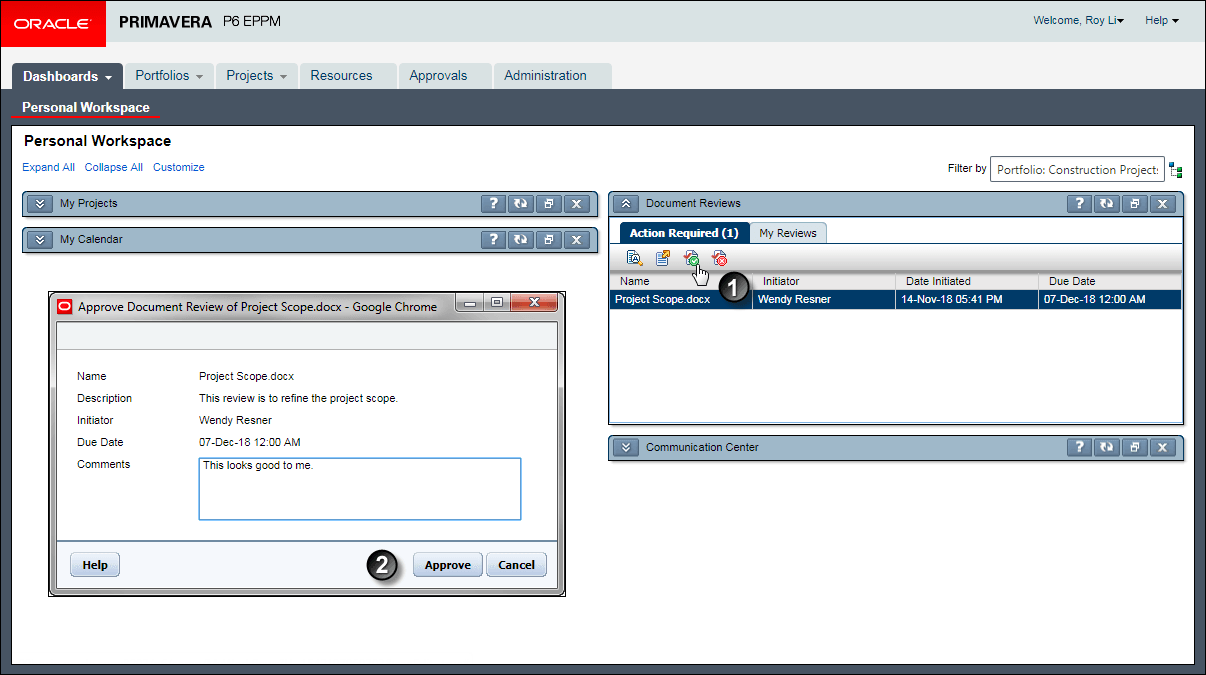
Table of Screen Highlights
| Item | Description |
|---|---|
|
|
Click on the document you want to approve and click Approve. |
|
|
In the Approve Document Review dialog box, enter your review comments and click Approve. |