Working with Discussions
Use the Discussion dialog box to communicate with your project manager about an activity. If more than one team member is assigned to the same activity, all messages are captured in the same dialog box for that activity.
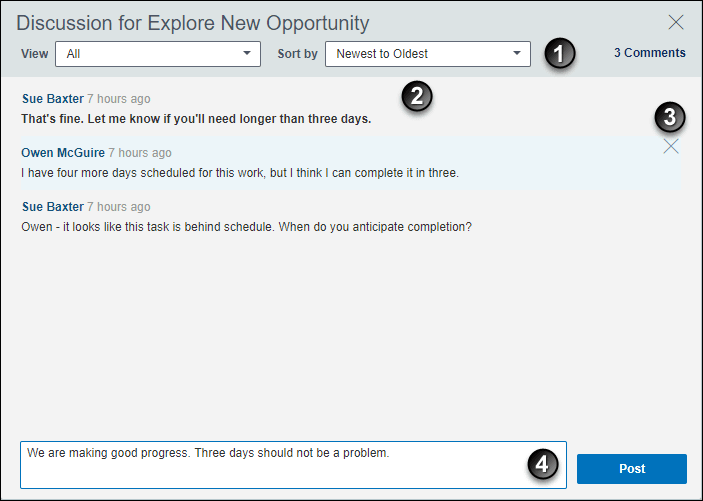
Table of Screen Highlights
| Item | Description |
|---|---|

|
Filter your view options. Choose to show All messages, or Sent or Received messages. Sort by the most recent postings or earlier postings. |

|
Review all messages posted by you, your project manager, or another team member assigned to the same activity, depending on your filter settings. Bold text indicates the message is new since the last time you opened the dialog box. |

|
Hover over a comment to delete it. |

|
Post a question, answer, or general information about the activity for your project manager or other team members assigned to the activity to view. |