Defining a Calculated Data Source
The Data Source can be defined as Calculated for data types Value, Indicator, Summary Value, or Summary Indicator.
To define a Calculated data source:
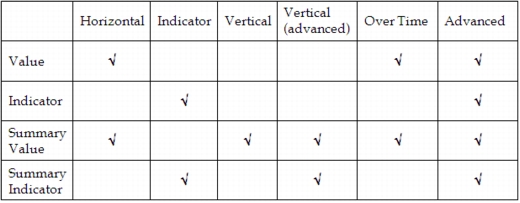
- The Data Source dialog box changes to reflect your choice. The following table shows which function types are available for each data type: