Project or Shell Level Cash Flow Worksheet
To open a project/shell cash flow worksheet for an existing curve:
- Go to the shell tab, and switch to User mode.
- In the left Navigator, select Cost Manager, and then select Cash Flow.
- In the Cash Flow log, double-click the applicable curve to open the cash flow worksheet window.
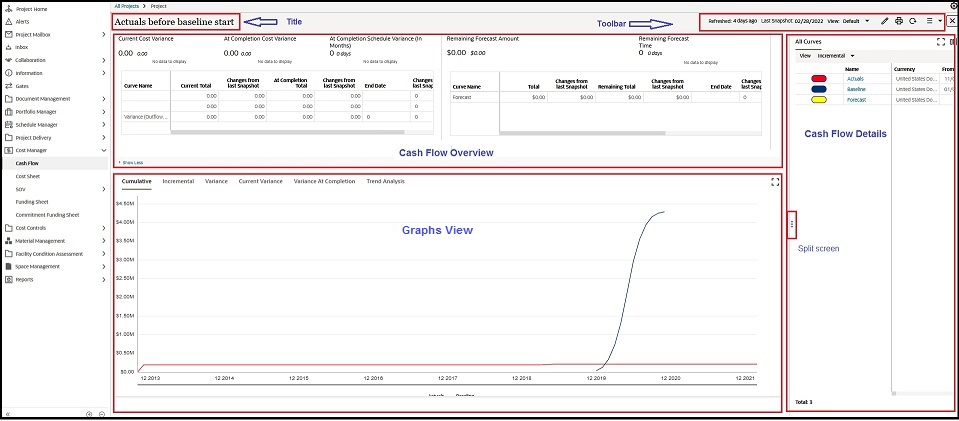
The project/shell cash flow worksheet is divided into the following sections, as shown in the following typical screen capture:
- Title
- Toolbar
- Cash Flow Overview
- Graphic View
- Cash Flow Details
The cash flow worksheet window is divided into the following parts, as highlighted in the following screen capture, and each part can be individually maximized.
The following explains each part in detail.