20 Reviewing Test and Inspection Results
To review test or inspection results:
- Navigate to the Contract Shell.
- From the left Navigator, select Tasks.
- From your Tasks page, select the Test/Inspection task.
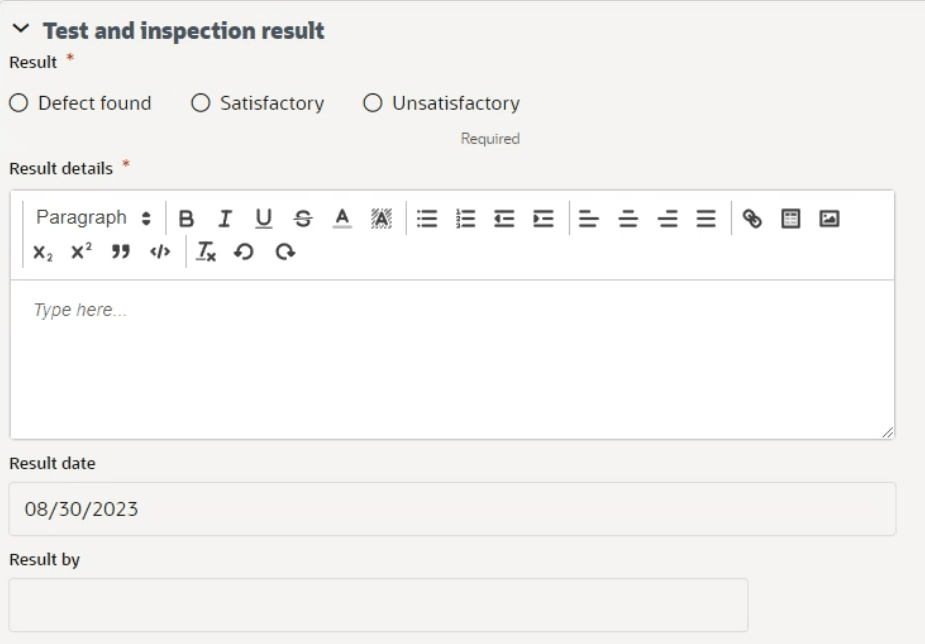
The Result form is displayed.
- Select Accept.
- From the Test and inspection result section, select a Result:
- Defect found
- Satisfactory
- Unsatisfactory
If you select Defect Found, the application automatically creates a notification of defect.
- Complete all the required fields.
You cannot send the form without completing the required fields.
- Select Send to submit the reply.
You can now access the test or inspection from the left Navigator by selecting Quality, and then selecting Tests and Inspections.