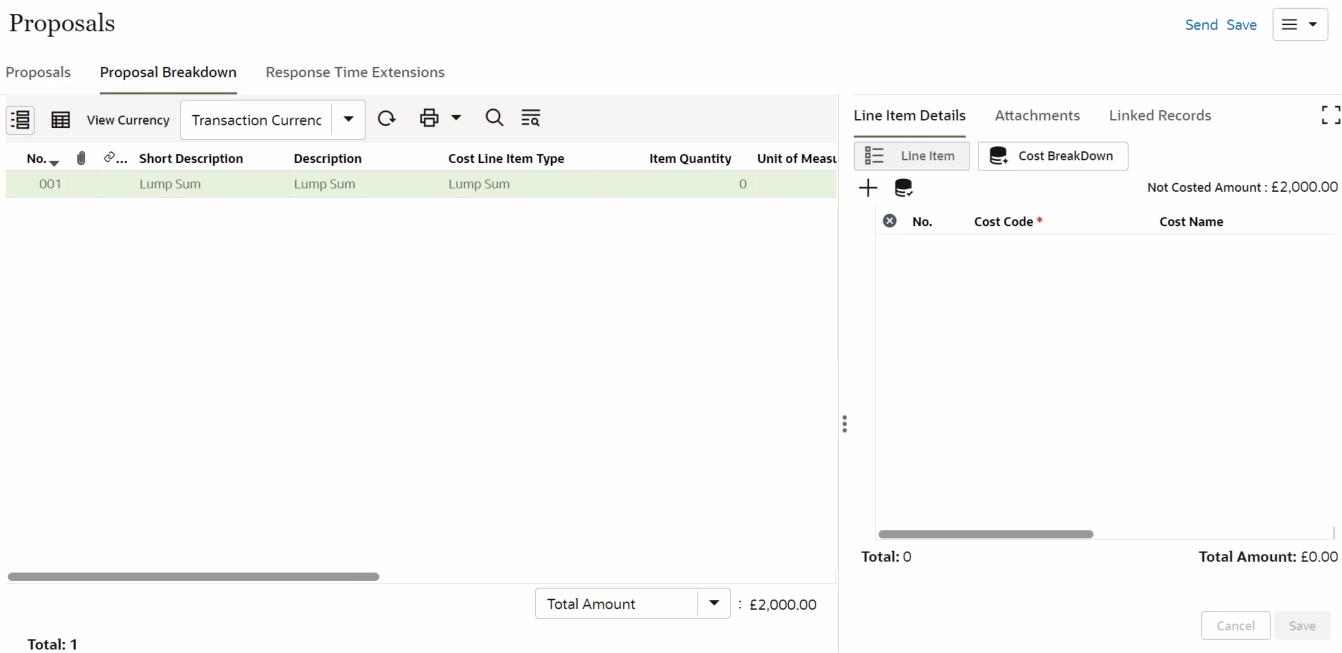
Proposals: Adding Financial Breakdown
To enter the financial breakdown for a proposal:
- From the left Navigator, select Tasks.
- Select the proposal task from your Tasks page. The Proposals form is displayed.
- Select Accept to accept the task.
- Select the Proposal Breakdown tab.
- Select a proposal line item and select the Cost BreakDown icon to open the cost breakdown panel.
- Select the + Plus icon to open the Cost Code Picker form.
- Select the CBS Node which will add it to the cost breakdown panel against that line item.
- Enter in the amount for the selected line item that you want to allocate against the CBS Node.
- Select Save.
- Select Send to submit the cost breakdown.
- The cost sheet is automatically updated.
- See topics Notifying Response Time Extension and Replying to Response Time Extension for more information on how to submit and respond to extension of time.