19 Replying to a Value Engineering Proposal
To reply to a value engineering proposal:
- Navigate to your Contract Shell.
- From the left Navigator, select Tasks.
- Select the value engineering proposal task from your Tasks page. The Value Engineering Proposals form is displayed.
- Select Accept to accept the task.
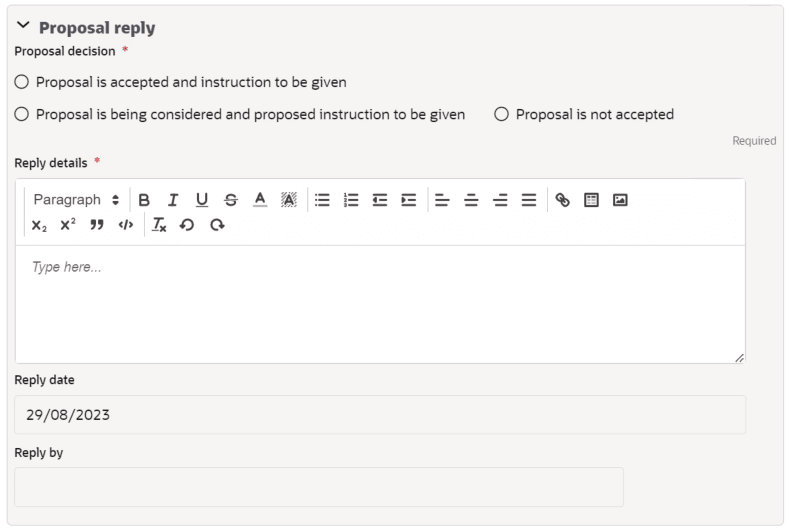
- For the Proposal decision field, choose one of the following options: Proposal Accepted and Instruction to be given or Proposal is being considered and Proposed Instruction to be given or Proposal is not accepted.
- Complete the required fields and select Send to submit the reply.
- If the Proposal Accepted and Instruction to be given option is selected, then an instruction task is created for the Project Manager/Service Manager/Client.
- If the Proposal is being considered and Proposed Instruction to be given option is selected, then a proposed instruction task is created for the Project Manager/Service Manager/Client.
- See topics Notifying Response Time Extension and Replying to Response Time Extension for more information on how to submit and respond to extension of time.