Inspect a published journey
Where Journey Builder is enabled, the journey details page shows the current published definition in a read-only view. It does not edit, download, or roll back a journey.
Open the journey details
- Open Journey Builder.
- Find the journey under Available journeys.
- Select its journey-details link.
- Confirm its title, key, and availability. Available and Starts blocked are different states.
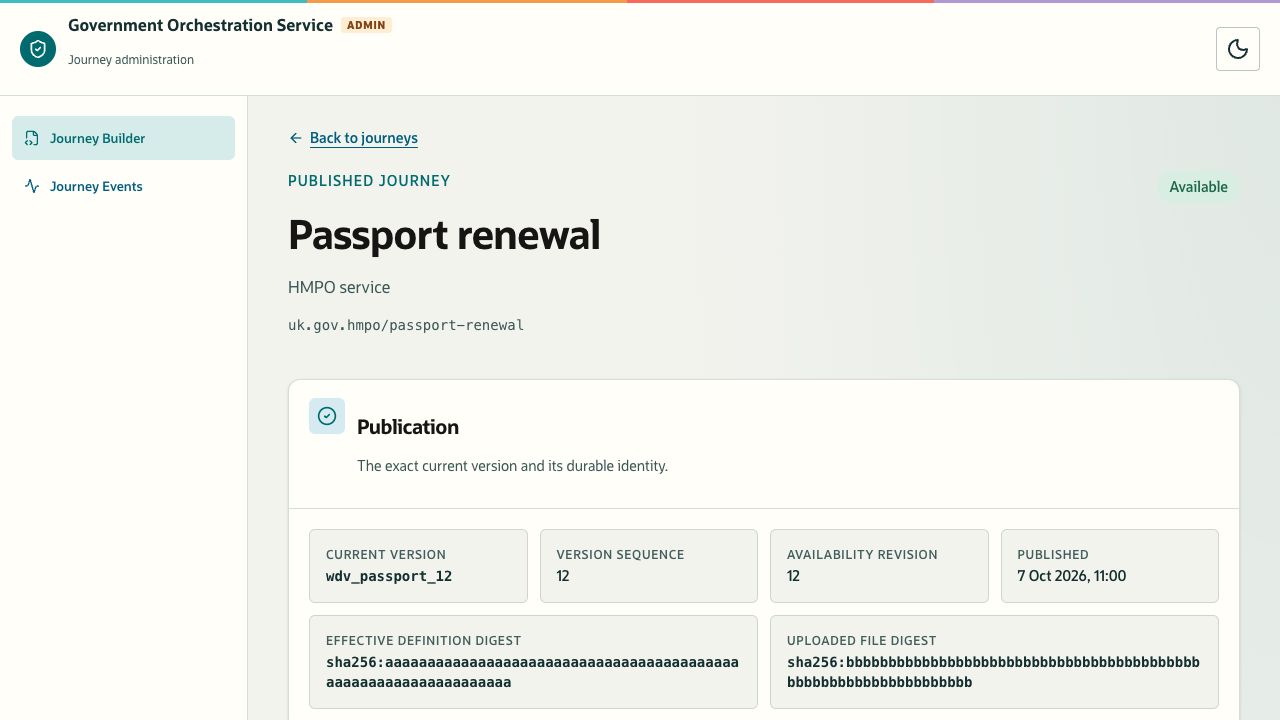
- Under Publication, read Current version, Version sequence, Availability revision, and Published.
The Effective definition digest and Uploaded file digest identify the current definition and uploaded source. Keep these values with the result of a change or incident investigation. Use Back to journeys to return to the list.
Description of the illustration workflow-definition.jpg
Figure 5. Published journey identity and publication metadata. Sample catalogue and identifiers.
Inspect the process and definition
| Section | What it provides |
|---|---|
| Published complexity | The structural classification retained when this version was published, if available. It is not a quality score. |
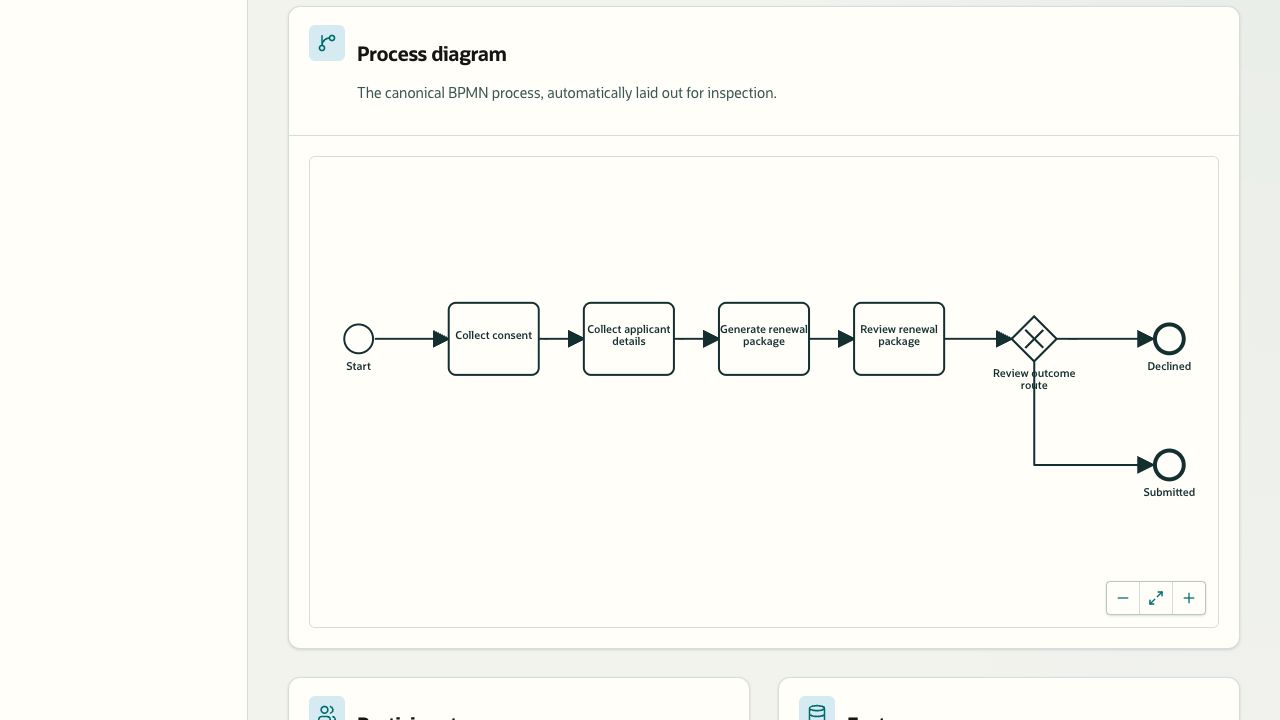
| Process diagram | An automatically laid-out view of the process and its paths. |
| Participants | Roles involved in the journey and the initiating role. |
| Facts | Typed information produced and consumed during execution. |
| Screens and interactions | Declared user-facing screens, actions, and interaction state machines. |
| Activities | Automated work, capabilities, inputs, and possible outcomes. |
| Terminal outcomes | The possible endings and their classifications. |
| Complete normalized definition | The retained structured JSON representation. |
Publication appears before Published complexity and Process diagram. Scroll down from the publication metadata to inspect the diagram.
Description of the illustration workflow-diagram.jpg
Figure 6. Inspect the journey flow with the process-diagram zoom and fit controls. Repository sample definition.
Use the process diagram’s zoom and fit controls to inspect the path you need. Select Show complete definition to read the retained JSON. These are inspection controls, not editing actions.
An available definition and a rendered diagram do not prove that every path has run successfully. If a publication result was uncertain, compare the current version and digests with the intended change before any retry. If they do not establish the outcome, use your organization’s support route.