Enable Change Data Synchronization
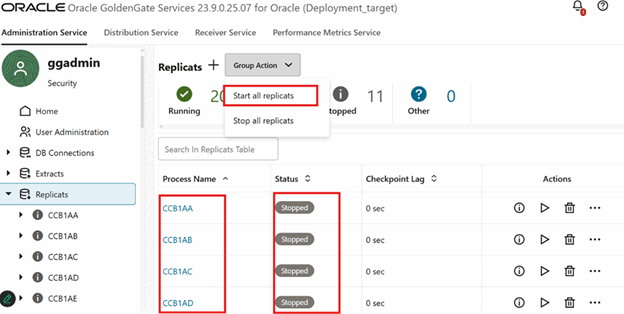
The change synchronization process needs to be enabled to bring incremental data from the source application after the initial source data is replicated completely. Follow the steps below to enable the change data synchronization process:
-
Log in to the Target GoldenGate Microservices Administration Server.

- Ensure the GoldenGate replicat processes are in a stopped state.
-
Start the GoldenGate replicat processes for the respective context. Ensure that GoldenGate replicat processes for the configured context are in a running state.