Alerts Call to Action Module
The Alerts Call to Action module encourages customers to sign up for additional alerts over text or voice channels, so that they are less likely to miss an event. The module is placed after the Numbered Steps module, and before the Social Proof module.
On this page:
Requirements
Utility Requirements
|
Category |
Description |
|---|---|
|
Required Cloud Service |
Oracle Utilities Opower Behavioral Demand Response Cloud Service |
|
Scale |
50,000 - Unlimited. The actual number of communications sent may be affected by attrition, opt-outs, customer eligibility, and data availability. By default, at least 50,000 customers are selected to receive Behavioral Demand Response communications. Assuming a standard attrition percentage, this is the minimum amount of customers required to measure the impact of the program. |
Customer Requirements
|
Category |
Description |
|---|---|
|
Billing Frequency |
Monthly. |
|
Data Delivery Frequency |
Daily. |
|
Data Requirements |
Peak event information, including date and time. |
|
Data History |
Not applicable. |
|
Data Coverage |
Not applicable. |
|
Supported Fuels |
Electricity. |
Limitations
- This module is only available to customers as part of the Behavioral Demand Response Pre-season Summer Welcome Email.
- This module is available for the summer season only.
User Experience
This section describes the user experience for the Alerts Call to Action module.
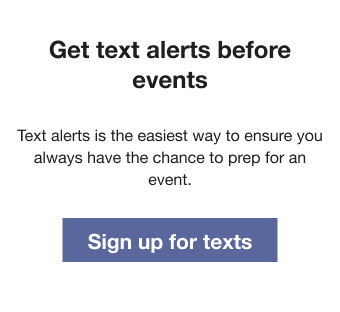
Header: Text that reads 'Get text alerts before events'.
Body: The body text tells the customer that text alerts are the easiest way to get notified about upcoming events.
Primary button: Takes the user to an external notifications preferences page where customers can choose which channels they want to subscribe to.
User Experience Variations
The user experience of the feature may vary for customers and utilities depending on their service types (gas, electricity, dual fuel, and so on), available data, costs, locale, and other factors. The customer can be prompted to sign up for either texts or phone calls, depending on what channels the utility supports and if they have opt-in policies or are auto-enrolled. For more information, see the Pre-season Summer Welcome Email description in the Behavioral Demand Response Cloud Service Overview and go to the User Experience Variations section.
The user experience varies for customers depending upon their energy use, fuel types, available data, and customer attributes. The following list indicates the primary user experience variations. Note that the list below does not represent all possible variations.
Only Auto-Enrolled Channels
If the utility has only auto-enrolled channels of communication, this module will not appear.
Opt-In Texts
If the utility allows opt-in to text, the customer receives a message encouraging them to sign up for texts.
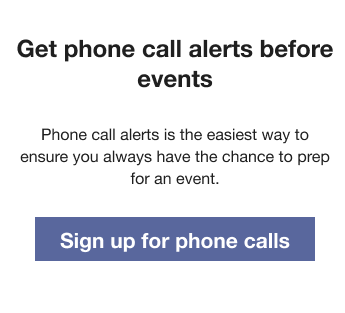
Opt-In Phone Calls
If the utility allows opt-in to phone call alerts, the customer receives a message encouraging them to sign up for phone calls.
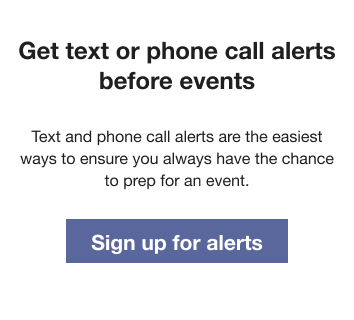
Opt-In Texts and Phone Calls
If the utility allows both opt-in texts and phone call alerts, the customer receives a message encouraging them to sign up for texts or phone calls.
Configuration Options
For each element listed in the table, indicate the desired configuration in the Input Value column. If you do not provide an input for optional configurations, the default will be used.
| Configuration Option | Input Value |
|---|---|
|
Call to Action URL The utility provides the URL for their notifications preferences page. |
Required Contact your Delivery Team about setting the utility's notifications preferences page. |