Home Profile
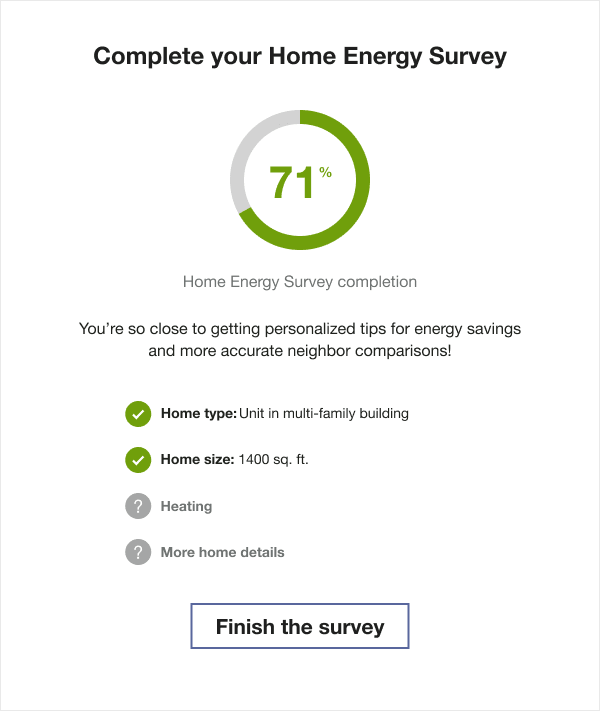
The Home Profile highlights the customer's progress in completing the Home Energy Analysis survey, and reminds them of the impact of completing the survey on their report insights. The module includes a list of known and unknown home attributes, a percent complete wheel, and a link to the survey itself.
Appears in: Progress Report, Welcome Report
Configuration Options
For each element listed in the table, indicate the desired configuration in the Input Value column. If you do not provide an input for optional configurations, the default will be used.
| Configuration Option | Input Value |
|---|---|
|
Online Energy Assessment Name The utility may select an alternative name for the Home Energy Analysis. Default: By default, Home Energy Survey is used. |
Optional
|
|
Header The header varies by state. The utility may select alternative headers for each state. Default:
|
Required
|
|
Explainer text The explainer text may be configured for each state. Defaults:
|
Required
|
|
Call to Action Button Text The QR codes call to action may be configured by state. Default:
|
Required
|
|
Call to Action URL The utility may configure the URL by state. Default: utility.co/homesurvey |
Required
|
User Experience Variations
The user experience of the feature may vary for customers and utilities depending on their service types (gas, electricity, dual fuel, and so on), available data, costs, locale, and other factors. For more information, see the Home Profile topic in the Oracle Utilities Opower Energy Efficiency Cloud Service Overview.