Home Profile
The Home Profile highlights the customer's progress with the Home Energy Analysis survey, and reminds them of the benefits of completing it. The module includes a list of known and unknown home attributes, a percent complete wheel, and a link to the survey itself.
Appears in: Progress Report, Welcome Report
On this page:
Requirements
There are no utility or customer-specific requirements to display this module. Results from the status of the survey are used to determine what is shown in the module.
Limitations
The Home Profile module can only be used in the Welcome and Progress reports. It can also be used as a replacement for the Home Energy Analysis module in the Welcome Report.
User Experience
The image below is an example of the user experience for a customer who has not yet completed their Home Energy Analysis survey.
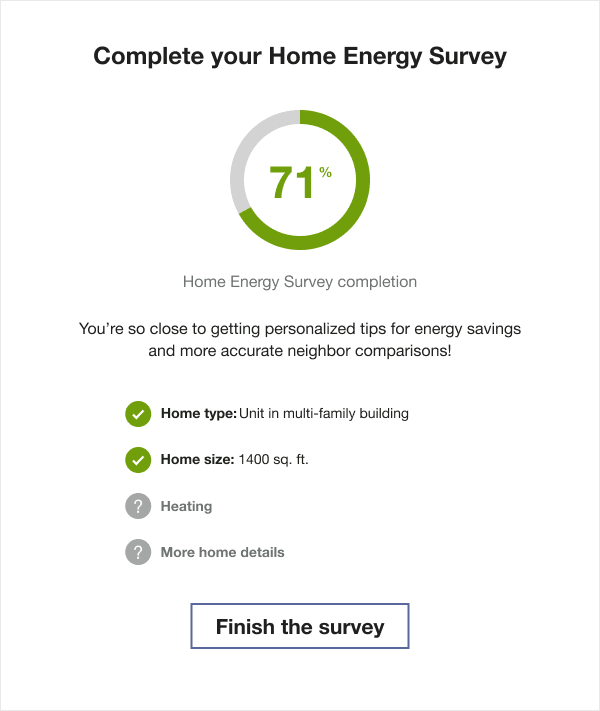
Title: The title reminds the customer of their survey completion status.
Percent Complete Wheel: A wheel shows the percentage of the customer's home profile survey that is completed. For example, if 50% of the survey is complete known for the customer, then 50% of the wheel would be colored in, and the text "50%" would appear in the center of the wheel.
Explanation: A brief text encouraging the customer to finish their Home Energy Analysis survey to get more accurate insights in their report.
List of Attributes: The module includes a list of four home attributes. Each attribute that is known for the customer has a green check next to it, and each unknown attribute has a gray question mark logo next to it.
Button A button provides customers with quick access to their Home Energy Analysis from the report without having to log in to their account.
User Experience Variations
The user experience of the feature may vary for customers and utilities depending on their service types (gas, electricity, dual fuel, and so on), available data, costs, locale, and other factors.
Home Energy Analysis Not Attempted
If the customer has not yet begun their Home Energy Analysis, the module displays a zero percentage and encourages them to start their survey so that their report includes more accurate insights.
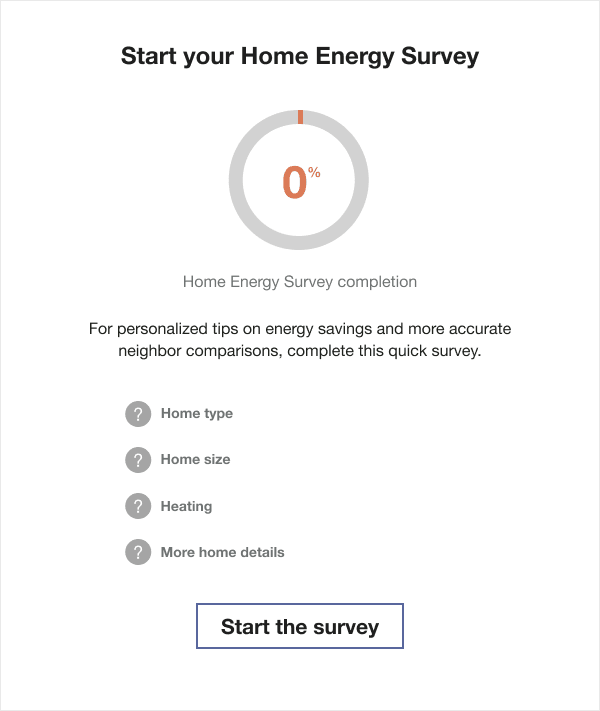
Title: The title tells the customer to start their survey.
Percent Complete Wheel: The percent complete wheel shows 0 percent.
Explanation: A brief text encouraging the customer to take action and update their home profile appears below the title.
List of Attributes: The module includes a list of four home attributes. Each attribute had a gray unknown question mark logo next to it.
Button: A link provides customers with quick access to their Home Energy Analysis from the report without having to log in to their account. The button title echoes the module title message encouraging the customer to start their survey.
Home Energy Analysis Recently Completed
If the customer recently completed their survey, the module is congratulatory and reassures them that their insights are accurate and readily available.
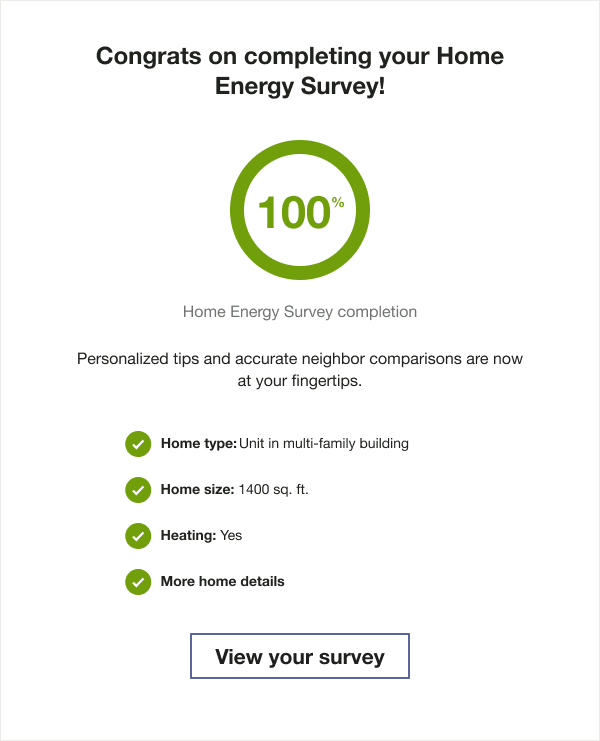
Title: The title congratulates the customer on completing their survey.
Percent Complete Wheel: The percent complete wheel shows 100 percent.
Explanation: A brief text tells the customer that their personalized tips and comparisons are accurate because they have completed their survey, and encourages the customer to update the survey if anything changes.
List of Attributes: The module includes a list of four home attributes. Each attribute has a green check mark logo next to it indicating that the attribute is known for the customer.
Button: A link provides customers with quick access to their Home Energy Analysis from the report without having to log in to their account. The title of the button invites the customer to use the QR code to view their Home Energy Analysis.
Home Energy Analysis Completed
If the customer completed the Home Energy Analysis previously but has not updated their survey in a while, the module encourages them to do so to make sure that they are getting the most accurate insights and tips.
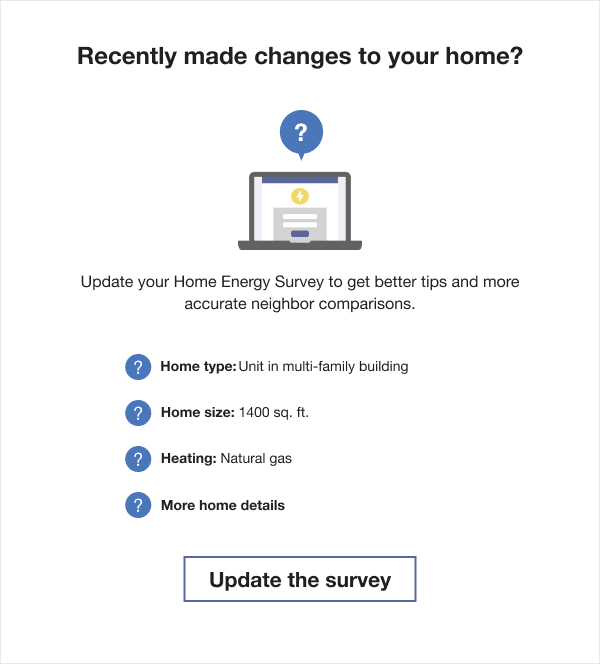
Title: The title asks the customer if they have made any changes to their home.
Computer Icon: The percent complete wheel is replaced with a computer icon.
Explanation: A brief text encourages the customer to update the survey to make sure that they are getting the most accurate tips and insights.
List of Attributes: The module includes a list of four home attributes. Each attribute has a green check mark logo next to it indicating that the attribute is known for the customer.
Button: A link provides customers with quick access to their Home Energy Analysis from the report without having to log in to their account. The button title echoes the module title message encouraging the customer to view and update their survey.