Customer Experience Overview
The Video Home Energy Reports include an email inviting customers to view their video, a landing page that hosts the video, and a short, personalized video that the customer can watch to learn about an aspect of their program.
The first part of the Video Home Energy Report user experience that the customer interacts with is an email inviting them to view their video report. The email tells the customer what they can expect to see in the video and invites them to go to the video landing page where they can view the video and learn more. The email is highly customized and varies widely depending on the utility's goals. The following example is a video email communication for a report focused on adopting a new technology.
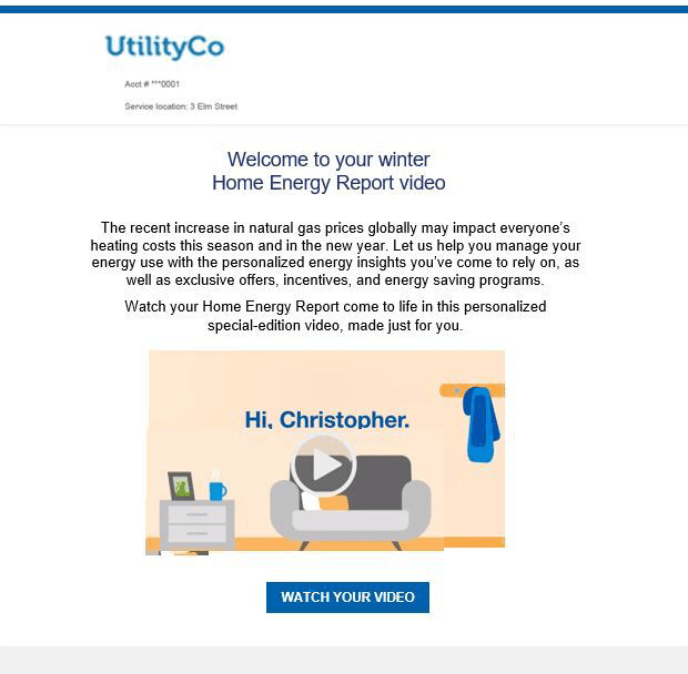
Header: The report headers appear at the top of each communication. It includes the following:
- Logo: A logo provided by the utility.
- Utility Account Number: The customer's utility account number is displayed. For security purposes, only four characters of the account number are shown, and the rest of the numbers are replaced with asterisks (**).
- Service Location: The service location to which the video report applies. This information is especially helpful to customers who own multiple properties.
Body: The email body identifies the purpose of the email and prepares the customer for what they will see in their video report. The body includes the following:
- Title: The title identifies the focus of the video report.
- Body Text: The body text informs the customer that they can access their personalized energy insights access offers and programs designed to help them save energy and money.
- Video thumbnail: An image of the video provides a colorful introduction to the video report experience.
- Call to Action: The call to action button redirects the customer to a page where they can view the full video. For security purposes, this link expires after 180 days.
Footer: The footer is included at the bottom of every report and includes components that provide more context about the report. The footer includes the following:
- Utility Address: The utility's mailing address. The mailing address must appear due to CAN-SPAM regulations in the US and similar regulations abroad.
- Unsubscribe: A link to a page where customers can unsubscribe. An unsubscribe link must appear due to CAN-SPAM regulations in the US and similar regulations abroad. The URL the unsubscribe link points to cannot be customized.
- Legal Text: This is the copyright and any other legal text required by the utility or Oracle Utilities Opower.
Landing Page
The landing page hosts the full video email report. It includes a link to the utility's web portal where customers can access additional information about the utility program featured in the report.
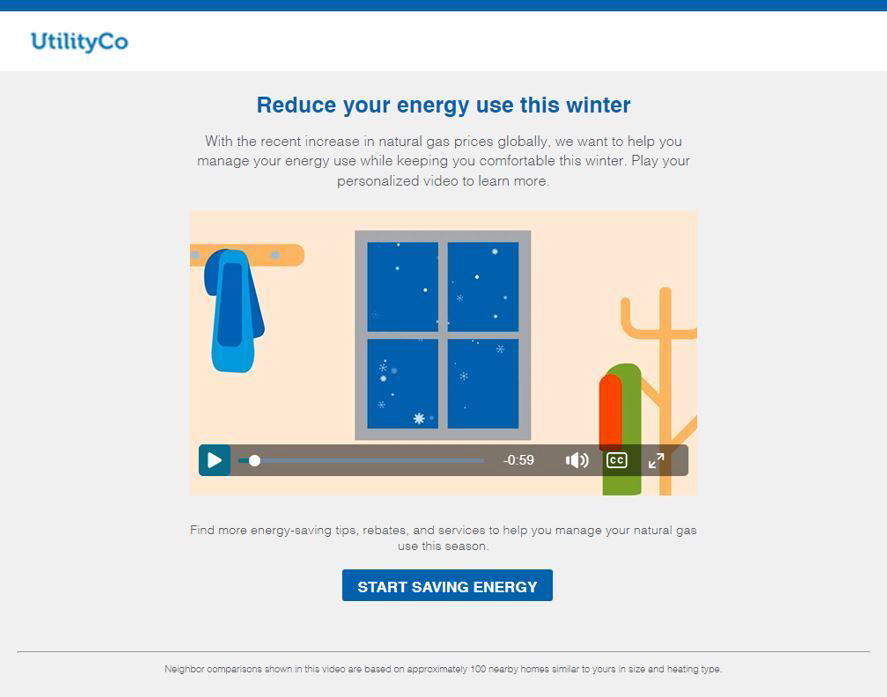
Header: The header appears at the top of the landing page and includes the utility logo and any relevant branding colors.
Heading: The landing page heading emphasizes the main benefit of the report to the customer. For example, "Conserve energy and save money this winter."
Video: See the Video section for more information.
Call to Action: The call to action echoes the theme of the video and redirects the customer to the utility web portal where they can access additional resources.
Footer: The footer is included at the bottom of the bottom of the landing page. The footer includes the following:
- Legal Text: This is the copyright and any other legal text required by the utility or Oracle Utilities Opower.
- Explainer Text: The explainer text describes what data goes into the personalized insights included in the video.
Video
The final piece of the report is a personalized video designed to engage utility customers about a utility program. For example, the video could promote energy efficiency programs, rebates, or new technology. The following example is for a video focused on customer's energy use.
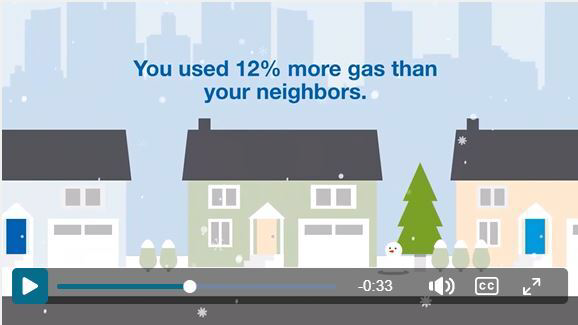
The video is made up of several customizable scenes that vary depending on the featured utility program. For example, a video focused on energy efficiency could include the following video scenes:
Customer Welcome: A fully personalized welcome message greets the customer by their first name.
Utility Goals: This scene tells the customer why their utility is providing them with the video insights. For example, "[Utility] wants to help you be comfortable while saving energy and money, so that together we create a better, cleaner energy future."
Personalized insights: A series of personalized insights provide the customer with information about their energy use and how they fit into the video theme. For example, a video report with a winter seasonal focus might include data about the customer's heating use and how it compares to their neighbors.
Tips: This gives customer relevant tips designed to help them lower their energy use and save money. For example, in a video report with a winter seasonal focus, the first tip is dedicated to saving on heating. Personalized tips can be offered if sufficient data is available.
Call to Action: The video ends with a call to action message that encourages the customer to take advantage of their utility's energy efficiency programs. An arrow icon redirects the customer to the utility's website where they can learn more.