Selection Results Panel
Once a multi-select has been completed the Selection Results panel will be shown to allow the user to explore the objects that were selected.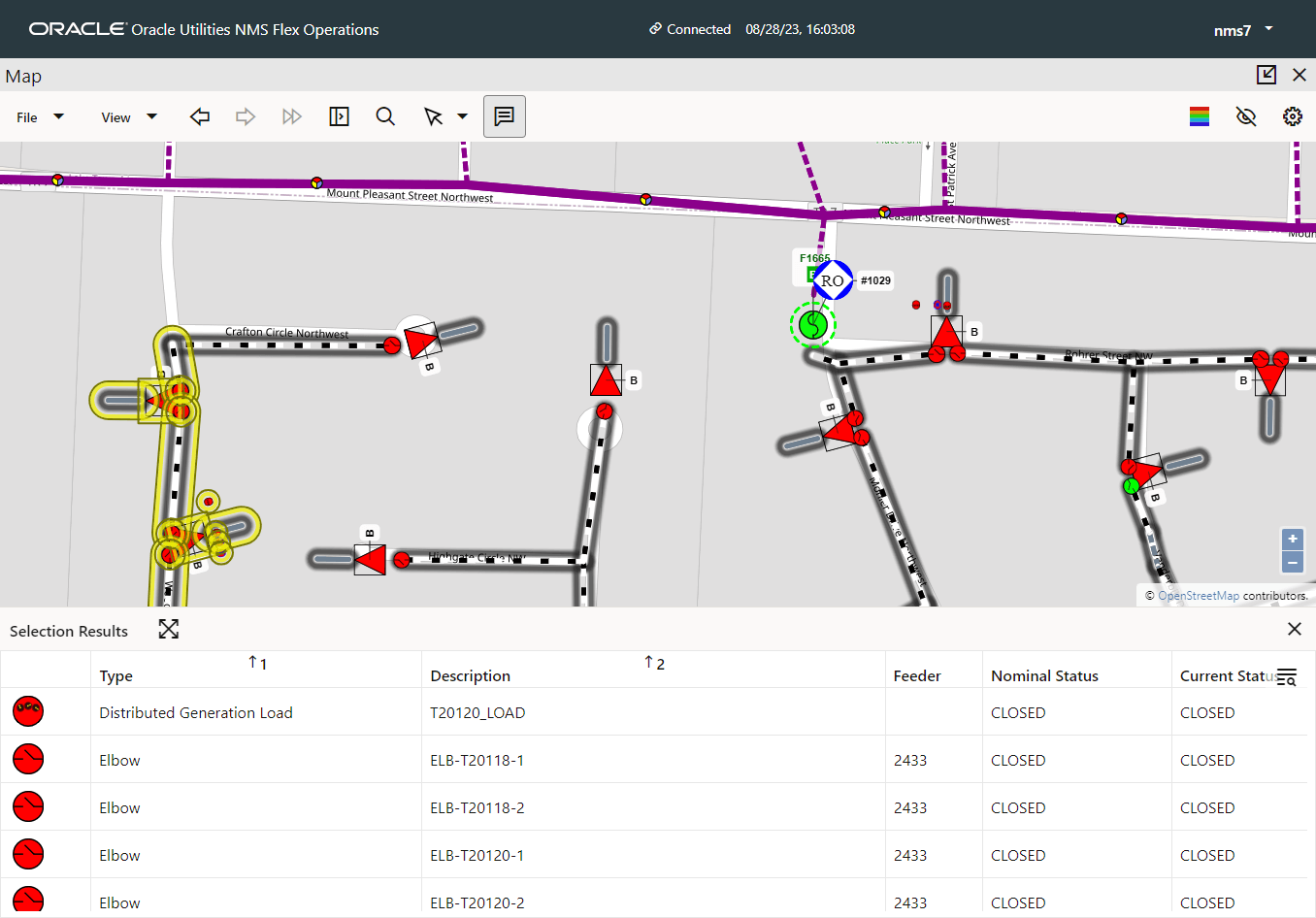
When an item in the list is clicked it will be selected, the map will move to zoom and center on the object, and the selection panel shown just as if it had been clicked in the map.
When an item in the list is double clicked all of the above will happen and the Selection Results panel will close.
If any item in the map is right clicked then the same menu will be shown as if you right clicked the object on the map, with the addition of a "View on Map and Close Panel" action indicating the default action which will occur on a double click (described above).
After selecting items in the list, if you wish to return to a view with all of the items in the list visible and selected in the map, press the "Position, zoom and select so that the full list is visible and selected" button on the title bar of the Selection Results panel.