Home Energy Analysis Module
The Home Energy Analysis modules prompt the customer to answer simple questions about their home attributes and energy habits to improve their report experience. The type of module the customer receives is configurable.
- Mini Home Energy Analysis (default): The Mini Home Energy Analysis prompts the customer to answer simple questions about their home attributes and energy habits from within the report.
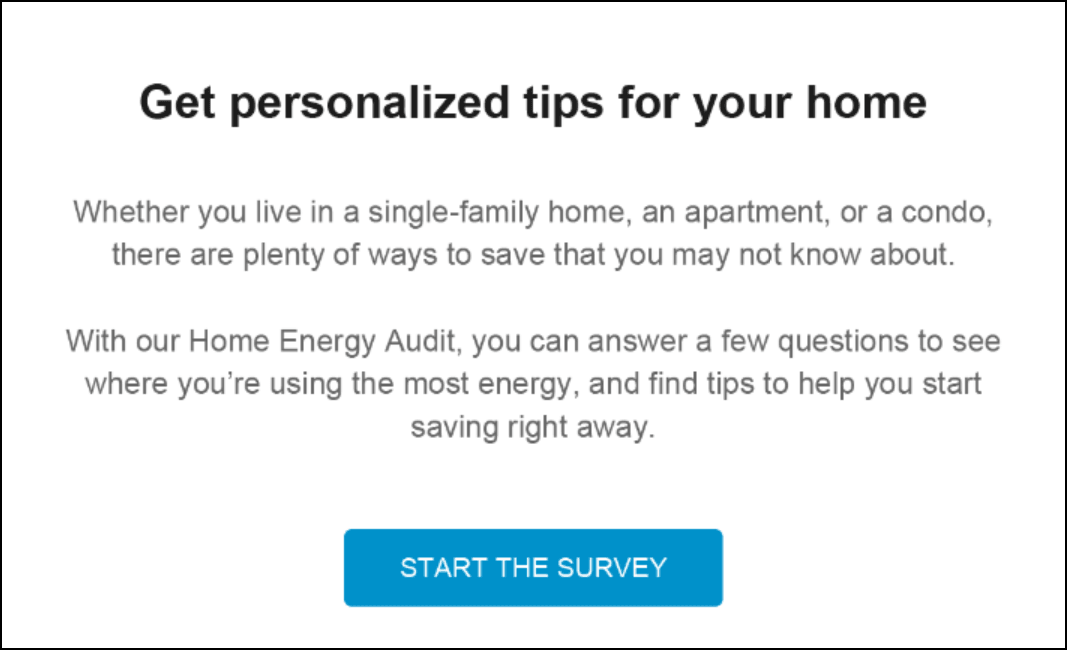
- Easy Open Home Energy Analysis: The Easy Open Home Energy Analysis encourages customers to complete the Home Energy Analysis in order to improve their report experience, and includes a call to action button that redirects the customer to the Home Energy Analysis in Digital Self Service - Energy Management where they can complete the full survey.
Configuration Options
For each element listed in the table, indicate the desired configuration in the Input Value column. If you do not provide an input for optional configurations, the default will be used.
| Configuration Options | Input Value |
|---|---|
|
Heading The heading of the module can be customized to meet the needs of the utility. Default: Get personalized tips for your home |
Optional Choose one of the following:
|
|
Home Energy Analysis Statement The statement about the Home Energy Analysis can be customized to meet the needs of the utility. Default: Whether you live in a single-family home, and apartment, or a condo, there are plenty of ways to save that you may not know about. With our Home Energy Audit, you can answer a few questions to see where you're using the most energy, and find tips to help you start saving right away. |
Optional Choose one of the following:
|
|
Start The Survey Button You can update the text on this button, as well as the URL to which the customer is directed when clicking the button. Default: START THE SURVEY You must also specify the URL the customer should link to when clicking the button. |
Required Choose one of the following:
|