Personal Threshold Module
The Personal Threshold module explains the customers current personal threshold and how it impacts receiving High Bill Alerts. Along with this explanation, it enables customers to access and update their threshold.
Requirements
There are no module-specific requirements. See Requirements and Limitations for the High Bill Alerts (AMI) feature for more information.
Limitations
This section lists the limitations:
- Rates Not Modeled: Users without modeled rates are only able to set a usage threshold.
- Budget Billing: Users with budget billing are only able to set a usage threshold.
- Multiple Accounts: The personalized threshold experience varies depending on what kind of accounts the customer has.
- If all of the customer's accounts have modeled rates and none of the accounts are budget billing, the customer can only set a cost threshold.
- If at least one account doesn't have modeled rates or is budget billing, the customer can only set a usage threshold.
User Experience
The Personal Threshold module explains how their personal threshold impacts receiving high bill alerts. Customers can use the provided link to adjust their threshold. The personalized threshold allows the customer to set a minimum threshold that their projected energy use or bill must reach before they receive a high bill alert.
For utilities that do not include water in their messages, and have implemented the personal threshold, the threshold defaults to the utility-set threshold until the customer sets their personal threshold. The module encourages them to set their own threshold and provides a link to their Digital Self Service Energy Management Account Center where they can set either a cost or a usage-threshold. When a threshold is set, the alert triggers only when cost or usage is greater than the set threshold. Utilities can also implement their own preference center, and provide access to customers using APIs. For additional information, see Oracle Utilities REST API for Digital Self Service - Energy Management
For utilities that include water in their HBAs, there is no utility-wide threshold. Customers only receive the alert if they have opted-in and set up a personal threshold. They can use the link to access the DSS EM Account Center where they can update their threshold.
Depending on the characteristics of a customer's accounts, the customer is provided one of the following options to define a personalized threshold. After the customer sets their threshold, when they receive an alert the module reminds them they set a threshold, and provides a link to their account where they can modify the threshold.
-
Cost threshold: Customers with modeled rates can set a dollar threshold range of $1 - $100,000,000. When an absolute dollar threshold is set, the alert triggers only when cost is greater than the set dollar-threshold. For example, the customer could set their threshold to send the alert only if their bill exceeds $100. All active utility accounts for a customer must have modeled rates and are not defined as budget billing accounts for the customer to define a cost-based threshold. Water customers must set a cost threshold to receive an alert. If the customer does not set a personalized cost threshold, they will receive alerts only when they exceed the combined usage and cost threshold set by the utility. The recommended and default utility threshold is 30 percent.
-
Usage threshold: Customers without modeled rates or with budget billing accounts can set a usage threshold percentage range of zero to 1000 percent greater than the same bill the previous year. For example, the user could set their threshold to send the alert only if their usage is at least 25 percent greater than the same bill period the previous year. The default usage-threshold value is 30 percent. The usage-based threshold is provided to customers with at least one active account that does not have modeled rates or is defined as a budget billing account.
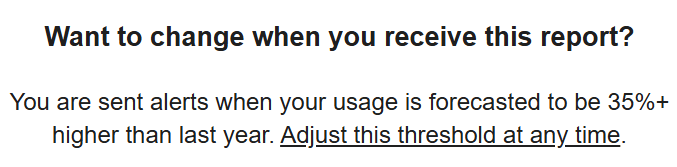
This image shows an example of the Personal Threshold module:
User Experience Variations
This section describes the user experience variations in the Personal Threshold module.
Personal Threshold Available
When the utility has a default utility-wide threshold, and the customer is able to set their own personal threshold, the message prompts users to update their own personal threshold if they would like to change how they receive this report.
Personal Threshold Not Available
If the utility does not implement the personal threshold, this module is fully hidden from view.