5.2 Accounting Enquiry
List the internal transactions booked on an account by following the instructions provided in this topic.
- Click Nostro Account Enquiries. Under Nostro Account Enquiries, click Accounting Enquiry.The Accounting Enquiry page displays.
Figure 5-4 Nostro Account Enquiry - Accounting Enquiry
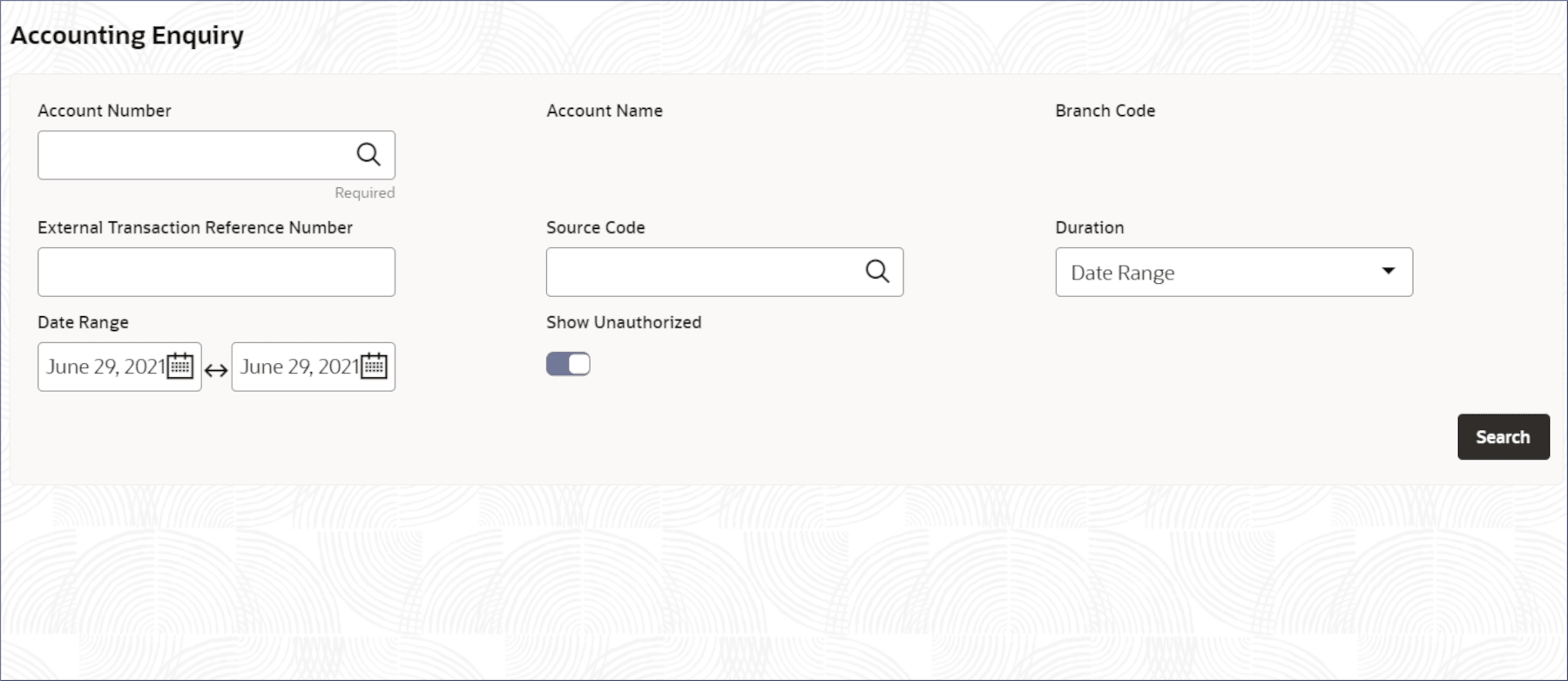
- Specify the details on the Accounting Enquiry page to narrow your search results. For more information on fields, refer to field description table below:
Table 5-2 Accounting Enquiry - Field Description
Field Description Account Number Specify the Nostro Account number. Account Name Displays with the account name that corresponds to the account number. Branch Code Displays with the branch that corresponds to the account number. External Transaction Reference Number Specify the reference number of the external transaction performed by the customer. Source Code Specify the code for the transaction entry journal. Duration Specify the duration, to retrieve transaction entries, from the following: - Today: Transaction entries for the same day.
- Date Range: Transaction entries made between specified dates.
- Last 'n' transactions: Where n is the number of latest transaction to retrieve.
Last Number of Transactions Specify the number of latest transactions to retrieve. This field displays if the Duration field is set to Last 'n' transactions. Date Range Specify the dates to retrieve the transactions entries. This field displays if the Duration field is set to Date Range. - Click Search.The transaction entry details of the Nostro account for the specified duration are listed in rows.
Table 5-3 Search - Field Description
Column Description Value Date The value date of the transaction. EA Reference Number The external accounting reference number. Debit/Credit The type of transaction, Debit or Credit. Amount The transaction amount in the account's currency. Detail Any details provided about the transaction.
Parent topic: Nostro Account Enquiries
